
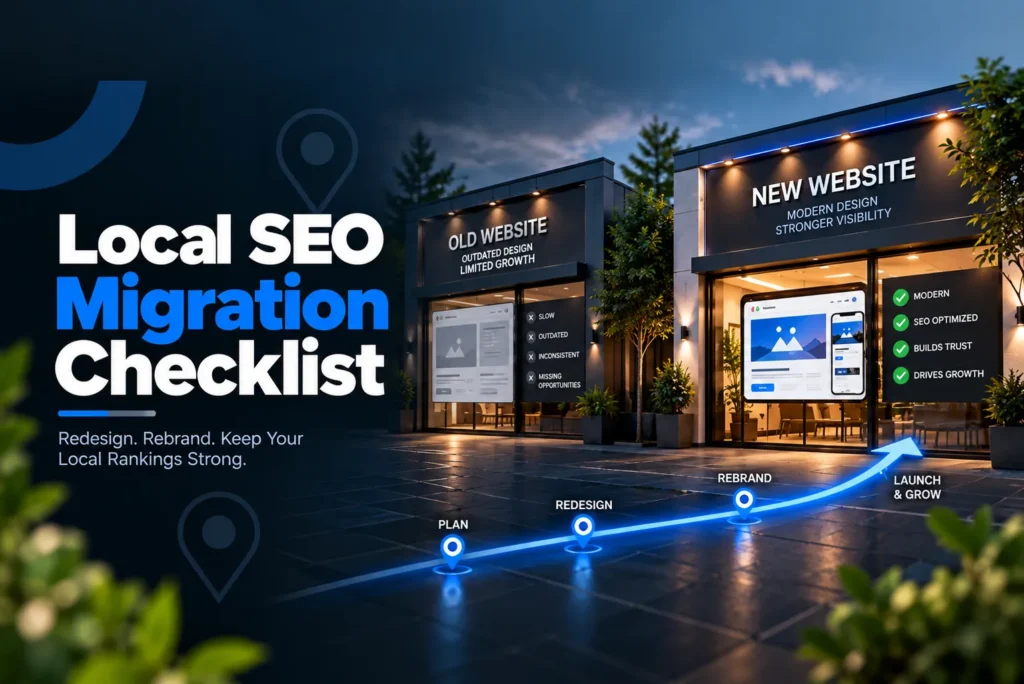
A local SEO migration checklist is a controlled process for protecting existing search visibility when a business changes its website, brand, domain, or physical location. It helps preserve the URLs, backlinks, indexed pages, business information, reviews, structured data, and local signals that search engines already associate with the business.
A migration can produce a polished new website while quietly damaging valuable search signals. The safest approach is to treat every redesign, rebrand, platform change, or business move as a transfer of existing search equity, not a completely new SEO project.
Does a Website Redesign Hurt Local SEO Rankings?
A website redesign doesn’t automatically hurt local SEO rankings, but rankings can fall if the redesign removes or changes signals search engines already use to understand the business. The risk increases when a redesign changes URLs, deletes indexed pages, breaks internal links, removes useful content, changes canonical tags, blocks crawling, or creates conflicting business information.
A visual redesign that keeps the same domain and URLs generally creates less migration risk than a redesign that changes the site’s architecture.
Before the redesign, search engines may already associate the business with:
- Service pages that attract organic traffic
- Location pages that support local visibility
- Blog posts with backlinks and search traffic
- Internal links connecting important pages
- Local business structured data
- A Google Business Profile connected to the website
- Business name, address, phone, and website information across third-party sources
- Existing reviews associated with the business profile
The new site needs to preserve those relationships.
Google’s guidance for site moves specifically recommends testing redirects, checking for accidental noindex or robots restrictions, and monitoring the new site through Search Console after launch.
That makes migration planning a preservation exercise before it becomes a redesign exercise.
What Is a Local SEO Migration?
A local SEO migration occurs when a business makes a change that can alter how search engines crawl, index, identify, or associate the business with its existing search presence.
The checklist depends on what actually changes.
What changes during a visual redesign with the same URLs?
A visual redesign with the same domain and URLs usually requires less redirect work, but it still needs a search signal comparison before launch.
Compare the existing and new versions for:
- Indexed pages
- Important page content
- Internal links
- Canonical tags
- Local business schema
- Business name and contact details
- Location information
- Metadata
- XML sitemap behavior
- Robots directives
- Analytics and conversion tracking
The objective is simple. The new design should carry forward the search signals that the existing site has already earned.
If the business has not started development yet, consider website design decisions that affect local SEO before the redesign becomes difficult to change.
What changes during a CMS migration?
A CMS migration moves the website from one content management system to another. Even when the domain and visible URLs remain unchanged, the new platform can alter canonical tags, metadata, internal links, schema markup, XML sitemaps, image paths, redirects, and indexation directives.
The most common mistake is assuming that the new CMS will reproduce the old SEO configuration automatically.
It may not.
Compare representative pages from the existing site with their new versions. Before approving the launch, verify the HTML output, canonical URL, indexation directives, structured data, internal links, metadata, and status codes.
What changes during a URL structure migration?
A URL structure change creates a direct migration requirement because existing URLs may disappear.
Every valuable old URL should have a clear destination when its content moves. Map each old URL to the closest relevant new URL and use a 301 redirect for a permanent move.
Don’t send every old URL to the homepage just because the homepage is available. The redirect destination should satisfy the same user intent as closely as possible.
Avoid redirect chains as well. If an old URL ultimately needs to reach a new URL, send the old URL directly to the final destination.
Google identifies redirects as a strong canonicalization signal, so accurate redirect mapping is one of the most important parts of a URL migration.
What changes during a domain migration?
A domain migration changes the website address itself, so search engines need to process a new domain while following the relationship from the old domain.
A domain migration requires more coordination because the old domain, new domain, website links, Google Business Profile, citations, analytics, Search Console properties, schema, and redirects must all align.
The old domain should continue serving the correct redirects while search engines process the move. Do not abandon the old domain immediately after the new website launches.
Google recommends monitoring traffic and crawling on both the old and new sites during a URL migration.
What changes during a rebrand?
A rebrand changes the business identity while the physical location may remain the same.
The migration needs to preserve the connection between the previous brand and the new brand.
Review:
- Business name on the website
- Google Business Profile name
- Business name in structured data
- Important directory listings
- Social profiles
- Major third-party mentions
- Review profile continuity
- Important backlinks that reference the previous brand
The goal is not to erase every reference to the previous name overnight. The goal is to make it clear that the new brand represents the same business when it does.
A rebrand announcement can also help establish that relationship across external sources, and keeping brand references across the web consistent is worth tracking on its own, separate from the migration itself.
What changes when a business moves?
A physical move changes one of the strongest local identifiers associated with the business, so the website, Google Business Profile, structured data, and existing citation ecosystem need to transition together.
Update:
- Business address on the website
- Google Business Profile address
- Local business schema
- Major directory records
- Data aggregator records
- Location pages
- Contact information
- Relevant local references
Google’s current Business Profile guidance requires a business moving to a new address to complete verification again, and Google’s profile policies determine how to handle the old and new locations.
Do not create a duplicate profile simply because the website is being redesigned or rebranded. For an actual relocation, follow Google’s current relocation and verification workflow rather than assuming that every move follows the same profile procedure.
Google also states that when an eligible business moves while keeping the same name, reviews can transfer to the new location, although certain business categories have exceptions.
What happens when several changes occur together?
The highest migration risk appears when a business combines a redesign, CMS migration, domain change, rebrand, and physical move.
For example, a company could move to a new city, adopt a new brand name, change domains, rebuild its website, and switch CMS platforms at the same time.
Each change creates its own validation requirement.
Create one master migration plan instead of letting the developer, branding team, marketing team, and SEO team make independent changes.
The more variables change at the same time, the more important the baseline and diagnostic process becomes.
Why Does a Local SEO Migration Threaten Existing Rankings?
A migration threatens existing rankings because it can break the relationships between indexed pages, backlinks, internal links, local business information, reviews, and search engine records that previously reinforced the same business.
Lost backlink equity
External websites may link directly to important service pages, location pages, and articles.
If those URLs disappear without appropriate 301 redirects, the connection between the old URL and the new page can weaken.
Create a backlink inventory before launch. Pay particular attention to important external links pointing at URLs that will change.
Broken internal links
A redesign can change navigation, page paths, or content relationships.
An internal link that worked on the existing website may point to a deleted page after launch.
That can create unnecessary crawl paths and make important pages harder for search engines to discover.
Test internal links after the new site goes live, not just before launch.
Deindexed pages
A staging site often uses noindex to keep unfinished pages out of search.
The danger comes when that directive remains on the production site.
Google explains that a noindex directive can prevent a page from appearing in Google Search when Google can crawl the page and process the directive.
Check production pages for accidental noindex directives immediately after launch.
Google Business Profile mismatch
If the website changes its business name, address, domain, or other identity information while Google Business Profile still shows the previous information, the local search ecosystem receives conflicting signals.
The solution is coordinated timing.
The website, Google Business Profile, schema, citations, and major business profiles should transition toward the same approved information.
Citation inconsistency
A rebrand or move can leave old business information across directories, maps, aggregators, local organizations, and industry websites.
That can create NAP inconsistency after the new website already shows the correct information.
The migration task is not to build citations from zero. It is to update the important existing citations so they reflect the new business information.
The distinction matters because existing citation information needs different treatment during a migration than a business starting citation work from scratch.
Lost review history
Reviews can become disconnected when a business creates duplicate Google Business Profiles during a rebrand or move.
Protecting review continuity therefore starts with protecting the appropriate existing profile and following Google’s current profile rules.
Google says businesses should not create a new profile simply because of a physical location or ownership change. At the same time, its current guidance also provides processes for moving reviews in eligible circumstances.
Crawl and indexation gaps
A migration can also use crawl resources inefficiently when the new site contains unnecessary duplicate URLs, redirect chains, broken links, or inaccessible pages.
Crawl budget becomes more relevant as the number of URLs and migration changes increases. The practical goal is to make the new site easy to crawl by removing unnecessary paths and ensuring important URLs return the correct responses.
What Should You Benchmark Before a Local SEO Migration?
Benchmark the existing search presence before changing anything so you can compare the post-launch site against a documented baseline.
Record:
- Organic traffic by landing page
- Important local rankings
- Top organic landing pages
- Indexed URLs
- Search Console performance
- Google Business Profile visibility and actions
- Important backlinks
- Existing 404 errors
- Existing redirects
- Canonical URLs
- XML sitemap contents
- Business name, address, phone, and website information
- Review profile information
- Citation information
- Existing schema markup
Do not rely on memory.
Export data where possible, and save records of key search results and Google Business Profile information.
The baseline answers an important question after launch:
Did the migration preserve the existing search presence?
A business that wants a broader health check before touching anything can run the existing local SEO audit process first; the checklist here stays focused only on protecting what the business already has.
How Should You Build a URL Inventory and Redirect Map?
Build the URL inventory before the new website is finalized, because you cannot protect URLs you haven’t identified.
Collect URLs from:
- The existing XML sitemap
- Google Search Console
- Analytics
- The current CMS
- Internal links
- Backlink data
- Existing redirects
- Important historical URLs
- Search results
Do not inventory only pages that currently receive traffic.
A page with limited traffic may still have valuable backlinks, internal authority, historical visibility, or important local relevance.
What should a redirect mapping document contain?
A redirect mapping document should connect each important old URL to its appropriate new destination.
| Existing URL | New URL | Redirect | Content relationship | Status |
| Existing service page | New service page | 301 | Direct replacement | Ready |
| Existing location page | New location page | 301 | Direct replacement | Ready |
| Existing article | New article | 301 | Relevant replacement | Ready |
| Deleted page | No relevant replacement | Review | No equivalent | Decision needed |
Use direct redirects.
Avoid chains.
Avoid redirecting unrelated pages to the homepage.
Avoid creating orphaned pages that the new site’s internal links never reach.
The migration should give every important old URL a deliberate outcome.
What Should a Pre-Migration SEO Migration Checklist Include?
The pre-migration SEO migration checklist should establish the baseline, document every important existing asset, and identify every change before development reaches the final launch stage.
Benchmark the current site.
Document:
- Rankings
- Organic traffic
- Important landing pages
- Indexed URLs
- Search Console data
- Backlinks
- Existing errors
- GBP information
- Review information
- Citation information
- Schema
Inventory every URL
Use the XML sitemap, Search Console, analytics, CMS data, internal links, and backlink data.
Classify each URL as:
- Keep unchanged
- Move to a new URL
- Merge into another page
- Replace with new content
- Remove after review
The classification matters because each outcome requires a different technical action.
Build the redirect map.
Map changed URLs before launch.
Each meaningful old URL should have one clear destination.
The redirect map should also identify pages that have no replacement so the team can decide whether to preserve, consolidate, or retire them.
Audit backlinks
Identify important backlinks pointing to URLs that will change.
The goal is not to contact every linking website before launch.
The goal is to know which old URLs deserve particular attention and to make sure those URLs receive appropriate redirects.
Audit local signals
Record the current:
- Google Business Profile
- Business name
- Address
- Phone
- Website
- Categories
- Service areas
- Reviews
- Citation information
- Data aggregator information
This becomes the reference record for the migration.
Inventory content and schema
Identify important pages and the structured data currently attached to them.
Don’t let a redesign or CMS migration remove a page or schema simply because the new template doesn’t include it.
Set a realistic timeline.
A migration should include time for testing, launch, troubleshooting, and monitoring.
Do not schedule the website launch so close to an important business event that the team has no room to diagnose problems.
A business that relies heavily on local search should also avoid combining a major migration with unrelated large changes unless there is a strong business reason.
How Do You Prepare Google Business Profile for a Migration?
Update the existing Google Business Profile when the business changes its name, website, address, or service area, following Google’s current rules for that type of change.
The exact action depends on what changed.
Address changes and reverification
A physical move requires more than changing the address on the website.
Update the business address through the Google Business Profile process and be prepared for reverification. Google states that a business moving to a new address must verify the business again.
The website, schema, citations, and profile should all move toward the same approved address.
Do not publish one address on the website while the profile and major citation sources continue showing a different current address indefinitely.
Rebrand name changes
Update the existing profile when the new name represents the same eligible business and follows Google’s requirements.
Do not create a second profile to display the new brand.
Google distinguishes minor name changes from changes that effectively represent a new business, so the nature of the rebrand matters.
Website URL changes
If the business moves to a new domain, update the website field after the new site is live and functioning.
Never point the profile to a staging site or to a domain that has not completed the migration.
Category changes
A migration is not automatically a reason to change the primary category.
Review categories when the business itself has changed. If the business remains the same, preserve accurate existing categories unless there is a specific reason to change them.
Unnecessary category changes introduce another variable into an already complex migration.
Service area changes
If the business changes its service area, update the profile to reflect the actual operating area.
Google allows eligible service area businesses to represent their service area rather than publicly displaying a customer-facing address.
Service area settings like this one are usually part of the same Google Business Profile checklist a business already follows day to day; a migration only changes what happens to the profile when the business itself changes.
How Should You Handle NAP Consistency During a Move or Rebrand?
Update key citation sources and data aggregators whenever the business name, address, or phone changes, then monitor those sources for old information that reappears.
Start with the sources most likely to influence the wider business information ecosystem.
Prioritize:
- Data aggregators
- Major directories
- Industry directories
- Chambers and associations
- Local organizations
- Important publisher profiles
- Social profiles
- Map platforms
- Partner websites
- High-value third-party pages
The migration team should maintain one approved record of the new business information.
That record should contain the exact:
- Business name
- Address
- Phone number
- Website
- Primary business category
- Service area information when relevant
- Hours when relevant
This prevents different teams from entering slightly different versions of the new information.
Why do data aggregators matter during a migration?
Data aggregators can distribute business information to multiple downstream platforms, so an outdated address or business name can continue appearing after the website and Google Business Profile have already changed.
This makes updating data aggregators such as Foursquare and Data Axle particularly important after a physical move or rebrand.
The migration team should identify which aggregator records exist, update the approved business information, and then monitor the wider ecosystem for old details.
How Do You Protect Review Continuity During a Migration?
Protect review continuity by preserving the appropriate Google Business Profile whenever the business remains the same underlying entity and by following Google’s current process for any relocation or profile change.
Before the migration, record:
- Current review profile
- Current review count
- Profile URL
- Business name
- Address
- Primary category
- Website URL
This creates a reference point if something changes unexpectedly.
The biggest risk is creating a replacement profile without first determining whether the existing profile should remain, be updated, or be handled through Google’s relocation process.
If duplicate profiles already exist after a migration, working through the Google Business Profile merge process resolves the competing listings directly, rather than leaving both profiles live and hoping one fades on its own.
Do not treat reviews as something the business can rebuild after a migration. Preserve the established review history whenever Google’s rules allow it.
What Should Happen to Schema During a CMS or Website Migration?
Compare schema markup between the existing and new websites so the new site still describes the correct business entity.
A CMS migration can remove structured data when developers rebuild templates without reproducing the existing markup.
Review:
- Business name
- Address
- Phone number
- Website URL
- Business type
- Service area
- Opening hours
- Relevant identifiers
- Relationships between business entities
If the business moved or rebranded, update the structured data to match the new real-world information.
Don’t copy old schema unthinkingly when business details have changed.
Do not keep old address information in structured data after the business moves.
Those are the same fields the local business schema guidance walks through for implementation; a migration adds the risk that a rebuild drops them entirely before anyone notices.
What Should You Test on the Staging Site?
The staging site should remain outside search while the team tests the migration, and production must not inherit those restrictions.
Use appropriate noindex and access controls on staging.
Then create a specific launch test to confirm production does not have the same restrictions.
Test:
- Page accessibility
- Canonical tags
- Robots.txt
- Internal links
- Redirects
- XML sitemap
- Structured data
- Metadata
- Important content
- Analytics
- Conversion tracking
- Contact forms
- Phone links
A staging site can look perfect while still containing technical settings that would damage the production site.
That is why launch approval should include a technical comparison between staging and production.
Why Do Canonical Tags Matter During a Migration?
Canonical tags should point to the intended preferred URLs on the new website after the migration.
A common migration failure occurs when a new page still identifies an old URL as its canonical.
Review the relationship between:
- Redirect destination
- Canonical tag
- XML sitemap URL
- Internal links
- Actual page URL
These signals should tell the same story.
Google describes redirects as a strong canonicalization signal, rel=”canonical” as another strong signal, and sitemap inclusion as a weaker signal. Using conflicting signals can make the preferred URL less clear.
A migration should reduce ambiguity, not create it.
What Should Happen to the XML Sitemap During a Migration?
The XML sitemap should move from the old URL set to the preferred new URL set as part of the migration.
Before launch, preserve a copy of the existing sitemap so the team has a record of the old URL set.
After launch, the new sitemap should contain the URLs that the business wants search engines to crawl and consider.
Google recommends using canonical URLs in sitemaps and submitting the sitemap through Search Console.
Don’t leave hundreds of obsolete URLs in the new sitemap just because they appeared in the old one.
The sitemap should represent the new website’s intended URL structure.
What Should You Check in Robots.txt and Indexation?
Robots.txt should allow search engines to crawl the important production pages, while noindex should not accidentally carry over from staging.
These controls serve different purposes.
Robots.txt controls whether crawlers can request resources.
A noindex directive tells a crawler that a page should not appear in search after the crawler can access and process the directive.
Google specifically warns site owners to remove migration-related noindex and robots restrictions when the new site is ready.
After launch, test:
- Homepage
- Important service pages
- Location pages
- High traffic articles
- Pages receiving backlinks
- New URLs created by the migration
Do not test only the homepage.
A migration can leave the homepage working perfectly while important landing pages remain blocked.
How Do You Preserve Analytics and Tracking During a Migration?
Preserve analytics and conversion tracking by comparing the old implementation with the new implementation before launch and testing real traffic immediately after launch.
A redesign can remove:
- Analytics tags
- Tracking pixels
- Conversion events
- Call tracking
- Form tracking
- Tag manager containers
The migration team should document which tracking systems currently operate on the site.
After launch, test a real visit and a real conversion action.
If organic traffic appears to disappear immediately after launch but analytics tracking also stopped recording, do not assume the ranking system caused the traffic loss.
Measurement continuity is part of migration diagnosis.
Technical SEO Checklist
The technical SEO migration checklist should follow a defined sequence before launch, on launch day, and after launch.
| Phase | Migration action | What to check | Why it matters |
| Pre launch | URL inventory | Identify important existing URLs | Prevents valuable pages from disappearing |
| Pre launch | Redirect mapping | Map old URLs to relevant new URLs | Preserves access and migration signals |
| Pre launch | Backlink inventory | Identify important links to changing URLs | Protects valuable external references |
| Pre launch | Canonical review | Document existing preferred URLs | Prevents accidental canonical changes |
| Pre launch | Staging indexation | Confirm staging uses appropriate restrictions | Prevents unfinished pages from entering search |
| Pre launch | Schema comparison | Compare existing and new structured data | Prevents business information from disappearing |
| Pre launch | Internal links | Identify links that will change | Preserves crawl paths |
| Launch day | 301 redirects | Test old URLs and final destinations | Transfers users from old pages |
| Launch day | Robots.txt | Confirm important pages are crawlable | Prevents accidental crawl blocks |
| Launch day | Noindex | Confirm production pages are indexable | Prevents accidental deindexation |
| Launch day | Canonicals | Confirm new URLs identify the correct canonical | Reinforces preferred URLs |
| Launch day | XML sitemap | Confirm new URLs are included | Helps search engines discover the new URL set |
| Launch day | Analytics | Confirm visits and conversions are recorded correctly | Preserves measurement continuity |
| Launch day | Internal links | Test important navigation paths | Prevents broken discovery paths |
| Post launch | Search Console | Monitor indexing and crawl reports | Identifies migration problems |
| Post launch | 404 errors | Review unexpected missing URLs | Find broken redirects and deleted pages |
| Post launch | Redirect errors | Check failures and chains | Find incomplete migration rules |
| Post launch | Rankings | Compare important queries with baseline | Shows whether visibility is stabilizing |
| Post launch | Landing page traffic | Compare old and new page performance | Identifies pages that lost visibility |
| Post launch | GBP | Check status and website information | Protects local entity consistency |
The same habit shows up throughout Google’s own migration documentation: use Search Console to watch indexing and traffic as old URLs decline and new URLs take their place.
What Should You Check the Moment the New Site Goes Live?
Start launch day with verification rather than waiting for rankings to tell you something went wrong.
Immediately after launch:
- Open the homepage.
- Open major service pages.
- Open important location pages.
- Test representative old URLs.
- Confirm old URLs return the expected 301 response.
- Confirm new URLs return successful responses.
- Check for accidental noindex.
- Review robots.txt.
- Review canonical tags.
- Open the XML sitemap.
- Confirm the sitemap contains the intended new URLs.
- Test important internal links.
- Validate important schema.
- Test forms.
- Test phone links.
- Confirm analytics records visits.
- Confirm conversion tracking.
- Check the Google Business Profile website URL if the domain changed.
- Check the Google Business Profile name and address if the business rebranded or moved.
- Check for duplicate profiles.
- Begin citation updates.
Don’t wait for a ranking drop to do these checks.
Technical problems are usually easier to correct before search engines have had extensive time to process the new site.
How Should You Coordinate Website, GBP, and Citation Changes?
Coordinate website, Google Business Profile, structured data, and citation changes around the same approved business information so the local ecosystem doesn’t send contradictory signals.
The timing depends on the migration.
For a domain change, the new website should be live and functional before the Google Business Profile website field points users to it.
For a physical move, the new address should be ready across the website and local business data before the profile and citation ecosystem begins showing the new location widely.
For a rebrand, the website, profile, schema, and important business references should transition from the old name to the new name without creating duplicate business identities.
The exact order can vary.
The one constant is this: avoid letting major business sources describe the same business in conflicting ways for longer than the transition actually requires.
What Should You Monitor During the First 48 Hours?
During the first 24 to 48 hours, focus on technical failures and obvious traffic changes rather than trying to determine the final ranking outcome.
Monitor:
- Google Search Console
- Indexing status
- URL inspection for important pages
- Server response codes
- 404 errors
- Redirect errors
- Redirect chains
- Crawl activity
- Organic traffic
- Traffic by landing page
- Conversion tracking
- Google Business Profile status
- Website accessibility
- Robots.txt
- XML sitemap processing
A small amount of ranking fluctuation does not automatically indicate a failed migration.
Search engines need to recrawl the new URLs, process redirects, reassess canonical relationships, and update their understanding of the website.
A sharp traffic decline combined with widespread indexing problems, broken redirects, or inaccessible pages is much more concerning.
What Should You Monitor During the First Two Weeks?
During the first two weeks, move from technical validation toward search signal validation.
Compare the new website against the pre-migration baseline.
Look for:
- Important pages that remain unindexed
- Old URLs without appropriate redirects
- New URLs returning unexpected 404 responses
- Ranking declines concentrated around migrated pages
- Organic traffic losses tied to specific landing pages
- Broken internal links
- Canonical conflicts
- XML sitemap problems
- Incorrect business information
- GBP verification issues
- Old citation information
- Duplicate business listings
The pattern matters more than one isolated ranking movement.
If one keyword moves while important landing pages, traffic, and indexing remain stable, that is different from a broad traffic decline accompanied by deindexed pages and redirect failures.
What Should You Monitor During the First 90 Days?
The first 90 days should focus on stabilization, cleanup, and comparison against the original baseline.
Continue reviewing:
- Organic landing page traffic
- Important local rankings
- Search Console indexing
- Search Console crawl reports
- 404 errors
- Redirect behavior
- Backlinks pointing to old URLs
- Citation consistency
- Business name consistency
- Address consistency
- Review continuity
- Schema accuracy
- Google Business Profile status
A post-launch monitoring process should gradually shift from emergency checks toward normal ongoing maintenance.
Once the migration settles, shift back to routine monitoring and treat any remaining issues like ongoing local SEO maintenance.
How Can You Tell a Normal Ranking Drop From a Migration Problem?
A temporary ranking fluctuation can occur while search engines process a migration, while a serious ranking problem usually comes with technical, indexing, or local signal evidence.
A temporary change may involve:
- Some rankings moving while others remain stable
- Uneven traffic fluctuations
- New URLs gradually appearing as old URLs disappear
- No widespread technical errors
A serious problem may involve:
- Important pages disappearing from the index
- Old URLs returning 404 responses without relevant replacements
- Redirects pointing to unrelated pages
- Redirect chains
- Production pages carrying noindex
- Robots.txt blocking important pages
- Canonical tags pointing to incorrect URLs
- XML sitemaps containing incorrect URLs
- Google Business Profile pointing to the wrong website
- Incorrect business address information across important sources
- Duplicate Google Business Profiles
- A sharp traffic decline across previously important landing pages
Don’t respond to every ranking fluctuation by changing your entire SEO strategy.
Diagnose the migration first.
What Should You Do If Rankings Drop Sharply After Launch?
If rankings or traffic fall sharply after launch, diagnose the migration before making additional SEO changes.
First check indexation
Inspect critical pages in Google Search Console.
Review:
- Index status
- Canonical selection
- Crawl accessibility
- Robots directives
- Page response
If Google can’t crawl or index the new pages, fix that before investigating secondary causes.
Then test the redirect map
Select important old URLs from the migration inventory.
Confirm that each old URL:
- Returns a 301 response
- Goes directly to the intended new URL
- Does not redirect to an irrelevant page
- Does not create a chain
- Does not end at a missing page
Checking old-to-new redirects and watching Search Console for an unusual jump in missing-page errors is exactly what Google points to during a site move.
Then inspect canonical signals
Compare:
- Canonical tags
- XML sitemap URLs
- Internal links
- Redirect destinations
The signals should agree about the preferred version.
Then inspect local signals
If the migration involved a rebrand or physical move, compare the new website with:
- Google Business Profile
- Major citations
- Data aggregators
- Local directories
- Structured data
- Important third-party profiles
A local ranking decline can stem from migrating local business information, not the website alone.
Finally, check duplicate profiles
Search Google Maps for duplicate profiles.
If a duplicate was created during the migration, investigate consolidation rather than allowing the business to operate with competing listings.
The objective is to restore one clear business identity.
When Should You Use a Rollback Plan?
A rollback plan should exist before launch because some migration failures require immediate damage control, not gradual troubleshooting.
A rollback should not happen simply because rankings fluctuate.
Consider it when the new website introduces a serious technical problem the team can’t fix quickly.
The rollback plan should define:
- Who can authorize the rollback
- Which version of the old site remains available
- How hosting or DNS changes will be reversed
- How redirects will remain available
- How analytics will continue recording
- Which Google Business Profile changes have already occurred
- Which citation changes have already been submitted
- How the team will communicate the incident
Keep the old website infrastructure and migration documentation accessible until the new website operates stably.
Google advises monitoring both the old and new infrastructure during a move and leaving the old infrastructure in place while the transition is still being validated.
A rollback should restore technical stability. It should not create another migration problem.
What Are the Most Common Migration Mistakes?
The most damaging mistakes happen when teams treat a migration as a design project instead of transferring existing search signals.
Deleting old URLs without mapping them
Create the URL inventory before launch and give important URLs a deliberate destination.
Redirecting every old URL to the homepage
Redirect each old URL to the closest relevant replacement instead.
Leaving redirect chains
Send each old URL directly to its final destination.
Allowing staging restrictions onto production
Check the live website for noindex directives and crawl restrictions immediately after launch.
Forgetting canonical tags
Compare canonical tags before and after the migration.
Removing structured data during a CMS migration
Compare the existing schema with the new implementation, and update business information as needed.
Creating a new Google Business Profile without checking the relocation rules
Determine whether the business should update an existing profile, complete reverification, or follow a relocation process that requires a new profile. Don’t decide based solely on website changes.
Updating the website but not citations
Create one approved NAP record and use it when updating important external sources.
Treating reviews as disposable
Document the existing profile and review history before the migration and follow Google’s current rules for preserving or transferring reviews.
Changing too many SEO variables at once
Preserve existing content, URLs, categories, and local signals unless the migration requires a change.
Every unnecessary change adds another variable to the diagnosis if rankings move.
How Long Does It Take to Recover Rankings After a Site Migration?
Ranking recovery after a migration does not follow a guaranteed timetable because search engines must recrawl the new URLs, process redirects, reassess canonical relationships, index new pages, and reconcile changed business information.
A visual redesign that keeps existing URLs may cause little disruption.
A domain migration with major URL changes requires more processing.
A domain migration combined with a rebrand, physical move, CMS migration, and URL restructuring creates even more variables.
The right expectation is staged stabilization, not a promised number of days.
First, confirm that the new site is accessible.
Then confirm that redirects work.
Then confirm that important pages become indexed.
Then compare landing page traffic and rankings with the original baseline.
If the migration remains technically sound and local information stays consistent, fluctuations can settle as search engines process the changes.
If visibility continues declining while technical or local inconsistencies remain, waiting is not a migration strategy. Find and fix the cause.
What Should the Final SEO Migration Checklist Include?
The final SEO migration checklist should give the migration team one operational record covering technical SEO, local signals, measurement, and recovery.
Before development finishes
- Benchmark rankings and organic traffic.
- Record important landing pages.
- Export indexed URLs.
- Build the complete URL inventory.
- Identify pages receiving important backlinks.
- Create redirect mapping.
- Identify pages that need replacement content.
- Audit Google Business Profile.
- Record review profile information.
- Audit important citations.
- Identify data aggregator records.
- Inventory structured data.
- Record canonical URLs.
- Record XML sitemap contents.
- Document robots.txt.
- Confirm analytics and conversion tracking.
- Establish a realistic launch timeline.
- Assign responsibility for every migration task.
- Prepare the rollback plan.
Before staging approval
- Prevent staging pages from entering search.
- Compare existing and new URLs.
- Compare important page content.
- Test internal links.
- Test canonical tags.
- Test schema.
- Test metadata.
- Test forms and phone links.
- Test analytics.
- Test conversion tracking.
- Test redirect rules.
On launch day
- Publish the new website.
- Activate 301 redirects.
- Confirm the new website is crawlable.
- Confirm production pages do not contain staging noindex.
- Review robots.txt.
- Publish the correct XML sitemap.
- Submit the sitemap through Google Search Console.
- Verify canonical URLs.
- Test important old URLs.
- Test important new URLs.
- Check internal links.
- Check structured data.
- Check analytics.
- Check conversions.
- Update Google Business Profile website information when necessary.
- Update Google Business Profile name, address, or service area when necessary.
- Complete reverification when Google requires it.
- Check for duplicate profiles.
- Begin citation updates.
During the first 48 hours
- Monitor Search Console.
- Check indexing of important pages.
- Monitor 404 errors.
- Monitor redirect errors.
- Review organic traffic.
- Review landing page traffic.
- Confirm analytics.
- Confirm conversions.
- Check Google Business Profile status.
- Check website accessibility.
During the first two weeks
- Compare rankings against the baseline.
- Compare landing page traffic.
- Investigate pages with major declines.
- Review crawl and indexing issues.
- Check redirect coverage.
- Check canonical consistency.
- Check citation updates.
- Check business information consistency.
- Check review continuity.
- Resolve unexpected technical errors.
During the first 90 days
- Continue ranking monitoring.
- Continue Search Console monitoring.
- Review organic landing page performance.
- Review Google Business Profile performance.
- Audit important citations.
- Check backlinks pointing to old URLs.
- Confirm old URLs have appropriate destinations.
- Review structured data.
- Run a post-migration local SEO audit.
- Resolve remaining inconsistencies.
AI SEO Checklist
AI search systems need consistent evidence that the business remains the same entity after a migration. The strongest approach is to preserve consistent business information, structured data, content, and external references rather than optimizing separately for each AI platform.
| Migration action | What AI systems need to understand | What to verify |
| Structured data continuity | The business remains an identifiable entity | Name, address, phone, URL, business type, and location data remain accurate |
| Entity consistency | The old and new identity represent the same business when applicable | Website, GBP, directories, social profiles, and important references agree |
| Content continuity | Important service and location information still exists | Valuable pages remain available or redirect to relevant replacements |
| Business identity clarity | The new website clearly identifies the business | Name, services, location, and contact information remain clear |
| Freshness signals | Current business information replaces outdated information | New address, name, hours, and website appear across important sources |
| Citation updates | External sources reinforce the current identity | Important directories and aggregators no longer show outdated information |
| Review continuity | Existing customer evidence remains connected to the business | The correct GBP profile remains active and duplicate listings are avoided |
| Website relationship | AI systems can connect the new website with the existing entity | GBP, schema, internal references, and citations use the correct website |
The goal is consistency.
If Google AI Overviews, ChatGPT, Perplexity, or Gemini encounters the old business name in one source, the new name in another, an old address elsewhere, and a different website on another source, the system has conflicting information to reconcile.
A migration should reduce that ambiguity.
The same principle applies to content. When a service page moves, its new version should clearly preserve the information that established the old page’s relationship to the business, service, and location.
Freshness matters when the business itself changes. If the business moves, the current address should replace the old address across the sources that describe the business. If the business rebrands, the new identity should replace the old identity while preserving the relationship where appropriate.
If This Feels Like a Lot to Manage During a Migration
If this feels like a lot to manage during a migration, this is exactly the type of work LocalMighty handles for clients.
A local website migration can involve developers, SEO, branding, analytics, Google Business Profile, citations, structured data, redirects, and post-launch monitoring all at once. The challenge is coordinating those changes without letting one team undo another’s work.
LocalMighty can help plan the migration, protect existing search signals, map URLs, coordinate local business changes, validate technical SEO, and monitor performance after launch.
The objective is simple: make the required business change without unnecessarily losing the search visibility the business has already earned.
Key Takeaways
A local SEO migration protects existing search visibility while a business changes its website, domain, brand, CMS, or physical location.
The essential process is:
- Benchmark the existing rankings, traffic, indexed pages, backlinks, Google Business Profile, reviews, citations, and structured data.
- Inventory every important existing URL before rebuilding the website.
- Map old URLs to their closest relevant new destinations.
- Use direct 301 redirects and avoid redirect chains.
- Preserve valuable content and internal links.
- Check canonical tags before and after launch.
- Keep the staging site out of search and remove staging restrictions from production.
- Preserve and update structured data when business information changes.
- Update Google Business Profile when the business name, address, website, or service area changes.
- Complete reverification when Google requires it.
- Protect review continuity by preserving the appropriate profile and following Google’s current relocation rules.
- Update NAP information across important citation sources and data aggregators.
- Submit the new XML sitemap and monitor Google Search Console.
- Watch indexing, 404 errors, redirect errors, rankings, traffic by landing page, Google Business Profile status, and local business information after launch.
- Use a rollback plan when a serious technical failure threatens the migration.
- Judge recovery through technical evidence and performance trends rather than a guaranteed timetable.
The safest migration is not the one that changes the least.
It is the one that makes the necessary change while preserving as much of the business’s existing search identity as possible.
Frequently Asked Questions
No. A redesign becomes a ranking problem only when it changes the signals search engines already rely on instead of carrying them forward. Use the checklist above to tell the difference between the two outcomes.
There is no guaranteed number of days. A simple redesign that keeps its URLs tends to settle quickly, while a combined domain, brand, and location change gives search engines more to reprocess.
Judge progress by technical stability and performance trends against the pre-migration baseline, not by a fixed deadline.
Usually not. The profile update path described earlier applies as long as the underlying business has not actually changed, only its name.
Changing the website platform does not by itself require a new Google Business Profile.
Reviews belong to the Business Profile, not the website CMS, so changing platforms should not require rebuilding the review history.
The migration should preserve the existing profile and make sure the website continues pointing to the correct business profile where appropriate.
They can, for an eligible business keeping the same name, though some categories carry exceptions. Confirm the specific business qualifies before assuming a new profile is the only option.
Yes, when an old article has meaningful traffic, backlinks, search value, or a relevant replacement.
Redirect it to the closest equivalent new article.
Don’t redirect unrelated articles to the homepage to eliminate old URLs.
If an old article has no useful replacement, evaluate the appropriate outcome instead of creating a misleading redirect.
Yes. The URL staying the same only guarantees the address did not move; everything behind that address, from the template to the indexation settings, can still change underneath it. That gap is exactly what the pre-launch comparison step is meant to catch.
Neither order is universally correct. The one sequencing rule that holds across every migration type is that the website should be live and working before the profile sends anyone to it.
The important rule is to prevent major business sources from presenting conflicting information for longer than necessary.