
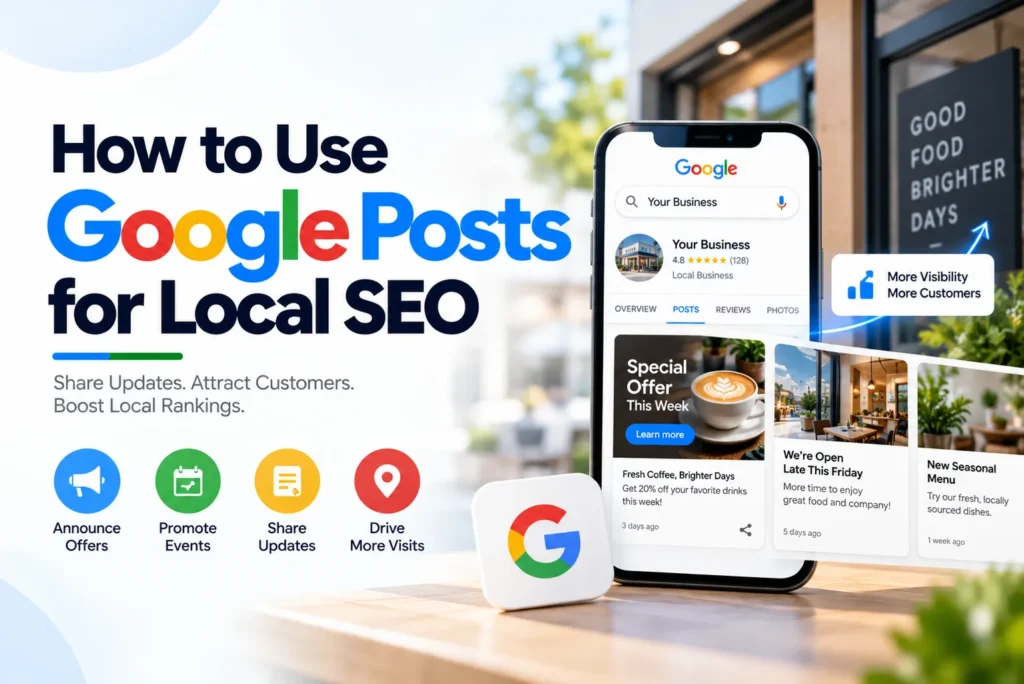
If you run a local business, your Google Business Profile is probably one of the first places potential customers see before they call, visit, book, or buy.
Many business owners overlook one part of that profile: Google Posts.
Google Posts let you publish updates, offers, events, and other timely information directly on your Google Business Profile. They give you another way to communicate with people who are already searching for your business or looking at your listing.
But a lot of confusing advice exists about what Google Posts actually do for local SEO.
Some people treat them as a direct Google Maps ranking factor. Others publish the same promotional message every few days and expect their rankings to improve.
Neither approach is particularly useful.
Google Posts are better understood as a local search communication and conversion tool. They can help you keep your profile current, answer questions, highlight services, promote timely offers, and give potential customers a reason to take the next step.
This guide explains how to use Google Posts effectively for local SEO, what to publish, how often to publish, how to use keywords without stuffing them, what mistakes to avoid, and how Posts fit into a broader local search strategy.
What Are Google Posts?
Google Posts are short updates that businesses can publish through their Google Business Profile.
They can appear alongside your business information in Google Search and Google Maps, giving customers additional information beyond your basic business details.
Depending on the post type, you can include text, images, videos, dates, offers, and links that encourage customers to take a specific action.
For a local business, that makes Google Posts useful for things such as:
- Explaining a service
- Sharing a business update
- Promoting a current offer
- Announcing an event
- Highlighting seasonal services
- Answering common customer questions
- Directing customers to a relevant page on your website
- Encouraging bookings, orders, registrations, or other actions
Google Posts are different from your regular website blog posts.
A blog article is designed to live on your website and can target broader search queries over time. A Google Post is much shorter and appears in the context of your Business Profile, where someone may already be deciding whether to contact your business.
That difference is important.
A Google Post does not need to be a mini blog article. It needs to be useful, specific, and relevant to the person looking at your business.
Do Google Posts Directly Improve Local SEO Rankings?
This is probably the most important question to answer before discussing strategy.
Google does not identify Google Posts or posting frequency as a direct local ranking factor.
Google’s published guidance says local search results are primarily influenced by three factors:
- Relevance
- Distance
- Prominence
Relevance refers to how closely a business matches what someone is searching for. Distance relates to the searcher’s location or the location included in the search. Prominence reflects how well known a business is and includes signals such as reviews and information Google finds about the business across the web.
That means you should not publish Posts simply because you believe Google will reward your Business Profile for being active.
Instead, think about what a Post can accomplish after someone finds your business.
A good Post can help answer a question, explain a service, promote something timely, remove uncertainty, or give the customer a clear next step.
For example, imagine someone finds your auto repair shop while searching for brake repair. A useful Post explaining what your brake inspection includes may give that person another reason to choose you.
The Post did not magically move your listing to the top of Google Maps.
It helped make the business easier to understand and potentially easier to choose.
That is a much more realistic way to think about Google Posts.
Google Posts Are Not a Ranking Shortcut
Be careful with any SEO advice that promises a specific number of Posts will produce higher Maps rankings.
Publishing every day does not guarantee better local rankings.
Publishing once a week does not guarantee better local rankings either.
The quality and relevance of the information matter far more than chasing an arbitrary publishing quota.
A better rule is:
Publish when you have something useful to tell your customers.
For some businesses, that might mean one Post a week. For others, it could mean more during a busy promotional period or when the business has frequent updates.
The goal is not to fill a content calendar.
The goal is to make your Business Profile more useful.
Why Google Posts Still Matter for Local Businesses
Local search often happens when someone is close to making a decision.
Think about searches such as:
- Emergency plumber near me
- Dentist in [city]
- Auto repair near me
- HVAC repair in [city]
- Roof repair near me
- Restaurant near me
The person searching may not want to read a long article about plumbing, dentistry, or auto repair.
They want to know which business can help them.
Your Google Business Profile already provides important information such as your business name, category, hours, location, reviews, website, and other details.
A Post adds another layer.
It can tell the customer what is happening right now.
Maybe you have:
- A seasonal service
- A new service
- A current promotion
- An upcoming event
- A timely customer announcement
- A service that addresses the exact problem they are experiencing
That information can make a difference when someone is comparing several local businesses.
The Three Main Types of Google Posts
Google provides different Post formats for different types of information.
Choosing the right format makes your content clearer and gives customers a more appropriate way to respond.
1. Update Posts
Updates are the most flexible option.
You can use them for everyday business information, service announcements, educational content, seasonal reminders, new products, recent work, or answers to common questions.
For most local businesses, this will be the Post type you use most often.
For example, an auto repair shop could publish:
Hearing a squealing sound when you brake? It may be time to have your brake pads inspected. Our technicians can check your brake system and explain what needs attention before a small issue turns into a more expensive repair.
That is more useful than:
We are your trusted local auto repair experts. Call us today!
The first Post gives the customer information. The second mostly gives the customer a slogan.
2. Offer Posts
Offer Posts are designed for promotions and special deals.
They work best when the offer is genuine, and the details are clear.
A useful Offer Post should make it easy for someone to understand:
- What is being offered
- Who the offer is for
- When it is available
- What the customer needs to do
- Whether any terms or conditions apply
For example:
September Brake Inspection Special
Schedule a brake inspection during September and ask our team about the current service offer. Appointments are available throughout the month.
The exact promotion will depend on your business, but the principle remains the same.
Make the offer specific.
Avoid vague claims such as “Massive savings” or “Best deal ever” when they do not tell the customer anything useful.
3. Event Posts
Event Posts are designed for something happening on a specific date or over a defined period.
They can work well for:
- Workshops
- Classes
- Open houses
- Community events
- Product launches
- Special business events
- Seasonal activities
Include the actual date and time whenever possible.
Customers shouldn’t have to search elsewhere to figure out when the event takes place.
How to Write a Google Post That People Actually Read
The biggest mistake with Google Posts is writing them like advertisements.
A customer searching locally has already seen plenty of businesses claiming to be “the best,” “trusted,” “affordable,” or “number one.”
Those words do not tell them much.
A stronger Post usually follows a simple structure.
Start With the Customer’s Situation
Open with the problem, question, service, or announcement.
Instead of:
Welcome to our Business Profile!
Try:
Not sure whether your brakes need replacing?
Or:
Getting ready for a long road trip?
Or:
Our September maintenance special is now available.
The reader should understand the subject immediately.
Explain Why It Matters
Give the customer a reason to care.
If the Post is about brake inspections, explain what signs they should watch for.
If it is about an HVAC service, explain what problem the service addresses.
If it is about a promotion, explain what the customer actually receives.
You do not need a long explanation. One or two useful sentences can be enough.
Connect the Problem to Your Service
Once you have established the customer’s need, explain how your business can help.
For example:
Our technicians inspect the pads, rotors, and other brake components to identify what needs attention.
Now the reader understands both the problem and the solution.
Add Local Context Naturally
Local businesses should absolutely communicate where they serve, but there is no reason to repeat the city name in every sentence.
A natural mention can be enough.
For example:
We provide brake inspections for drivers in Sparks and nearby communities.
That tells the customer where you operate without turning the Post into a list of keywords.
Finish With One Clear Action
A Post should normally have one obvious next step.
That might be:
- Book an appointment
- Learn more
- View the offer
- Register for an event
- Order online
- Visit the website
Do not give the customer five different things to do.
One clear CTA is usually easier to follow.
A Simple Google Post Formula
If you are not sure how to structure your Posts, use this formula:
Customer need + useful information + your solution + local context + one action
For example:
Hearing grinding when you brake? It can be a sign that your brake components need attention. Our technicians can inspect your pads, rotors, and related components, then explain what needs repair. We serve drivers throughout Sparks and nearby areas. Schedule a brake inspection through our website.
It is simple.
It sounds like a business talking to a customer, not an SEO system trying to insert keywords.
How to Use Keywords in Google Posts
Keywords still have a place in local content, but you should not write Posts by starting with a keyword and forcing it into every sentence.
Start with the service or question.
Suppose your business targets:
auto repair in Sparks
You might create individual Posts about:
- Brake repair
- Oil changes
- Battery replacement
- Engine diagnostics
- AC repair
- Tire service
- Preventive maintenance
The phrase “auto repair in Sparks” does not need to appear in every Post.
A brake repair Post can simply discuss brake repair and naturally mention Sparks if the location is relevant.
A good Post might say:
Need brake repair in Sparks? Our technicians can inspect your brake pads, rotors, and related components to identify the cause of unusual noise or reduced stopping performance.
That is natural.
What you want to avoid is something like:
Looking for auto repair in Sparks? Our Sparks auto repair shop provides auto repair in Sparks for all your Sparks auto repair needs.
That is not better SEO.
It is simply difficult to read.
Use Related Terms Instead of Repeating One Keyword
If your primary topic is “roof repair,” your content can naturally include terms such as:
- Roof inspection
- Roof leaks
- Storm damage
- Damaged shingles
- Roof maintenance
- Emergency roof repair
These terms help you talk about the subject naturally without repeating the same phrase.
Should Every Google Post Include Your City?
No.
Include a city name when it adds useful local context.
It does not need to appear in every Post.
For example, if you are promoting a local event, mentioning the city or neighborhood may be useful.
If you are answering a general customer question, forcing a location into the sentence may make the writing awkward.
The goal is to sound like a local business speaking to local customers.
Not like a page written around a location keyword.
Use Google Posts to Match Different Search Intent
A strong Google Post strategy considers what the customer is trying to accomplish.
Not every searcher is ready to call you immediately.
Informational Intent
The customer wants an answer.
Examples:
- Why are my brakes squeaking?
- How often should I service my AC?
- What causes a roof leak?
- When should I replace my car battery?
For these searches, provide a useful answer first.
Then connect the issue to your service.
Commercial Intent
The customer is comparing businesses or solutions.
Examples:
- Best auto repair shop near me
- Local dentist
- HVAC company in [city]
- Emergency plumber near me
A Post can help by explaining what your service includes, what customers can expect, or what types of problems you handle.
Transactional Intent
The customer is ready to take action.
Examples:
- Book a brake inspection
- Schedule a dental appointment
- Order catering
- Request a roof inspection
These Posts can be more direct.
Give the customer the information they need and make the next step obvious.
Local Discovery Intent
The customer is trying to find businesses nearby.
Examples:
- Auto repair near me
- Dentist near me
- Plumber near me
- Restaurant near me
For these searches, your overall Business Profile matters heavily.
Your category, business information, location, reviews, prominence, and other local signals are important.
A Google Post can support that profile, but it cannot replace a properly optimized Business Profile.
How Long Should a Google Post Be?
There is no reason to make every Post as long as possible.
In fact, short and focused content is often easier to understand.
The first sentence deserves particular attention because customers may only see part of the content before deciding whether to continue reading.
For most Update Posts, aim to communicate one useful idea rather than trying to cover an entire topic.
An Offer Post may require more detail because customers need to understand the promotion, dates, restrictions, or other terms.
The best length is the shortest length that gives the customer enough information to understand the message and take the next step.
Use Images That Actually Represent Your Business
A good image can help your Post stand out, but the image should support the message.
Whenever possible, use authentic business photography.
Good choices include:
- Your storefront
- Your team
- Your technicians working
- Completed projects
- Products
- Equipment
- Your office
- Your service environment
- Event photos
- Before-and-after work where appropriate
For example, a roofing company discussing roof inspections will usually get more useful context from a real project photo than from a generic stock image of a house.
The same principle applies across industries.
A dentist can show the practice.
A mechanic can show the workshop.
A restaurant can show an actual dish.
A contractor can show completed work.
Real images help potential customers understand what they can expect from the business.
When Should You Use Video?
Use video when it helps explain something better than a photo.
For example:
- A technician explaining a common problem
- A short service walkthrough
- A product demonstration
- A quick tour
- An event announcement
- A before-and-after explanation
A 20-second explanation from a real business owner or technician can be more useful than a heavily produced promotional video.
Don’t create videos just to have more content.
Create them when the visual explanation adds something.
How Often Should You Publish Google Posts?
No official requirement says a business must publish a certain number of Posts every week to rank higher.
That means you should not choose a posting schedule based on an SEO myth.
For many small businesses, one useful Post per week is a practical starting point.
You can publish more when you genuinely have something worth sharing.
For example, a business might publish additional Posts when:
- A new service launches
- A legitimate promotion begins
- An event is coming up
- Seasonal demand changes
- Business information changes
- A useful customer question deserves attention
Consistency helps, but volume should not be the goal.
One useful Post is better than several Posts that all say the same thing.
A Simple Four-Week Google Posts Plan
If you want a schedule that is easy to maintain, try this:
Week 1: Core Service
Choose one important service and explain it.
Example:
What does a brake inspection include?
Week 2: Customer Question
Answer something your team hears regularly.
Example:
How do you know when your car battery needs replacing?
Week 3: Seasonal or Local Topic
Connect a current customer need with your service.
Example:
Planning a long road trip this fall? Here are the vehicle checks worth completing before you leave.
Week 4: Offer or Conversion Post
Give customers a clear reason to act.
Example:
Our September service special is available through the end of the month. Schedule your appointment online.
Then repeat the framework with different topics.
You do not need to reinvent your strategy every month.
The Best Source of Google Post Ideas Is Your Customers
You do not need to sit in front of a blank document wondering what to publish.
Listen for the questions your staff hears every day.
If customers regularly ask:
“Do you offer same-day appointments?”
That can become a Post.
If customers ask:
“Do you repair this part or replace it?”
That can become a Post.
If customers ask:
“Do you serve this area?”
That can become a Post.
If customers ask:
“How long does this service normally take?”
That can become a Post.
You are not inventing content.
You are turning real conversations into useful information.
That is one of the easiest ways to keep your Posts relevant.
Build Posts Around Your Core Services
A local business should not use Google Posts only for general announcements.
Your core services should appear regularly in your content strategy.
For example, an auto repair shop might rotate through:
- Brake repair
- Oil changes
- Tire service
- Battery replacement
- AC repair
- Engine diagnostics
- Transmission service
- Preventive maintenance
A dental practice could focus on:
- Dental cleanings
- Emergency dentistry
- Dental implants
- Cosmetic dentistry
- Teeth whitening
- Root canals
- Children’s dentistry
A roofing company could cover:
- Roof inspections
- Roof repair
- Storm damage
- Roof maintenance
- Leak detection
- Shingle replacement
The exact services will vary, but the principle is the same.
Create content around the services you actually want customers to understand and use.
Use Seasonal Demand to Plan Your Posts
Seasonal changes naturally create new customer needs.
That gives local businesses an easy source of content ideas.
For example:
Winter
Heating maintenance, frozen pipes, winter vehicle checks, roof issues, and other cold-weather services.
Spring
HVAC preparation, roof inspections, landscaping, pest control, and spring maintenance.
Summer
AC repair, cooling services, vehicle travel preparation, outdoor services, and seasonal products.
Fall
Heating preparation, gutters, roof maintenance, vehicle checks, holiday scheduling, and other seasonal needs.
Do not publish seasonal content just because the calendar changed.
Ask what your customers are actually dealing with at that time of year.
That is where the useful content comes from.
Link Each Post to the Right Page
One of the easiest ways to improve a Google Post’s usefulness is to send customers to the page that matches the subject.
If the Post is about:
Brake repair
Link to the brake repair page.
If it is about:
A current promotion
Link to the offer or relevant booking page.
If it is about:
An event
Link to the registration or event information page.
Do not automatically send everyone to your homepage.
The customer clicked because they were interested in a specific topic.
Take them directly to the information they expected to find.
Track What Your Posts Actually Do
Publishing content without measuring anything makes it difficult to know what is working.
Depending on your business, useful outcomes can include:
- Website visits
- Appointment requests
- Bookings
- Online orders
- Offer redemptions
- Event registrations
- Calls
- Customer inquiries
- Other conversion actions
Not every Post will produce a direct conversion.
An educational Post may help someone understand a problem today and contact you later.
A seasonal Post may answer a question before the customer calls.
A service Post may help someone choose your business over another.
That is why you should evaluate Posts as part of your wider customer journey, not just by immediate clicks.
Google Posts and AI Search
The rise of AI search has created another question for local businesses:
Can Google Posts help a business appear in ChatGPT, Perplexity, or Google AI Overviews?
No reliable formula guarantees a business will be selected as the first recommendation in an AI-generated answer.
Be skeptical of anyone promising otherwise.
Businesses can control the quality and consistency of their information.
Your business should clearly communicate:
- What services you provide
- Where you provide them
- Who you serve
- What makes the service relevant
- How customers can contact or book you
That information should also make sense across your Business Profile, website, and other legitimate business references.
For example, if your Business Profile says you provide emergency plumbing services in a particular area, your website should clearly communicate the same service and location.
If your Post discusses a specific service, the page you link to should accurately explain that service.
The goal is not to write Posts specifically for an AI algorithm.
The goal is to make your business information clear enough for both people and search systems to understand.
Write for Humans First
This is especially important as AI-generated content becomes more common.
Do not turn every Google Post into a perfectly polished paragraph filled with marketing phrases.
Real businesses do not normally talk like that.
Compare these two approaches.
Generic
At our premier local automotive facility, we are committed to delivering exceptional, world-class automotive solutions tailored to your unique needs.
Human
Not sure why your car is making a grinding noise? Bring it in, and we can inspect the brakes and explain what needs attention.
The second version is clearer.
It also gives the customer something useful.
That should be the standard for your Posts.
Common Google Post Mistakes to Avoid
1. Keyword Stuffing
Repeating your city and service keyword in every sentence makes the Post harder to read.
Use relevant terms naturally.
2. Posting Only Generic Greetings
“Happy Monday.”
“Have a great weekend.”
“Thank you for your support.”
These messages aren’t necessarily harmful, but if most of your Posts look like this, you are missing an opportunity to share useful business information.
3. Turning Every Post Into a Sales Pitch
Not every customer is ready to buy.
Some are still researching.
Educational Posts give those people a reason to keep considering your business.
4. Reusing the Same Post
Changing only the date or a few words does not give customers much new information.
Create genuinely different content.
5. Sending Every Visitor to the Homepage
Use the most relevant landing page instead.
6. Stuffing Locations Into Every Post
Mention your service area when it is useful.
Do not force it into every sentence.
7. Using Generic Stock Images for Everything
Real business photography is often more useful because it shows customers what your actual business looks like.
8. Ignoring Google’s Content Policies
Google reviews Posts before they appear publicly, and it may not publish content that violates its policies.
Pay attention to Google’s current requirements, particularly around promotional content, links, phone numbers, and prohibited content.
9. Publishing Just to Hit a Quota
A content calendar is useful.
A meaningless content quota is not.
The objective is useful information, not a certain number of Posts.
Where Google Posts Fit Into Local SEO
Google Posts are one part of your local search presence.
They do not replace your Google Business Profile.
They do not replace a useful website.
They do not replace reviews.
They do not replace accurate business information.
And you shouldn’t treat them as a standalone local SEO strategy.
Think of your local presence in three layers.
Layer 1: Your Business Profile
Make sure your core information is accurate and complete.
This includes relevant business information, categories, hours, services, photos, and other profile details.
Layer 2: Current Content
Use Google Posts to communicate changes or add extra detail.
That can include:
- Offers
- Events
- Service information
- Seasonal updates
- Customer questions
- Business announcements
Layer 3: Conversion
Make it easy for customers to take the next step.
That might mean:
- Booking
- Calling
- Ordering
- Visiting your website
- Requesting information
- Registering for an event
When these layers work together, Google Posts become much more useful.
A Repeatable Google Posts Workflow
You do not need complicated SEO software to manage this.
A simple workflow is enough.
Step 1: List Your Main Services
Write down the services that matter most to your business.
Step 2: Write Down Customer Questions
For each service, list five to ten questions customers commonly ask.
Step 3: Check Upcoming Seasonal Needs
Think about what customers will likely need over the next few weeks.
Step 4: Choose the Post Type
Use an Update for general information, an Offer for a promotion, and an Event for a scheduled activity.
Step 5: Choose One Topic
Do not combine several unrelated ideas in one Post.
Step 6: Write for the Customer
Start with their problem, question, need, or interest.
Step 7: Add a Relevant Image
Use a real business image when you have one that fits.
Step 8: Add One CTA
Tell the customer what to do next.
Step 9: Link to the Relevant Page
Send them directly to the information they need.
Step 10: Review Before Publishing
Check the spelling, facts, dates, links, promotional details, and compliance requirements.
Step 11: Look at the Results
See which topics lead to useful actions and use those insights when planning future Posts.
A Google Posts Checklist
Before publishing, ask yourself:
Topic
- Is this relevant to my business?
- Does it address something customers care about?
- Is the information current?
Local relevance
- Does this make sense for my local customers?
- Have I mentioned the location naturally where appropriate?
Writing
- Is the first sentence clear?
- Does the Post provide useful information?
- Does it sound like a real person?
- Have I avoided unnecessary marketing language?
- Have I avoided keyword stuffing?
Conversion
- Is there one clear CTA?
- Does the CTA match the topic?
- Does the link lead to the right page?
Visual
- Does the image support the Post?
- Is it clear and professional?
- Would an authentic business photo work better?
Compliance
- Have I checked the current Google Post policies?
- Have I avoided prohibited content?
- Have I avoided putting a phone number directly in the Post text where Google’s policy doesn’t allow it?
If the answer to these questions is yes, the Post is probably doing its job.
Final Takeaway
Google Posts are easy to overlook because they are small and relatively simple.
But that simplicity is exactly what makes them useful for small businesses.
You do not need a complicated content strategy.
You do not need to publish every day.
You do not need to stuff your city and service keywords into every sentence.
And you should not rely on Posts as a shortcut to higher Google Maps rankings.
Instead, use them to answer the questions your customers are already asking, explain the services you provide, highlight timely information, share legitimate offers, announce events, and give people a clear reason to take the next step.
Start with one useful Post a week.
Build your topics around your actual services and the questions your customers ask.
Use local context when it belongs.
Link each Post to the most relevant page.
Use real photos when possible.
Review what gets customers to act.
Most importantly, write like a business talking to a customer.
When you do that consistently, Google Posts stop being another SEO task on your checklist. They become a practical way to make your Business Profile more useful when a local customer decides who to contact.
Frequently Asked Questions About Google Posts
Google Posts can support your broader local search presence, but Google does not identify Posts or posting frequency as a direct local ranking factor. Google’s published local ranking guidance focuses on relevance, distance, and prominence.
Google doesn’t require a specific posting frequency for higher local rankings. For many small businesses, one useful Post per week is a practical starting point. Publish more when you have genuinely useful updates, offers, or events to share.
Publishing Posts doesn’t guarantee improved Google Maps rankings. Use Posts to communicate useful information and support customer actions, not as a ranking shortcut.
You can publish service updates, customer FAQs, seasonal information, legitimate offers, events, new products, business announcements, and other timely information that helps potential customers understand or choose your business.
No. Mention your city or service area when it adds useful local context. Repeating a location keyword unnecessarily can make the content sound unnatural.
No. Use relevant terms naturally when they help explain the topic. A Post should never be written primarily to repeat keywords.
Not by default. If a Post discusses a specific service, offer, event, or product, link to the page that gives customers the information they are looking for.
AI can help with brainstorming and drafting, but the final content should be accurate, useful, specific to your business, and written in a natural voice. Avoid publishing generic AI-generated filler.
Google generally archives older Posts after a period of time, while Offers and Events have their own date information. Review older content periodically and replace outdated information with current updates.
Businesses should follow Google’s current Post content policies regarding phone numbers. Where a call action is available, use the appropriate Business Profile action rather than relying on phone numbers inside the Post text.
There is no guaranteed way to get a business selected in ChatGPT, Perplexity, or Google AI Overviews. The practical approach is to maintain clear, accurate, useful, and consistent business information across your Business Profile, website, and other relevant sources.