
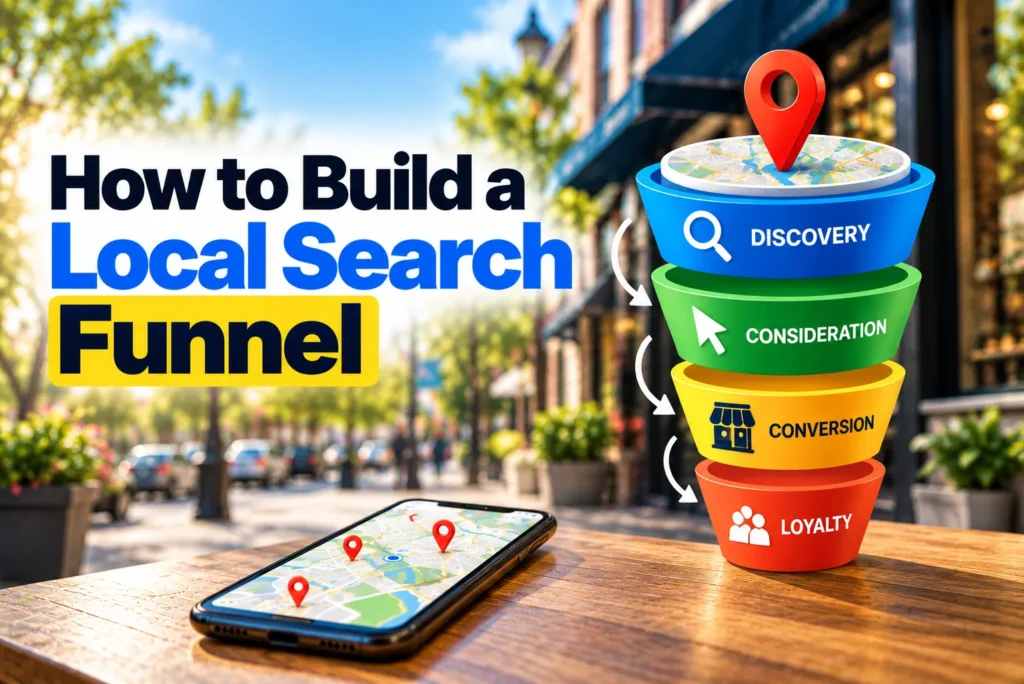
A local search funnel is the path a person takes from their first local search to becoming a paying customer. Most businesses never build that path on purpose. Instead, they set up a Google Business Profile, launch a website, and collect some reviews, then hope the pieces work together.
They usually don’t. Picture a homeowner in Plano who notices water pooling under the heater. First, she searches “water heater leaking.” Next, she opens the map pack and reads reviews for two companies. Then she searches one company by name to check its site. Only after that does she call.
That is four touchpoints before a single phone call. If any one of them fails, she calls the other company.
This guide shows you how to build a local search funnel on purpose. You will map the searches at each stage, give every asset a clear job, and link the stages together. After that, you will learn how to measure each step and fix the one that loses the most customers.
Quick answer: To build a local search funnel, map the searches people make at the discovery, evaluation, and decision stages. Next, assign each asset one job and connect the assets with clear handoffs. Finally, track the conversion rate between each stage and fix the lowest broken stage first.
What Is a Local Search Funnel?
A local search funnel is the set of search results, listings, pages, and follow-up steps that move a nearby searcher from a first search to a completed purchase. It has three core stages: discovery, evaluation, and decision. After that, a fourth step turns an inquiry into a customer.
It looks like a standard marketing funnel on paper. In practice, though, it behaves differently in three ways.
- Much of it happens on Google’s own pages. People read your reviews, photos, and hours on Maps or in AI Overviews, often before they visit your website.
- It usually ends offline. The sale happens over the phone, at the front desk, or during an estimate visit.
- Its length depends on the business. Some funnels last five minutes, while others run for six weeks.
Because of these differences, a funnel built for an online store will not fit a dentist or a roofer. You need one built around how local buyers actually search and decide.
Short Funnels vs. Long Funnels
First, decide how long your funnel is. Two factors set the length: urgency and ticket size.
| Business type | Urgency | Ticket size | Funnel length | What matters most |
|---|---|---|---|---|
| Emergency plumber, locksmith, towing | High | Low to medium | Minutes | Map visibility, reviews, click-to-call |
| Dentist, auto repair, veterinarian | Medium | Medium | Days | Reviews, insurance or price details, easy booking |
| Remodeler, solar installer, personal injury lawyer | Low | High | Weeks | Proof, pricing guidance, follow-up |
A short funnel squeezes discovery and decision into one moment. As a result, your Google Business Profile does most of the work. A long funnel, on the other hand, gives people time to compare. So you need more content for the evaluation stage and a system for staying in touch.
Find your row in the table before you move on. Every step below depends on it.
Step 1: Map the Searches at Each Stage
Every stage of a local search funnel has its own type of search. So the first job is to list the searches people make at each stage and note where those searches happen.
| Stage | Example searches | Where it happens | What the searcher needs |
|---|---|---|---|
| Discovery | “water heater leaking,” “plumber near me,” “who fixes water heaters in Plano” | Google Search, map pack, Apple Maps, AI assistants | Proof you solve this problem nearby |
| Evaluation | “best plumber Plano,” “water heater replacement cost,” “[brand] reviews” | Reviews, directories, “best of” lists, your site | A reason to trust you over the other options |
| Decision | “[brand] phone number,” “[brand] hours,” “[brand] near me” | Branded results, your Google Business Profile | A fast, clear way to take the next step |
The searches in the middle row matter most. Many businesses track only discovery keywords, so they never see the comparison searches that decide who wins the job.
In addition, check your own data. Google Search Console shows branded and cost-related queries. Meanwhile, your Google Business Profile shows the searches that led to your listing.
Step 2: Give Every Asset One Job
Next, list every place a searcher can meet your business. Then give each one a single, clear job.
This step matters because assets without a job try to do everything. For example, a homepage that tries to rank, persuade, and book at once usually does none of those well.
| Asset | Main stage | Its job | Where it sends people next |
|---|---|---|---|
| Google Business Profile | Discovery and decision | Win the click or the call from the map | A matching service page, or a direct call |
| Apple Maps and Bing Places | Discovery | Catch searches outside Google | Your phone number or website |
| Problem-focused articles | Discovery | Reach people who don’t yet know what service they need | The related service page |
| Service pages | Evaluation | Explain the service, the price range, and the proof | The booking or quote page |
| Location pages | Evaluation | Show you serve that area and have done work there | The service page or contact form |
| Reviews | Evaluation | Show real outcomes from real customers | Your profile or service page |
| Directory listings and “best of” lists | Evaluation | Add trust from third parties | Your website or phone number |
| Booking or quote page | Decision | Make the next step quick | Your team, for the close |
Once the table is complete, look for gaps. Most businesses find that nearly all their assets serve discovery. However, few of them help people compare options, and that is where most local businesses win or lose the customer.
Step 3: Build the Discovery Layer
The discovery layer puts your business in front of people at their first search. At this stage, the goal is simple: show up where the search starts.
First, cover the problem searches, not just the service searches. A person with a cracked tooth may search “tooth pain when biting” long before they search “emergency dentist.” A short article that explains the problem and links to your service page catches that person early.
Second, be present on every map platform your customers use. Google gets most of the volume. Still, iPhone users often start in Apple Maps, and some desktop users start in Bing. Keep your name, address, phone, and hours the same on all of them.
Third, remember that AI answers are now an entry point too. Tools like ChatGPT and Google’s AI Overviews often name a few local businesses in their replies. They tend to pull from reviews, directories, and clear website content, so those same assets feed this entry point.
This layer is not about ranking tactics. Here, the point is coverage. Each entry point should exist, and each should lead somewhere useful.
Step 4: Build the Evaluation Layer (Where Most Local Search Funnels Leak)
The evaluation layer is where a searcher compares you with two or three other options. It is also the stage most businesses leave empty. As a result, they rank well, get clicks, and still lose the job.
Here are the five parts of a strong evaluation layer.
1. Win the Second Search
After someone finds you, they often search your business name. They might add “reviews” or “cost” to it. Try this yourself in a private browser window. Then ask: does the page show your profile, your reviews, and your site at the top? Or does it show an old directory listing with a wrong phone number?
Fix what you find. Claim your main directory profiles, update old listings, and reply to recent reviews. That way, the second search confirms the choice instead of creating doubt.
2. Publish Pricing Guidance
Price is one of the first things people compare. Yet most local websites say nothing about it. You don’t need a fixed price list. Instead, give a realistic range and explain what changes the cost.
For instance, a roofer can publish a page on roof replacement cost in their city. It can cover materials, roof size, and common extras. Buyers feel informed, and the calls that follow tend to be better qualified.
3. Help People Choose
Comparison content helps people decide. Examples include “how to choose a family dentist in Austin” or “tankless vs. tank water heaters for Phoenix homes.” Write it honestly, and include the points where you are a good fit and where you are not.
4. Show Local Proof
Generic claims don’t persuade anyone. Specific proof does. So add project photos tagged with neighborhood names, before-and-after images, licenses, and short case stories. For example, “We replaced a 20-year-old furnace in a Frisco townhouse in one day” says more than “fast, reliable service.”
5. Earn Third-Party Validation
Finally, people trust what others say about you more than what you say about yourself. Local “best of” lists, news mentions, and trusted directory profiles all add that outside trust.
Step 5: Build the Decision Layer
The decision layer turns a ready buyer into an inquiry. At this point, the person has chosen you. Your only job is to make the next step obvious.
Start by choosing one primary action for your business type:
- Urgent services: a phone call
- Appointment businesses: online booking
- Project work: a quote or estimate request
- Walk-in businesses: directions
Next, define your terms before you track anything. A lead is any inquiry. A qualified lead is an inquiry that fits your service, area, and budget. A customer is a lead that paid. Everyone on your team should count these the same way. Otherwise, your funnel numbers won’t mean much.
Keep this layer lean. One clear action per page beats three competing buttons, because a ready buyer should never have to stop and think about what to do next.
Step 6: Connect the Stages With Clear Handoffs
A handoff links a searcher from one stage to the next. Without handoffs, you have separate assets rather than a funnel. So check where each asset sends people, and fix any dead ends.
Send Profile Traffic to the Right Page
Many Google Business Profiles link to the homepage. As a result, someone who searched “AC repair” lands on a page about heating, plumbing, and your company history. Instead, link the profile to your main service page or the matching location page.
Also, add UTM tags to that link, for example ?utm_source=google&utm_medium=organic&utm_campaign=gbp. That way, Google Analytics 4 shows profile visits as their own source rather than mixing them with regular organic traffic.
Link Content in the Order People Move
Your internal links should follow the buyer’s path. A problem article should link to the related service page. In turn, the service page should link to pricing guidance, local proof, and the booking page. Each page should point forward to the next stage, not sideways to random posts.
Stay in Touch During Long Funnels
People in long funnels rarely buy on the first visit. Therefore, give them a reason to leave their contact details before they are ready. For example, offer a downloadable cost guide, a project planning checklist, or a saved quote. Then follow up with short, useful emails until they are ready to talk.
Step 7: Carry the Funnel Past the Inquiry
An inquiry is not a customer yet. The step from inquiry to sale still belongs to your local search funnel, because this is where many search-driven leads quietly disappear.
First, record the lead source at intake. Use a call tracking number on your Google Business Profile and a hidden source field on your forms. In addition, have your front desk ask, “How did you find us?” and log the answer in your CRM.
Next, map what happens after the first contact. Write down each step from the first call to the signed job. For a remodeler, that might look like this:
- Someone answers or returns the first call.
- The team books a site visit.
- The estimator sends a written quote.
- The office calls back within three days.
- The client signs the contract.
Once you write the steps down, you can see where search-driven leads stall. For example, you may find that quotes go out fast, but nobody calls back afterward.
Step 8: Measure the Conversion Rate Between Stages
To manage a local search funnel, you need one number for each stage and one rate between each pair of stages. Rankings alone can’t tell you where customers drop out. The stage rates can.
Each rate tells you something different. For example, 8% of impressions turning into actions says your listing wins attention. Meanwhile, 18.8% of actions turning into inquiries says your pages and profile persuade some visitors but not most. The last two rates show how well your team qualifies and closes.
You can pull each number from tools you probably already have:
| Stage | Where to find the number |
|---|---|
| Search impressions | Google Business Profile Performance and Google Search Console |
| Profile or site actions | Google Business Profile Performance (calls, clicks, directions) and Google Analytics 4 |
| Inquiries | Call tracking and form submissions in Google Analytics 4 |
| Qualified leads | Your CRM, using the definition from Step 5 |
| Customers | Your CRM or invoicing system, filtered by lead source |
Track the same numbers every month. The trend matters more than any single month. Also, attach your average customer value to the last stage, so you can see what each rate is worth in revenue.
Step 9: Fix the Lowest Broken Stage First
Once you have stage rates, the next question is where to start. The rule is simple: fix the lowest broken stage in the funnel first, then work your way up.
The reason is multiplication. Every extra visitor at the top passes through every stage below. So if the bottom leaks, new traffic leaks with it.
Take the example above. Half of the qualified leads never became customers. Suppose you raise that rate from 50% to 65% with faster quotes and a follow-up call. You would then get about 23 customers from the same traffic. What’s more, every future gain at the top would convert at the higher rate too.
To find your weakest stage, compare each rate with your own past months. Industry benchmarks vary too much between trades and cities to be reliable. Look for the stage that dropped recently or has never improved.
Then fix one stage at a time. Give each change four to eight weeks before you judge it, since local numbers swing from month to month. If you change three stages at once, you won’t know which fix worked.
Close the Loop: How Customers Feed the Next Round of Discovery
A good local search funnel doesn’t stop at the sale. Instead, each new customer can bring in the next one.
Here is how that works. A happy customer leaves a review, and that review helps the next searcher at the evaluation stage. They may also upload photos to your profile, which makes your listing more complete. Over time, satisfied customers tell friends, who then search your name directly. As a result, your branded searches grow.
So build a simple habit into the end of every job. Ask for a review while the result is fresh. In addition, invite customers to share a photo and remind them that you welcome referrals. Each of these actions feeds the top of your funnel at almost no cost.
Local Search Funnel Examples by Business Type
The same steps apply to every local business. However, the stage that matters most changes with the funnel length. Here are three examples.
Emergency Plumber: A Compressed Funnel
A burst pipe at 10 p.m. leaves no time to compare. The searcher opens the map pack, scans star ratings, and taps “Call” on the first business that looks trustworthy and open. In practice, discovery, evaluation, and decision happen on one screen.
For this business, the Google Business Profile carries the whole funnel. Accurate hours, recent reviews that mention fast response, and a call button matter far more than blog content. After that, the key stage is answering the phone. A missed call at night is a lost customer.
Dental Practice: A Mid-Length Funnel
Someone who moves to a new city searches “dentist near me” and finds five options. Next, they run the second search. They check reviews, look for their insurance provider, and scan office photos.
Here, the evaluation layer wins the patient. A clear insurance page, a friendly team page, and reviews that mention gentle care all help. Then, online booking with open slots this week closes the decision.
Kitchen Remodeler: A Long Funnel
A homeowner planning a remodel may research for six weeks. First, they read cost articles and browse project galleries. Later, they compare three contractors and request two quotes.
For this business, pricing guidance and local proof carry the funnel. A downloadable planning guide keeps the remodeler in touch during the research phase. Finally, fast quote delivery and a planned follow-up call turn the estimate into a signed contract.
Common Mistakes When Building a Local Search Funnel
Most broken funnels share a few common problems. Check your setup against this list.
- Sending all profile traffic to the homepage. The searcher has to hunt for the service they searched for, and many leave.
- Treating rankings as the funnel. A top position is one stage, not the whole path. High rankings with weak evaluation content still lose jobs.
- Leaving the evaluation stage empty. Without pricing guidance, proof, or comparison content, you lose buyers to competitors who answer those questions.
- Not recording the lead source. If you don’t know which inquiries came from search, you can’t measure any stage past the click.
- Using the same call to action everywhere. A “Book Now” button on a problem article asks too much, too early. Match each call to action to the stage.
- Fixing the top first. More traffic into a leaky funnel mostly produces more lost leads.
Conclusion
Remember the homeowner in Plano with the leaking water heater? She made four searches before she picked up the phone. A business with a planned local search funnel meets her at every one of them. It shows up for the problem search, wins the second search, makes the call easy, and follows up on the quote.
That doesn’t take a bigger budget. Instead, it takes a map of the stages, a clear job for each asset, and a monthly look at the numbers between them.
So start this week. Write down the searches at each stage, fill in the asset table, and pull last month’s numbers. Then pick the lowest broken stage and fix that one first.
Frequently Asked Questions
A local search funnel has three core stages: discovery, evaluation, and decision. In discovery, people search for a nearby problem or service. In evaluation, they compare reviews, prices, and proof. In decision, they call, book, or visit. After that, a final step turns the inquiry into a paying customer.
It depends on urgency and price. Emergency services can go from search to call in a few minutes. On the other hand, a high-cost project like a remodel or solar installation can take several weeks of research and comparison.
No. You can build a complete local search funnel with organic search, your Google Business Profile, reviews, and your website. Paid ads can add traffic at the discovery stage. Still, they won’t fix a weak evaluation or decision stage.
AI search adds a new entry point at the discovery stage. Tools like ChatGPT and Google’s AI Overviews now suggest local businesses directly in their answers. They often rely on reviews, directory listings, and clear website content, so a strong evaluation layer also helps you appear in AI answers.
There is no single good rate, because results vary widely by industry, city, and ticket size. The most useful benchmark is your own history. Track each stage rate monthly, and focus on the stage that is lowest compared with your past results.
A sales funnel covers the whole buying process from any source. A local search funnel covers only the path that starts with a local search. It includes search results, maps, reviews, and listings that a general sales funnel often ignores.