
A Facebook business page is one of the most important online assets for any local business. Customers use Facebook to discover nearby services, check reviews, view photos, ask questions, and decide who to contact. A properly set up business page helps you appear more credible, more visible, and easier to reach.
Many local businesses rush through the setup process, missing critical steps that affect trust, reach, and engagement. This guide walks you through how to create a Facebook business page the right way, with clarity, structure, and long-term growth in mind.
Why Every Local Business Needs a Facebook Business Page
Facebook remains one of the most widely used platforms for local discovery. Customers often search for businesses directly on Facebook before visiting a website or calling.
A well-built Facebook business page helps you:
• Show up when people search for local services
• Build trust through photos and reviews
• Communicate updates and offers easily
• Answer questions quickly
• Support local SEO visibility
• Strengthen your overall online presence
For local businesses, Facebook acts as a digital storefront.
Step 1: Create a Facebook Account If You Do Not Have One
Before creating a business page, you need a personal Facebook account. This account will manage the business page but will not be publicly visible.
Important points to remember:
• Your personal profile is not shown on the business page
• You can add other team members later
• Your personal friends do not automatically see the business page
Once your personal account is active, you can create a business page in minutes.
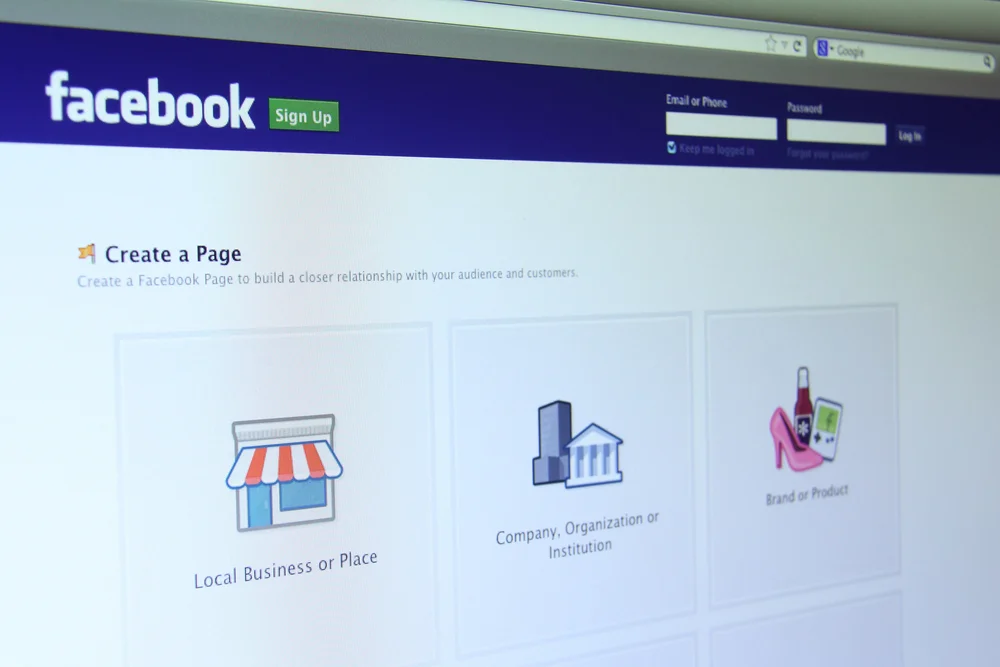
Step 2: Choose the Correct Business Page Type
When creating a new page, Facebook will ask you to choose a category. This step matters more than most people realize because it affects how your page appears in search and recommendations.
For local businesses, choose:
• Local business or place
• Service-based business
Then select the most accurate category that describes what you do.
Examples include:
• Cleaning service
• Electrician
• Law firm
• Restaurant
• Dental clinic
• Home services
• Personal care services
Choose the category that best matches how customers would describe your business.
Step 3: Enter Accurate Business Information
Accuracy builds trust. Facebook pulls information from your page to display in search results and recommendations.
Fill out these fields carefully:
• Business name exactly as used everywhere else
• Address if customers visit your location
• Service areas if you travel to customers
• Phone number customers can call
• Business email address
• Website URL
Consistency across platforms helps customers and search engines trust your business.
Step 4: Add a High Quality Profile Photo and Cover Image
Visuals shape first impressions. Your profile photo and cover image should look professional and recognizable.
Best practices for profile photos:
• Use your logo if you have one
• Ensure it is clear and readable on mobile
• Keep background simple
Best practices for cover photos:
• Show your service in action
• Highlight your team or workspace
• Include a clean visual that reflects your brand
• Avoid clutter or text-heavy designs
These images help customers feel confident before they contact you.
Step 5: Write a Clear and Trust-Building Business Description
Your business description explains who you are and what you offer. Keep it simple, honest, and customer-focused.
A strong description should include:
• What service do you provide
• Who you serve
• Your location or service area
• Why customers choose you
Avoid sales language. Focus on clarity and professionalism.
Step 6: Set Your Business Hours Correctly
Accurate hours help customers know when to contact you. They also influence how Facebook displays your page in search results.
Set:
• Regular business hours
• Weekend availability if applicable
• Appointment-based hours if relevant
Update hours during holidays or special events to avoid confusion.
Step 7: Add Services or Menu Information
Facebook allows you to list services or products directly on your page. This helps customers quickly understand what you offer without having to visit another site.
Add:
• Service names
• Short descriptions
• Pricing if appropriate
This section improves engagement and reduces friction for potential customers.
Step 8: Enable Messaging and Customer Contact Options
Fast communication builds trust. Many customers prefer messaging instead of calling.
Enable:
• Facebook Messenger
• Automated greeting message
• Quick replies for common questions
Make sure someone monitors messages regularly to avoid delays.
Step 9: Invite Initial Followers the Right Way
After your page is live, start building an audience.
Ways to get initial followers:
• Invite friends who may support your business
• Share the page on your personal profile
• Add the page link to your website
• Include it in email signatures
• Share it in local community groups where appropriate
Avoid buying followers. Focus on genuine local engagement.
Step 10: Post Helpful and Relevant Content Regularly
An active page builds credibility. Posting regularly shows customers your business is operating and responsive.
Content ideas include:
• Business updates
• Helpful tips related to your service
• Photos of your work
• Seasonal reminders
• Answers to common customer questions
• Announcements or promotions
Consistency matters more than frequency.
Step 11: Encourage Reviews and Respond Professionally
Reviews influence trust and decisions. Facebook reviews also support your reputation across the web.
Encourage reviews by:
• Asking satisfied customers politely
• Sharing review links after service completion
When responding:
• Thank positive reviewers
• Address concerns calmly and professionally
• Avoid defensive language
Your responses are visible to future customers.
Step 12: Add Page Roles for Team Members
If more than one person manages the page, assign roles.
You can add:
• Admins
• Editors
• Moderators
• Advertisers
This keeps your page secure and organized.
Common Mistakes to Avoid When Creating a Facebook Business Page
Many local businesses limit their reach by making avoidable mistakes.
Avoid:
• Using a personal profile instead of a business page
• Leaving information incomplete
• Ignoring messages and comments
• Posting rarely or inconsistently
• Using poor-quality images
• Forgetting to update hours
A complete and active page performs better over time.
How a Facebook Business Page Supports Local Marketing
Your Facebook page works alongside your website, Google Business Profile, and other listings.
It helps by:
• Reinforcing brand trust
• Supporting local visibility
• Providing another contact channel
• Sharing updates quickly
• Building long-term customer relationships
When used correctly, it becomes a valuable asset rather than just a social profile.
Final Thoughts
Creating a Facebook business page for a local business is not just about being present online. It is about presenting your business clearly, professionally, and consistently to people who are actively searching for services nearby.
By setting up your page correctly, keeping information accurate, posting helpful content, and engaging with customers, you build trust that leads to real inquiries and long-term growth.
A strong Facebook business page supports your overall digital presence and makes it easier for customers to choose you with confidence.