
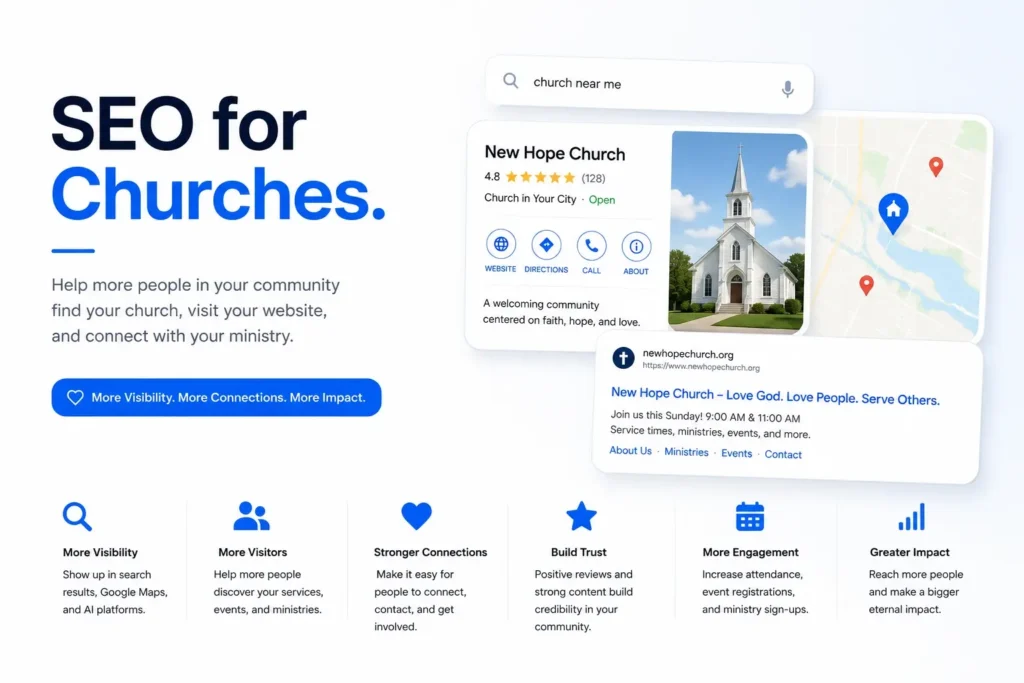
For many people, their first interaction with a church happens online before they ever walk through the doors. They search for nearby churches, compare service times, browse ministries, read reviews, watch sermons, and explore a church’s website to determine whether it feels like the right fit for them and their family.
If your church is difficult to find in Google Search or Google Maps, many people in your community may never discover the ministries, programs, and support your church provides.
Unlike traditional businesses, church SEO is not about selling services. It’s about making your church visible when people are searching for a place to worship, join a faith community, find youth programs, attend special events, or seek spiritual guidance.
SEO for Churches helps churches improve their online visibility through Google Search, Google Maps, and AI-powered search experiences. By combining Google Business Profile optimization, a well-organized website, local SEO, reputation management, helpful content, and technical SEO, churches can reach more people while strengthening their connection with the local community.
This guide explains how churches can improve their online presence, build trust, and help more people discover their ministries through modern search.
How People Search for Churches Online
People search for churches in many different ways depending on their needs. Some are looking for a church near their home, while others search for specific denominations, children’s ministries, online sermons, worship styles, or community outreach programs.
Common searches include:
- Churches near me
- Christian church in Dallas
- Non-denominational church nearby
- Church with children’s ministry
- Sunday worship services
- Bible study near me
- Youth ministry church
- Churches offering online services
Your website should answer these different search intents by creating dedicated pages for ministries, service times, events, sermons, community programs, and visitor information. This helps both Google and potential visitors quickly understand what your church offers.
Google Business Profile Best Practices for Churches
Google Business Profile is often the first place people interact with your church online. Before visiting your website, many will check your location, worship schedule, reviews, photos, and directions directly from Google Search or Google Maps.
A complete and active profile makes it easier for people to visit your church while improving local visibility.
Choose the Right Business Categories
Select Church as your primary category or choose a more specific category if it better represents your denomination or organization. Add secondary categories only when they accurately describe additional ministries or community services.
Upload Authentic Church Photos
Use high-quality photos that reflect your church community. Include your sanctuary, worship services, children’s ministry, fellowship events, youth activities, staff, volunteers, parking areas, and accessibility features. Short welcome videos can also help first-time visitors feel more comfortable.
Showcase Church Ministries
Use the Products and Services sections where appropriate to highlight ministries and programs such as children’s ministry, youth ministry, Bible studies, marriage counseling, support groups, community outreach, food pantries, prayer groups, and online worship services.
Keep Service Areas and Details Updated
Maintain accurate information for your church address, worship times, office hours, holiday schedules, and contact information. If your church operates multiple campuses, ensure each location has its own properly optimized profile.
Publish Regular Google Posts
Share upcoming sermons, church events, community outreach programs, seasonal celebrations, volunteer opportunities, Bible studies, conferences, and holiday services. Regular updates demonstrate that your church remains active within the community.
Maintain Accurate Church Information
Keep your church name, address, phone number, website, worship times, and office hours consistent across your website, Google Business Profile, church directories, and local citations. Accurate information helps visitors and strengthens Google’s confidence in your profile.
Complete Every Profile Section
Complete your business description, website links, social profiles, accessibility information, amenities, service options, opening date, and every available profile field. A complete profile provides better information for both Google and prospective visitors.
Use Gemini to Improve Google Business Profile Management
Gemini can help eligible Google Business Profile users manage their profile more efficiently by assisting with review response drafts, Google Post ideas, profile improvement suggestions, ministry descriptions, performance summaries, and profile updates.
While Gemini does not directly improve rankings, it helps churches maintain a complete, accurate, and active profile that supports stronger local visibility and provides a better experience for people searching for a church online.
Website Structure for Church Websites
Your website is often the first impression people have of your church. Before attending a service, many visitors want to understand your beliefs, explore your ministries, watch a sermon, learn about your leadership, and know exactly what to expect when they visit.
A well-organized website helps visitors find answers quickly while helping Google understand your church, ministries, and community involvement. It also improves the likelihood of appearing for relevant local and ministry-related searches.
Build a Welcoming Homepage
Your homepage should immediately communicate who you are, your mission, worship times, location, denomination where appropriate, and how first-time visitors can get involved. Include clear calls to action to plan a visit, watch sermons, join a ministry, or contact your church.
Create Dedicated Ministry Pages
Every major ministry should have its own page with clear, helpful content. Create separate pages for children’s ministry, youth ministry, men’s ministry, women’s ministry, small groups, Bible studies, worship ministry, missions, community outreach, counseling services, and special events. Dedicated pages help both visitors and search engines better understand everything your church offers.
Create Helpful Campus or Location Pages
If your church has multiple campuses or serves several communities, build a dedicated page for each location. Include campus-specific service times, directions, ministries, staff information, parking details, accessibility information, and local community involvement. Every page should contain unique content that reflects each campus rather than repeating the same information.
Support Multi-Campus Church Growth
Multi-campus churches should organize every campus with its own landing page while maintaining a consistent website structure. Each location should feature local leadership, ministries, events, contact information, testimonials, and frequently asked questions to improve both user experience and local visibility.
Expand Ministry and Resource Content
As your church grows, continue adding pages for new ministries, community programs, seasonal events, volunteer opportunities, mission trips, sermon series, podcasts, and educational resources. A comprehensive content structure strengthens topical authority while helping more people discover your church through search.
Improve Visitor Engagement
Many first-time visitors decide whether to attend within a few minutes of visiting your website. Make important information easy to find by displaying worship times, campus locations, parking information, children’s ministry details, online sermons, event calendars, contact information, and a simple Plan Your Visit page throughout the website.
Sermon, Video, and Online Service Optimization for Churches
If your church livestreams every Sunday and uploads sermons to YouTube, you already have a valuable content library. However, if your sermon pages contain only an embedded video with no text, Google cannot index or display your content in search results.
Optimize Sermon Pages With Transcripts
Add a written transcript to every sermon page, not just the video. Divide the transcript into sections with timestamps so visitors can easily find what they need. Include the sermon title, speaker, scripture reference, and date at the top. This helps Google understand and rank your page, and lets people find your church by searching for phrases the pastor used, not just the sermon title.
Set Up Video Schema and YouTube Optimization
Add VideoObject schema to each sermon page so Google can display a video thumbnail in search results. On YouTube, write detailed descriptions that include scripture references and topics, not just the date. Organize your videos into playlists by series or topic to encourage viewers to watch more. If you neglect your YouTube channel, visitors may leave after watching a single sermon without discovering what else your church offers.
Build a Dedicated Online Service Page
If your church offers live online services, create a dedicated page and optimize it for search engines. Make sure to answer common questions, such as the start time, which platform you use, whether an account is needed, and if people can take communion at home. This type of page can rank for searches like “churches offering online services,” but the current setup does not include such a page.
Online Giving and Donation Page Optimization for Churches
When someone searches for “give online [church name],” they have already decided to donate. If they end up on a slow page, hit a broken link, or have to dig through menus to find the giving form, the church may lose their donation. It’s not because the person changed their mind, but because the process was too difficult.
Build a Dedicated Giving Page With Multiple Options
List every way people can give on your giving page, such as online, text-to-give, mail, in-person during service, or by stock or estate gift if your church accepts those. Use simple language to explain each option, since first-time givers may not know the difference between a one-time gift and a recurring pledge. Make sure the “Give Now” button is easy to see right away, not hidden below a long explanation about generosity.
Explain Tax Deductibility and Giving Statements
First-time givers often want to know whether their donation is tax-deductible and how to obtain a giving statement for tax season. Make this clear on your giving page so people do not have to email the office to ask. Adding a short FAQ section with questions such as how to get a giving statement, whether donations are tax-deductible, or how to change or cancel a recurring gift helps address real concerns and keeps people from leaving the page to look for answers.
Use Nonprofit Schema on the Giving Page
If your church is registered as a 501(c)(3), add DonateAction schema to the givingIf your church is a registered 501(c)(3), add DonateAction schema to your giving page. This helps Google and AI systems recognize it as a donation site. It also helps your church appear in charity-focused searches or AI-generated answers about giving to local churches. More people are using AI tools to research nonprofits before donating, so this is becoming increasingly important.
Reviews and Reputation for Churches
Although churches rely heavily on community relationships, online reviews still influence whether someone decides to visit for the first time. Positive reviews provide reassurance, especially for families who are unfamiliar with the church or are new to the area.
A strong online reputation also supports local visibility by strengthening trust signals within Google Business Profile.
Respond to Reviews Thoughtfully
Thank people for sharing their experiences while remaining respectful and welcoming. Whether reviews are positive or critical, thoughtful responses demonstrate that your church values its community and encourages meaningful engagement.
Focus on Trusted Platforms
Google should remain your primary review platform because it directly influences Google Maps visibility. Maintain accurate profiles on trusted church directories and local community listings where appropriate to help more people discover your congregation.
Encourage Genuine Community Feedback
Rather than actively seeking reviews from everyone, encourage members with meaningful experiences to share honest feedback about your church. Authentic reviews often help first-time visitors feel more comfortable about attending a service.
Build Trust Through Consistency
A steady flow of genuine reviews over time creates stronger trust than receiving many reviews all at once. Consistent feedback reflects an active, welcoming church community and provides fresh information for prospective visitors.
Leadership Transparency and Family Safety Signals for Churches
When families consider visiting a new church, they want to know who leads it and if their children will be safe in the kids’ ministry. Many church websites don’t answer these questions clearly, so visitors often choose a church that does.
Publish Real Pastor and Leadership Bio Pages
Every pastor and ministry leader should have a real bio page. Include their background, how long they’ve served, their role, and a recent photo. A simple “Meet Our Staff” list doesn’t help a nervous first-time visitor, but a full bio does. It also gives Google more information about your church’s leaders.
State Your Beliefs and Denomination Clearly
If your statement of faith is hard to find, you’ll lose people who are looking for a specific type of church, like Reformed or Pentecostal, or one that is clear about its beliefs. Make your beliefs easy to find by putting them on their own page and linking to it from the main menu. Be clear about your denomination if you have one. This helps people searching for things like “PCA church near me” or “non-denominational church that believes in X” know what to expect before they visit.
Show Your Child Safety Policy
If your church has a children’s ministry, share your safety policy. Include details such as background checks for volunteers, check-in and pickup procedures, and the number of adults present in each room. Parents look for this information, and if they can’t find it, they may choose another church that makes it easy to see.
Comprehensive Local SEO Checklist for Churches
An effective church local SEO strategy goes beyond improving rankings. It helps people discover your church, understand your mission, and feel confident about visiting for the first time. Every part of your online presence should work together to improve visibility while serving your local community.
Target Local Church Searches
Research how people search for churches in your community. Focus on denomination, ministries, worship style, family programs, and location-based searches.
Examples include:
- Churches near me
- Baptist church in Dallas
- Non-denominational church nearby
- Church with children’s ministry
- Sunday worship service
- Bible study near me
- Christian church for families
Understanding how local search works helps churches identify the ministry and location terms that connect with families actively searching for a place to worship. Naturally include these searches across ministry pages, campus pages, event pages, FAQs, and educational content.
Optimize Every Ministry Page
Every ministry page should focus on a single ministry or program, with unique headings, helpful descriptions, frequently asked questions, photos, event information, and clear opportunities for visitors to get involved.
Publish Helpful Faith-Based Content
Educational content helps churches reach people searching for spiritual guidance throughout the week. Publish sermon summaries, Bible study resources, devotionals, event announcements, parenting guidance, faith-based articles, community outreach stories, and answers to common questions about Christianity.
Strengthen Google Maps Visibility
Google Maps often introduces people to churches they may never have discovered otherwise. Keep your Google Business Profile complete, publish regular Google Posts, update worship schedules, upload new photos, and maintain accurate event information year-round.
Build Accurate Church Citations
Maintain consistent church information across Google, church directories, denominational websites, local directories, community organizations, and nonprofit listings. Consistent information strengthens both Google Maps SEO and visitor confidence.
Build Local Community Connections
Partner with schools, charities, nonprofit organizations, food banks, local events, and other community groups. These relationships often generate valuable mentions, local backlinks, and stronger community visibility while supporting your church’s mission. Churches that actively invest in community involvement and local partnerships naturally build the kind of authority that improves search visibility over time.
Strengthen Community Presence
Participate in local outreach programs, volunteer events, seasonal celebrations, neighborhood activities, and charitable initiatives. Community involvement naturally increases awareness while reinforcing your church’s authority within the local area.
Implement Structured Data
Use the Organization, LocalBusiness, PlaceOfWorship, Event, FAQ, Breadcrumb, Website, and Sermon schemas where appropriate. Structured data helps search engines better understand your church, ministries, events, and community activities.
Strengthen Entity Optimization
Clearly connect your church with its denomination, ministries, pastors, worship services, campus locations, events, beliefs, and community programs throughout your website. Strong entity optimization helps both search engines and AI platforms better understand your church.
AI Search Optimization for Churches
People increasingly use AI-powered search to find churches, learn about beliefs, explore ministries, and answer faith-related questions before attending a service. Google AI Overviews, ChatGPT, Gemini, Claude, and Perplexity are changing how people discover local churches by highlighting trusted organizations with accurate, well-structured information.
Churches with complete websites, active Google Business Profiles, clear ministry information, and consistent community signals are more likely to appear in these AI-generated search experiences.
Improve Visibility Across AI Search
Create content that clearly explains your church’s beliefs, ministries, worship style, leadership, service times, community outreach, and frequently asked questions. Well-organized information helps both people and AI systems understand your church, making it easier for first-time visitors to find what they need. The principles behind appearing in AI-generated answers apply to churches just as they do to any local organization.
AI SEO Checklist for Churches
| AI SEO Element | Best Practice |
| Entity Optimization | Clearly define your church, pastors, ministries, denomination, campus locations, and community programs. |
| Structured Content | Use descriptive headings and answer common visitor questions directly. |
| Schema Markup | Implement Organization, PlaceOfWorship, Event, FAQ, Breadcrumb, Website, and Sermon schema where appropriate. |
| Google Business Profile | Keep every profile section complete, accurate, and regularly updated. |
| Reviews | Encourage genuine community feedback and respond thoughtfully. |
| Content Quality | Publish helpful sermons, devotionals, ministry resources, and community-focused content. |
| Internal Linking | Connect ministries, events, sermons, campus pages, and visitor resources naturally. |
| Brand Consistency | Maintain consistent church information across your website, Google Business Profile, directories, and social platforms. |
Measure AI Search Visibility
Churches should monitor more than keyword rankings. Track branded searches, website visits, sermon views, event registrations, volunteer inquiries, Google Search Console performance, Google Business Profile insights, and Plan Your Visit conversions to understand how people discover and engage with your church through both traditional and AI-powered search.
Technical SEO Checklist for Churches
Technical SEO provides the foundation for a church website that is easy for both visitors and search engines to use. A technically healthy website improves discoverability, user experience, and long-term search performance.
| Technical SEO Element | What to Check |
| Crawlability | Ensure Google can crawl ministry pages, event pages, sermon pages, campus pages, blog posts, and contact pages. |
| Indexing Status | Review indexed, excluded, duplicate, discovered, and crawled pages in Google Search Console. |
| XML Sitemap | Include all important ministry, sermon, event, and campus pages, and exclude unnecessary URLs. |
| Robots.txt | Confirm valuable pages and resources remain crawlable. |
| Index Bloat | Remove or noindex outdated event pages, duplicate archives, and low-value pages. |
| Orphan Pages | Ensure important ministries, sermons, and visitor resources receive internal links. |
| Crawl Depth | Keep important pages within two or three clicks from the homepage. |
| URL Structure | Use clean, descriptive URLs for ministries, events, sermons, and campuses. |
| Website Architecture | Organize ministries, sermons, events, campuses, blogs, and visitor resources logically. |
| Internal Linking | Connect related ministries, sermons, events, and educational resources naturally. |
| Breadcrumbs | Improve navigation and crawl efficiency. |
| Title Tags | Create unique, keyword-focused titles for every important page. |
| Meta Descriptions | Write compelling descriptions that encourage more visitors. |
| Heading Structure | Maintain one H1 with logical H2 and H3 hierarchy. |
| Duplicate Content | Avoid repeating content across campus and ministry pages. |
| Canonical Tags | Point duplicate URLs to the preferred version. |
| Thin Pages | Expand weak pages with helpful information for visitors. |
| Site Speed | Optimize loading speed across desktop and mobile devices. |
| Core Web Vitals | Monitor LCP, INP, and CLS performance. |
| Mobile Experience | Ensure visitors can easily find worship times, directions, and contact information on mobile devices. |
| Click to Call | Make phone numbers clickable throughout the website. |
| Accessibility | Improve readability, navigation, image alt text, forms, and button visibility. |
| Image Optimization | Compress images while using descriptive file names and alt text. |
| Church Photos | Showcase real worship services, ministries, facilities, staff, volunteers, and community events. |
| Schema Markup | Validate all structured data implementation. |
| NAP Consistency | Keep church information consistent across all online platforms. |
| Ministry Coverage | Create dedicated pages for every major ministry and program. |
| Campus Pages | Build unique pages for every church campus or location. |
| Broken Links | Repair broken internal and external links. |
| Redirects | Review redirect chains, outdated URLs, and unnecessary redirects. |
| HTTPS | Secure every page using HTTPS. |
| Security | Monitor for malware, spam, hacked pages, and indexing issues. |
| Contact Forms | Test prayer request forms, contact forms, volunteer forms, and Plan Your Visit forms regularly. |
| GA4 | Verify analytics tracking is working correctly. |
| Google Search Console | Monitor indexing, impressions, clicks, and search performance. |
| Conversion Tracking | Track Plan Your Visit submissions, contact forms, event registrations, and volunteer inquiries. |
| GBP Tracking | Measure calls, website visits, direction requests, and profile interactions from Google Business Profile. |
Local SEO Mistakes Churches Should Avoid
Many churches unintentionally reduce their online visibility by overlooking basic SEO practices. Addressing these issues can help more people discover your church and its ministries.
- Publishing incomplete ministry pages.
- Leaving Google Business Profile outdated.
- Not displaying current worship times and event information.
- Using duplicate content across campus pages.
- Neglecting sermon and event optimization.
- Ignoring technical SEO.
- Weak internal linking between ministries, sermons, and visitor resources.
- Inconsistent church information across directories.
- Not tracking visitor engagement or event registrations.
- Focusing only on rankings instead of community impact.
How LocalMighty Helps Churches Reach More People Online
A church website should do more than rank well. It should help people feel welcomed before they ever attend a service. Our local SEO services help churches strengthen Google Maps visibility, optimize Google Business Profiles, organize ministry-focused website structures, improve technical SEO, and create helpful content that connects with people searching for a church home. Our strategies combine local SEO, AI search optimization, reputation management, and conversion-focused improvements to help churches increase visibility, strengthen community outreach, and make it easier for new visitors and families to discover everything your church offers.
Recover Visibility After a Google Update
Google updates can affect nonprofit and church websites just as they do commercial websites. Rather than making immediate changes, evaluate what has changed before adjusting your SEO strategy.
If your visibility declines:
- Review Google Search Console to identify affected pages.
- Compare traffic changes with recent Google updates.
- Audit technical SEO before changing content.
- Refresh outdated ministry pages, sermons, and educational resources.
- Strengthen internal linking across ministries, events, and visitor information.
- Keep your Google Business Profile current with accurate information and regular updates.
- Continue publishing helpful, community-focused content.
- Monitor performance over several weeks before making significant SEO changes.
Churches that consistently improve content quality, website usability, and community engagement typically build stronger long-term visibility than those reacting to every ranking fluctuation.
Final Notes on SEO for Churches
Successful church SEO is about helping people find a welcoming place to worship, grow in their faith, and become part of a supportive community. Your website, Google Business Profile, ministries, sermons, reviews, technical SEO, and local presence all work together to make your church easier to discover online.
As search continues to evolve through Google Search, Google Maps, AI Overviews, ChatGPT, Gemini, Claude, Perplexity, and future AI search platforms, churches that prioritize accurate information, helpful resources, community involvement, and an excellent online experience will continue to reach more people and strengthen their local impact.