
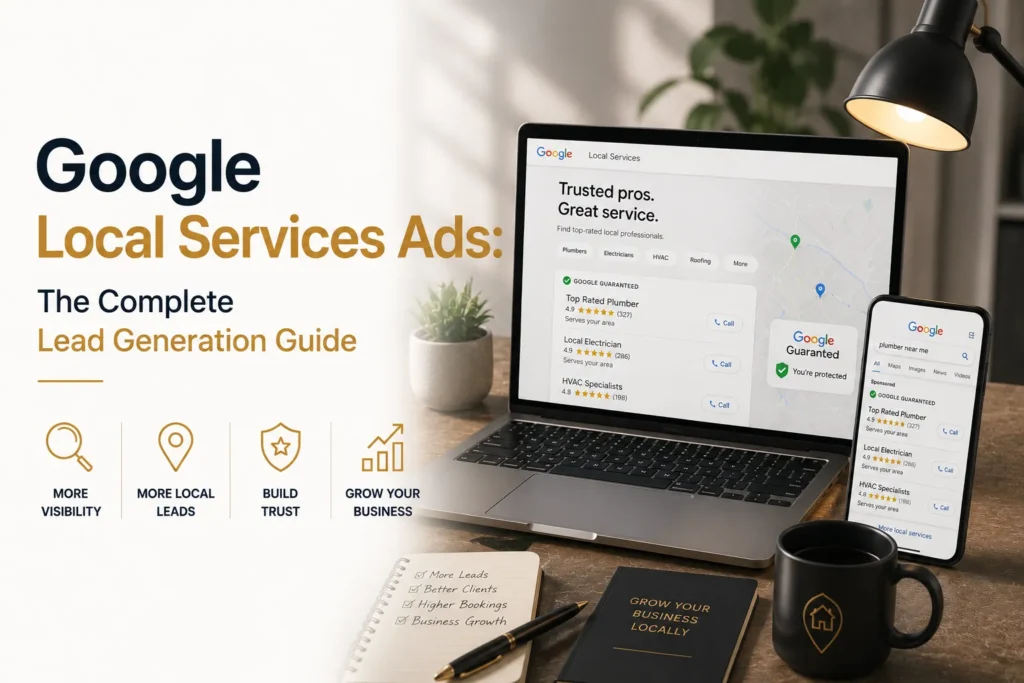
Google Local Services Ads can put a local business in front of customers actively searching for a service.
That sounds straightforward.
The difficult part is turning that visibility into profitable work.
Many businesses launch Local Services Ads, select every available service, increase the budget, and assume Google will deliver qualified customers. The leads begin arriving, but problems quickly appear.
Some calls fall outside the service area. Some customers want work the company does not provide. Staff members miss calls. Messages sit unanswered. The business pays for inquiries but cannot connect the campaign to booked jobs or revenue.
The problem is not always the advertising platform.
The problem is often the operating system behind it.
Google Local Services Ads are paid local listings that connect eligible businesses with customers through phone calls, messages, and, where available, direct booking requests. Businesses generally pay for valid leads rather than ordinary ad clicks. Google builds the ad from information such as services, service areas, business hours, reviews, photographs, and profile details.
Searchers often refer to them as Google Local Service Ads, but the official product name is Google Local Services Ads.
A successful campaign requires more than a verified account and a large budget. It requires accurate targeting, a competitive profile, fast lead response, reliable sales follow-up, careful reporting, and a clear understanding of which jobs create profit.
This guide follows the complete Local Services Ads operating path:
- What Google Local Services Ads are
- Who can use Google Local Services Ads
- How verification and Google Verified work
- How Local Services Ads match customer searches
- How the Local Services Ads auction works
- How to build a competitive LSA profile
- How to choose a budget and bidding strategy
- How to generate more leads in Google Local Services Ads
- How to respond to and convert LSA leads
- How lead charges and credits work
- How to measure real LSA profitability
- How to combine LSA with local SEO and Search Ads
- Common Local Services Ads mistakes
- How LocalMighty helps businesses generate more LSA leads
- The real advantage of Local Services Ads
Each section supports the same outcome.
More qualified leads, more booked jobs, and better control over acquisition costs.
1. What Google Local Services Ads Are
Google Local Services Ads are designed for eligible local businesses that want to receive direct customer inquiries from Google Search.
The ad can show information such as:
- Business name
- Services
- Service area
- Business hours
- Review score
- Number of reviews
- Photographs
- Business description
- Google verification information
- Phone or contact options
When someone clicks the listing, they can review the business profile and contact the provider. Google may use a tracking phone number that forwards calls to the business. Reviews displayed in the ad can come from the connected Google Business Profile.
Local Services Ads Versus Traditional Google Search Ads
Local Services Ads and regular Google Search Ads can both generate local inquiries, but they work differently.
With many traditional Search campaigns, advertisers select keywords, write ads, send visitors to landing pages, and may pay when someone clicks an ad. Google Ads supports cost-per-click bidding in which the advertiser pays for clicks rather than impressions.
Local Services Ads use a business profile and predefined job types rather than a conventional keyword-and-ad-group structure. The advertiser generally pays when a valid lead contacts the business through the ad.
This changes the website’s role.
A strong landing page remains valuable because customers may visit the site before calling. However, the Local Services Ads profile itself does much more of the initial conversion work.
Customers may choose a provider based on:
- Review strength
- Business verification
- Responsiveness
- Service match
- Location
- Photographs
- Hours
- Profile information
Businesses new to paid search can also review our guide explaining what Google Ads is and how it works.
Local Services Ads Versus Google Maps Results
Local Services Ads are paid placements.
Google Maps and the local pack are organic local search results influenced by relevance, distance, and prominence. A business can appear in one, both, or neither.
Running Local Services Ads does not purchase an organic Google Maps ranking.
The two channels can still support each other because they may share important assets such as:
- Google Business Profile information
- Reviews
- Business name
- Hours
- Service information
- Photographs
- Reputation
This is one reason a strong Google Business Profile optimization strategy matters even when the business pays for leads.
2. Who Can Use Google Local Services Ads
Local Services Ads are only available to supported business categories in eligible locations.
Availability can vary by:
- Country
- State or province
- Business category
- Service type
- Licensing rules
- Insurance requirements
- Verification requirements
Google’s current United States verification documentation includes categories across home services, professional services, health care, automotive services, learning, pet care, wellness, and other fields. Requirements differ significantly by industry and location.
Common eligible categories have included businesses such as:
- Plumbers
- Electricians
- HVAC companies
- Roofers
- Locksmiths
- Garage door companies
- Landscapers
- Pest control companies
- Cleaners
- Lawyers
- Real estate professionals
- Accountants
- Towing companies
- Auto repair businesses
- Health and wellness providers
This is not a complete eligibility list.
Google can add, remove, expand, or limit categories. A company should check current eligibility for its exact business type and market before building a campaign.
Local Services Ads Work Best for Clearly Defined Services
LSA often performs well when a customer can describe the need in a recognizable job category.
Examples include:
- Repair a leaking pipe
- Replace an electrical panel
- Remove a fallen tree
- Schedule an air conditioning repair
- Hire an estate planning attorney
- Book a house cleaning
- Request a roof inspection
The platform becomes harder to control when the company offers broad, ambiguous, or highly customized services that do not align well with the available job types.
Before signing up, answer:
- Does Google support the actual service?
- Can the business legally provide it?
- Is the service profitable enough to support paid leads?
- Can staff respond quickly?
- Does the company have enough capacity?
- Is there a clear process for qualifying and booking the lead?
LSA should not be switched on simply because a category is available.
The economics still need to make sense.
3. How Verification and Google Verified Work
Every Local Services Ads business must complete Google’s required screening and verification process.
The checks vary by category and location. They may include:
- Business registration
- Owner identity
- Fieldworker identity
- Background checks
- Business licenses
- Professional licenses
- General liability insurance
- Professional liability insurance
- Google Business Profile verification
- Minimum review requirements
Google currently requires Local Services advertisers in the United States to have a public, verified Google Business Profile linked with the LSA account. Google says the screening process takes three to four weeks on average after documents are submitted, although actual timing can vary.
Prepare Documents Before Starting
Gather the required information before opening the account.
This may include:
- Legal business name
- Doing business as name
- Business registration
- Owner information
- License details
- Insurance certificates
- Worker roster
- Business address
- Service areas
- Google Business Profile access
- Review information
The names and addresses across these records should make sense together.
A common delay occurs when the business registration, insurance certificate, license, Google Business Profile, and LSA application use conflicting names or locations.
Do not invent a cleaner business identity for the application.
Use accurate, verifiable information.
Verification Is Not a One-Time Task
Google may review businesses again after approval. Current guidance says advertisers may be asked to repeat checks or complete additional reviews. Failure to complete a requested review can result in badge loss, ad pauses, or account suspension.
Create an internal renewal calendar for:
- Insurance expiration
- License expiration
- Staff verification
- Business registration
- Profile changes
- Ownership changes
- Address changes
Do not wait until the ads stop running to discover that a document expired.
Google Verified Replaced the Older Badge Structure
Google is moving Local Services Ads toward a single Google Verified badge for eligible advertisers who complete the required checks.
Existing eligible advertisers who have completed verification can automatically receive the new badge. New advertisers receive it after completing the screening requirements. Google also discontinued the former money-back guarantee associated with the Google Guarantee badge. Reimbursement eligibility only applied to qualifying services booked before December 7, 2025.
Businesses should update outdated website language that still promises customers protection under the former Google money-back guarantee.
The badge indicates that Google has completed the specified verification checks.
It does not mean:
- Google endorses every service decision
- The business cannot make mistakes
- Every customer will receive a refund
- The advertiser automatically ranks first
- Google guarantees the quality of every completed job
Represent the badge accurately.
4. How Local Services Ads Match Customer Searches
Local Services Ads do not use the same keyword structure as a standard Search campaign.
Advertisers select:
- Business categories
- Job types
- Service areas
- Business hours
- Ad schedule
- Lead options
Google then determines when the profile may be relevant to a search.
Job Types Control the Work You Advertise
The available job types depend on the business category.
A plumber may be able to select services such as:
- Repair a toilet
- Install a shower
- Repair a leak
- Replace a water heater
A lawyer may choose supported legal practice areas.
A cleaning company may select particular property or cleaning services.
Google says selected job types help determine which searches an ad may become eligible for. Ads may also appear for broader category searches when the business offers relevant, commonly available services.
Select Every Service You Genuinely Want
Leaving out a profitable service can limit exposure.
Selecting work the company does not actually perform can create expensive mismatches.
Before enabling a job type, confirm:
- The company offers it consistently
- Staff understand the service
- The job is profitable
- The service area is realistic
- Someone can qualify the inquiry
- The business wants more of that work
Do not enable a service merely to increase lead volume.
Lead volume without service fit creates wasted staff time and poor customer experiences.
Service Areas Control Geographic Eligibility
LSA service areas can include supported geographic targets such as:
- Cities
- Counties
- Neighborhoods
- Postal codes
Ads may become eligible when a searcher is located in the selected area or expresses interest in the location through the search. For example, someone outside a city may still see a relevant ad if the search explicitly names that city.
Build service areas around operational reality.
Consider:
- Drive time
- Technician availability
- Travel cost
- Job value
- Emergency coverage
- Licensing boundaries
- Commercial coverage
- Crew scheduling
Google may recommend broader service areas to increase opportunities. However, Google no longer supports automatic lead credits simply because a lead came from a location or job type that the advertiser selected but later decided not to serve.
That makes accurate setup especially important.
Separate Core and Expansion Markets
Classify locations into two groups.
Core markets
Areas where the business has strong capacity, good margins, faster response, and existing customers.
Expansion markets
Areas where the business wants more demand but may face longer travel times or lower conversion rates.
Start with the strongest service locations.
Expand only after the business understands:
- Cost per lead
- Qualified lead rate
- Booking rate
- Travel cost
- Close rate
- Revenue per job
A large service area can produce more inquiries while reducing profitability.
5. How the Local Services Ads Auction Works
Local Services Ads are ranked through an auction.
The highest bid does not automatically win every placement.
Google says the auction considers the advertiser’s bid and overall profile quality. It also considers how likely the ad is to result in a lead.
Current ranking factors include:
- Bid
- Responsiveness
- Missed calls
- Search context
- Service relevance
- Business description
- Review score
- Review count
- Average response time
- High-quality photographs
- Completed verification checks
- Message and booking options
- Other profile information that may influence customer choice
Google states that higher-quality profiles may rank higher and incur lower costs per lead.
Relevance Begins With Accurate Setup
A strong profile cannot compensate for an irrelevant service match.
Make sure:
- Job types reflect actual services
- Service areas reflect actual coverage
- Business information is complete
- Hours are accurate
- The business description explains the work clearly
- The connected Google Business Profile matches the company
Responsiveness Affects More Than Customer Service
Missed calls and slow responses can influence how likely Google believes the ad is to produce a lead.
Google recommends responding to inquiries as quickly as possible and states that consistently fast responses may improve rankings and lead generation.
This makes LSA an operational channel.
The advertising team cannot fix poor performance alone if:
- The phone rings unanswered
- The office returns calls the next day
- Messages remain unread
- Staff cannot explain services
- No one follows up on estimates
Multiple Locations Can Compete With Each Other
Google says that when multiple locations from the same business serve the same geographic area, only the highest ranking ad may show for a search.
Do not create overlapping accounts or locations simply to occupy more positions.
Build each legitimate location around its real:
- Address or operating base
- Service area
- Staff
- License
- Phone system
- Google Business Profile
- Customer market
6. How to Build a Competitive LSA Profile
A Local Services Ads profile should make customers feel confident before they call.
Complete every relevant field available to the business.
Use a Clear Business Description
Explain:
- What the business does
- Who it serves
- Where it operates
- Which services are most important
- What creates trust
- How customers can begin
Avoid vague copy such as:
We provide exceptional solutions with unmatched quality and customer satisfaction.
A stronger description is:
ABC Plumbing provides water heater repair, drain cleaning, leak detection, fixture installation, and emergency plumbing throughout Phoenix and nearby communities. Licensed technicians serve residential and light commercial properties.
The second version gives Google and customers clearer service context.
Add High-Quality Photographs
Google says strong photographs can help an ad stand out, improve customer engagement, and enhance profile quality and rankings. Photos must be uploaded to the LSA profile, even if similar images already exist on the Google Business Profile.
Useful photographs include:
- Team members
- Branded vehicles
- Equipment
- Completed work
- Office or storefront
- Staff uniforms
- Service process
- Property protection
- Credentials where appropriate
Avoid:
- Stock photographs presented as real work
- Blurry images
- Screenshots
- Excessive text graphics
- Personal customer information
- Misleading transformations
- Images unrelated to the advertised service
Build a Strong Review Base
Google confirms that review score and review count influence LSA ranking. Reviews are managed through Google Business Profile and may appear across other Google services.
Google recommends at least five reviews, and some business types may require five reviews before the ad can display. Five should be treated as a starting point for eligibility, not a competitive target.
A business competing against providers with hundreds of recent, detailed reviews will not become competitive merely by reaching five.
Build an ethical review process:
- Complete the service
- Confirm the customer received the promised outcome
- Send the direct Google review link
- Send one reasonable reminder
- Respond professionally
Do not:
- Buy reviews
- Offer incentives
- Ask only happy customers
- Require five stars
- Tell customers what to write
- Create employee or family reviews
LocalMighty’s guide to how reviews affect local rankings explains how review quality, volume, and recency support broader local visibility.
Keep Licenses and Insurance Current
Verification information contributes to profile quality.
Create reminders before documents expire and upload replacements early.
If any of the license, insurance policy, owner, address, or legal name changes, review the LSA account, Google Business Profile, and website together.
7. How to Choose a Budget and Bidding Strategy
Google Local Services Ads uses an average weekly budget and a monthly spending limit.
The business may spend more than its average weekly amount during a busy week. Still, Google states that it will not spend beyond the account’s monthly maximum unless the advertiser changes the budget. When the monthly maximum is reached, the ad can stop appearing for the remainder of that month.
Start With Business Economics
Do not choose a budget based only on what Google recommends.
First calculate:
- Average job revenue
- Gross profit per job
- Lead to booking rate
- Booking to completed job rate
- Maximum affordable acquisition cost
- Capacity per week
- Staff response capacity
A company that can complete 10 additional jobs per week needs a different budget than one that can only accept 2.
Understand the Three Bidding Options
Google currently provides three main approaches.
Maximize Leads
Google automatically sets bids to generate as many leads as possible within the budget. Google recommends this strategy and suggests funding the campaign to generate approximately 10 leads per week when possible. The system may need about two weeks to adjust and produce more reliable performance data.
Target Cost Per Lead
The business sets a desired average cost per lead. Google adjusts bids to pursue that average. Some leads may cost more and others less. Google currently recommends Maximize Leads without a target for advertisers that do not have a clear reason to impose one.
Max Per Lead
The advertiser manually sets the highest bid it is willing to pay for a lead.
Manual limits offer control, but an overly restrictive bid can reduce reach and lead volume.
Do Not Change the Bid Every Few Days
Automated bidding needs data.
Frequent changes make it harder to understand whether performance changed because of:
- Bidding
- Budget
- Reviews
- Competition
- Seasonality
- Service areas
- Responsiveness
- Job types
Make one meaningful change at a time.
Record:
- Date
- Previous setting
- New setting
- Reason
- Expected result
- Actual result
Budget for Profitable Capacity
Suppose a business closes 25 percent of qualified LSA leads and earns $1,000 in gross profit from the average completed job.
If a lead costs $75, four leads cost $300 to produce one booked job on average. That may be profitable before considering office labor, cancellations, travel, and other sales costs.
If the average job creates only $150 in gross profit, the same lead economics would not work.
The correct budget is not the largest amount the company can spend.
It is the amount the company can convert profitably.
8. How to Generate More Leads in Google Local Services Ads
More LSA leads usually come from improving several interrelated factors rather than changing a single setting.
Complete Every Verification Requirement
Incomplete verification can prevent ads from running or reduce profile strength.
Check:
- Google Business Profile connection
- Licenses
- Insurance
- Identity checks
- Background checks
- Business registration
- Review requirements
Select All Profitable Job Types
Review available services regularly.
Google may add job types, and businesses may expand their real capabilities.
Select every service that the company:
- Performs consistently
- Wants more leads for
- Can explain clearly
- Can staff reliably
- Can complete profitably
Expand Service Areas Carefully
Expansion can increase lead opportunities.
It can also create:
- Longer travel
- Lower close rates
- Scheduling problems
- Technician inefficiency
- Poor customer experience
Expand from strong core markets into adjacent areas rather than selecting every possible city at once.
Increase the Budget When Demand Is Limited by Spend
If the campaign repeatedly reaches its monthly limit while producing profitable work, a higher budget may create additional leads.
Do not raise the budget simply because the platform suggests more spending.
Confirm:
- Lead quality is acceptable
- Response performance is strong
- Jobs are profitable
- Capacity exists
- Sales follow-up is consistent
Use Maximize Leads When Appropriate
Google recommends Maximize Leads as its primary automated strategy. Businesses with adequate budgets and reliable conversion systems may achieve greater volume than those relying on restrictive manual bids.
Enable Message Leads
Messages create another route for customers who do not want to call immediately.
Google says message leads are often, but not always, priced below comparable phone leads. The average response time may appear on the ad, and fast responses can encourage engagement.
Only enable messages when someone can monitor them.
An unread message is not an additional opportunity.
It is a damaged one.
Enable Booking When It Fits the Business
Eligible businesses in the United States and Canada may receive booking leads through supported booking partners.
Direct booking works best when:
- Appointment duration is predictable
- Availability is accurate
- Staff calendars are current
- The service does not require extensive prequalification
- The company can honor the time selected
Complex projects may still require an initial consultation rather than instant booking.
Use Direct Business Search
Direct business search can allow the LSA profile to appear when someone searches specifically for the business. Google says the advertiser’s LSA may appear on its own in this experience, and returning customers who identify themselves as existing customers are not counted as new leads.
This can help protect branded searches, especially when competitors advertise on the company’s name through other campaign types.
Improve Reviews and Photographs
Profile quality affects ranking and customer choice.
Continue adding:
- Genuine reviews
- Current team photographs
- Completed work
- Vehicles
- Equipment
- Professional proof
Do not treat profile optimization as a one-time setup project.
Run Ads When the Business Can Respond
Local Services Ads supports all-day, business hour, and custom schedules. Google specifically recommends scheduling ads when the business can respond to calls promptly.
Running ads at all hours is not automatically better.
Use an all-day schedule only when the business has a real process for:
- Answering calls
- Monitoring messages
- Returning missed inquiries
- Handling emergencies
- Scheduling after hours
9. How to Respond to and Convert LSA Leads
Google can generate the inquiry.
The business must turn it into revenue.
Answer the Phone Like a Sales Channel
Use a consistent opening:
Thank you for calling ABC Heating. This is Maria. How can I help you today?
Then qualify the request:
- What service do you need?
- Where is the property?
- When do you need help?
- Is this an emergency?
- Are you the property owner or decision maker?
- Has anyone already inspected the problem?
- What is the best phone number and email?
Do not interrogate the caller.
Ask only what is necessary to determine fit and next steps.
Respond Within Minutes When Possible
A local service customer often contacts several businesses.
The first qualified provider to answer, reassure, and schedule the next step gains an advantage.
Create a response standard:
- Calls answered live where practical
- Missed calls returned quickly
- Message notifications sent to more than one responsible person
- Follow-up reminders created
- Unbooked leads contacted again
- After-hours inquiries routed appropriately
Google states that missed calls can negatively affect responsiveness and that fast response may improve LSA performance.
Build a Missed Call Recovery Process
A missed call does not always mean a lost lead.
Send a text immediately when legally and operationally appropriate:
Hi, this is ABC Plumbing. We saw your call and are available to help. What plumbing issue are you experiencing, and what city is the property in?
Then call again.
Do not rely on voicemail alone.
Use a Structured Follow Up Sequence
For qualified leads that do not book immediately:
First contact
Confirm the problem and next step.
Second contact
Follow up later that day or the next business period.
Third contact
Send a final helpful message that makes booking easy.
Avoid repeated pressure.
The goal is to remove friction, not overwhelm the customer.
Record the Real Outcome
Every lead should receive an outcome such as:
- Qualified and booked
- Qualified but not booked
- Unqualified service
- Outside profitable area
- Duplicate
- Existing customer
- No response
- Estimate sent
- Job completed
- Lost to competitor
- Price objection
- Scheduling conflict
Without outcome data, the business cannot improve targeting, staffing, or sales.
Train the Office Team
The person answering the phone can affect LSA profitability more than the person adjusting the bid.
Train staff to understand:
- Advertised services
- Service areas
- Minimum job requirements
- Emergency procedures
- Pricing process
- Appointment availability
- Financing where available
- License and insurance answers
- Lead source tracking
- Follow-up expectations
A high-ranking ad paired with weak call handling wastes money faster.
10. How Lead Charges and Credits Work
Businesses are charged for valid leads received through Local Services Ads.
Lead prices can vary by:
- Location
- Job type
- Lead type
- Bidding mode
- Competition
- Customer context
Google assesses leads when contact begins. Leads identified as invalid or low quality may not be charged. Charged leads can also be reassessed later and may receive an automatic credit.
What Can Count as a Valid Lead
Depending on the market and category, a valid lead can include:
- A connected phone conversation
- A voicemail with meaningful service details
- A customer message
- A booking request
- A missed call that the business returns and meaningfully engages with
- A callback request
Google’s exact lead types and availability vary.
Leads That May Still Be Charged
Google lists several situations that do not automatically qualify for a credit.
Examples include:
- The lead arrived outside business hours
- The customer was researching prices
- The customer canceled
- The customer did not answer the return call
- The advertiser selected a broad service but does not provide the requested variation
- The advertiser usually serves the area but is temporarily unavailable
- The business provided a quote and promised a callback
- The business referred the customer elsewhere
These situations are commercially frustrating, but they can still represent valid customer contact under Google’s rules.
Automatic Credits Have Important Limits
Google no longer supports credits simply because the business selected a job type or service area that it does not actually want to serve.
Automatic credits are also unavailable for some categories and regions, including certain health care and tax advertisers, as well as advertisers in EMEA. Credits can take up to 30 days to appear.
Do not build the campaign around the assumption that every weak lead can be disputed.
Prevent poor matches through accurate setup.
Review Leads Regularly
At least weekly, review:
- Charged leads
- Uncharged leads
- Credits
- Calls
- Messages
- Bookings
- Service requested
- Location
- Lead outcome
- Lead quality feedback
Google provides a feedback survey for poor quality leads. Use it consistently, even when a credit is not guaranteed.
11. How to Measure Real LSA Profitability
Cost per lead is useful.
It is not enough.
A cheap lead that never books is expensive. A costly lead that becomes a profitable recurring customer may be valuable.
Track the Complete Funnel
Measure:
- Ad spend
- Charged leads
- Contacted leads
- Qualified leads
- Appointments
- Booked jobs
- Completed jobs
- Revenue
- Gross profit
- Repeat work
- Cancellations
Calculate the Core Metrics
Cost per charged lead
Ad spend divided by charged leads.
Contact rate
Leads successfully contacted divided by total leads.
Qualified lead rate
Qualified leads divided by total leads.
Booking rate
Booked jobs divided by qualified leads.
Close rate
Completed or sold jobs divided by qualified opportunities.
Cost per booked job
Ad spend divided by booked jobs.
Cost per completed job
Ad spend divided by completed jobs.
Revenue per lead
Revenue from LSA customers divided by total LSA leads.
Gross profit return
Gross profit from LSA jobs divided by LSA spend.
Example of Real Funnel Measurement
Assume a business spends $3,000 and receives 50 charged leads.
- Cost per lead is $60
- 40 leads are contacted
- 30 are qualified
- 18 book appointments
- 12 become completed jobs
- Cost per completed job is $250
If those jobs produce $15,000 in gross profit, the campaign may be highly valuable.
If they produce only $2,500 in gross profit, the campaign loses money even though the account generated many leads.
Use the Local Services Ads Reports
Google’s LSA reports can show:
- Charged leads
- Calls
- Messages
- Bookings
- Spend
- Lead credits
- Individual lead records
Advertisers in supported markets can mark leads as booked and add private tracking details such as job type and customer name. Google also provides an API for larger managers handling multiple accounts.
Do not rely only on Google’s dashboard.
Connect LSA data with:
- CRM
- Call tracking
- Scheduling software
- Invoice system
- Revenue reporting
- Sales notes
The business must know what happened after the lead arrived.
12. How to Combine LSA With Local SEO and Search Ads
Local Services Ads should not operate as the company’s only source of visibility.
A stronger local acquisition system combines:
- Local Services Ads
- Google Maps SEO
- Organic search
- Google Search Ads
- Reviews
- Reputation management
- Conversion optimization
- Remarketing where appropriate
Local SEO Builds the Assets LSA Uses
Local SEO strengthens:
- Google Business Profile
- Reviews
- Business information
- Brand searches
- Website trust
- Service pages
- Location relevance
- Local authority
These assets can influence customer confidence within LSA and improve performance across unpaid search.
LocalMighty’s guide to generating leads with local SEO explains how Google Maps, service pages, reviews, local authority, and conversion paths work together.
Home service businesses can also review the complete local SEO guide for home services.
Search Ads Offer More Control
Search campaigns can provide control over:
- Keywords
- Negative keywords
- Ad copy
- Landing pages
- Audiences
- Conversion actions
- Geographic settings
- Scheduling
- Bid strategies
They can also reach services or search terms not supported by LSA.
Use Search Ads when:
- The category is not eligible for LSA
- The company needs landing page control
- A service is missing from LSA job types
- The business targets commercial or specialized searches
- Remarketing supports the sales cycle
- The company wants to protect branded terms
Do Not Let Paid Leads Hide Organic Weaknesses
A business that depends entirely on paid visibility becomes vulnerable to:
- Higher lead costs
- Competition
- Verification interruptions
- Policy changes
- Account suspensions
- Seasonal volatility
- Budget limitations
Use LSA for immediate, high-intent demand, while local SEO builds long-term visibility and authority.
13. Common Local Services Ads Mistakes
Selecting Every Service Without Checking Profitability
More job types can produce more inquiries, including work the business does not want.
Targeting an Unmanageable Service Area
A larger map does not automatically make a campaign better.
Missing Calls
Slow response can hurt conversion and may affect ranking.
Running Ads When Nobody Can Respond
Use an ad schedule that matches real availability.
Using an Outdated Google Business Profile
Reviews, business information, and verification depend on an accurate connected profile.
Treating Five Reviews as a Competitive Goal
Five reviews may help meet a minimum requirement, but competitors may have far stronger review profiles.
Raising the Budget Before Fixing Sales
More weakly handled leads create more waste.
Changing Bids Too Frequently
Give the system enough time to learn and keep a record of changes.
Assuming Every Poor Lead Will Be Credited
Google’s credit rules exclude many commercially disappointing leads.
Ignoring Messages
Message response time can be visible and can influence engagement.
Failing to Renew Documents
Expired insurance or licensing can interrupt campaigns.
Measuring Only Cost Per Lead
Track booked jobs, completed work, gross profit, and customer value.
Using LSA Without Local SEO
Paid placement cannot replace a strong reputation, a website, a Google Business Profile, or organic visibility.
14. How LocalMighty Helps Businesses Generate More LSA Leads
Local Services Ads management requires more than increasing the budget or switching bidding modes. LocalMighty helps local businesses complete the proper setup, align Google Business Profile information, select profitable job types and service areas, strengthen reviews and profile quality, improve lead-response systems, monitor charged leads, and connect advertising data to booked jobs and revenue.
Our approach combines Local Services Ads management, Google Ads, local SEO, Google Maps optimization, reputation management, conversion optimization, and performance tracking. The goal is to help businesses generate more qualified inquiries, improve booking rates, reduce wasted spend, and build an acquisition system that supports both immediate leads and sustainable organic growth.
15. The Real Advantage of Local Services Ads
Google Local Services Ads can shorten the distance between a customer’s search and a conversation with a local business.
That is their greatest strength.
It is also why weak operations become expensive so quickly.
The businesses that perform best do not treat LSA as an automatic lead machine. They connect every part of the process:
- Verification
- Accurate services
- Profitable locations
- Competitive bidding
- Strong reviews
- Useful photographs
- Fast response
- Consistent follow-up
- Careful lead review
- Revenue tracking
Local Services Ads can create immediate visibility.
Local SEO builds the authority and reputation that make the business harder to replace.
Search Ads add targeting and landing page control.
A strong sales process turns all three into revenue.
The real goal is not to generate the most Google leads.
It is to create a predictable flow of qualified customers the business can answer, serve, close, and retain profitably.
Frequently Asked Questions
Google Local Services Ads are paid local listings that help eligible businesses receive phone calls, messages, and booking requests from customers searching for supported services. Advertisers generally pay for valid leads instead of ordinary website clicks.
Google matches a verified business profile with relevant service searches based on factors such as job types, service areas, search context, bids, responsiveness, reviews, and profile quality. Customers can then contact the business directly through the listing.
Lead prices vary by location, category, lead type, job type, competition, and bidding strategy. Google does not use one universal lead price.
Businesses generally pay for valid leads, such as calls, messages, and supported booking requests, rather than ordinary clicks or impressions.
Google has introduced the Google Verified badge as a unified verification badge. The former money-back guarantee connected with Google Guarantee was discontinued for services booked after December 7, 2025.
Google says the process takes three to four weeks on average after documents are submitted, but timing varies by category, location, document accuracy, and required checks.
Google considers bid, responsiveness, search relevance, reviews, response time, photographs, verification checks, profile information, and the likelihood that the ad will generate a lead.
Yes. Google says star ratings and review count affect LSA ranking and can influence how often customers choose the business.
Google currently recommends Maximize Leads for most advertisers. The best business decision still depends on budget, lead quality, profit margins, conversion rates, and capacity.
Only when the business can respond effectively throughout the day does Google allow all-day, business-hour, and custom schedules, and it recommends aligning the schedule with the ability to answer inquiries promptly.
Google automatically assesses lead quality and may issue credits for some invalid or low-quality leads. However, many poor commercial outcomes do not qualify for credits, including canceled jobs, price research, unanswered callbacks, and services or areas selected by the advertiser but later declined.
Neither channel is universally better. LSA can produce direct local leads through a verified business profile, while Search Ads offer greater control over keywords, ad copy, landing pages, and targeting. Many businesses benefit from using both.
Paying for Local Services Ads does not buy an organic ranking. However, both LSA and local SEO benefit from strong business information, reviews, reputation, service relevance, and a complete Google Business Profile.