
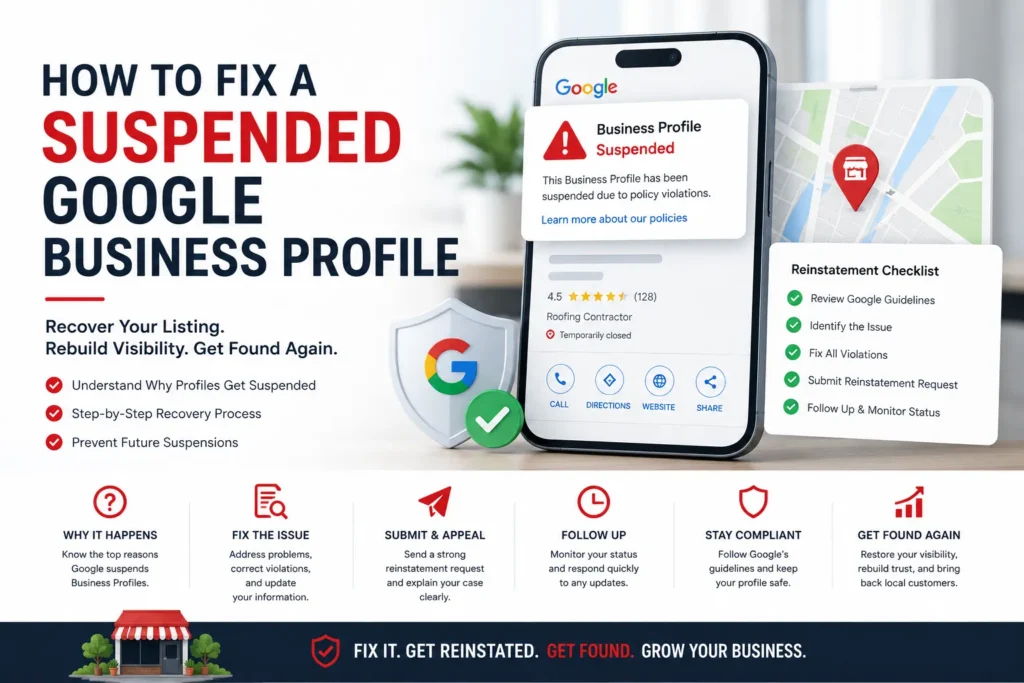
Seeing “Suspended” on your Google Business Profile is a gut punch. The map pin is gone, the phone stops ringing, and it feels like your business just vanished. Here is the part nobody tells you in that first panicked minute: your reviews are still there, your history is intact, and the odds are strongly in your favor. Most suspensions are fixable, and legitimate businesses win these appeals every day.
What you do next matters more than the suspension itself. Rush it, edit the profile a dozen times, or spin up a fresh listing, and you can turn a quick fix into a mess that drags on for months. Move deliberately, and you can often be back on the map within a week. This guide covers the whole path in order: what a suspension actually costs you, which type you are facing, why Google flagged you, how to clean up and prove your business is real, how to file one strong appeal, and how to make sure it never happens again.
What a Suspension Does to Your Business
A suspension is Google pulling your listing because its systems, or occasionally a human reviewer, decided something about your profile broke the rules or could not be trusted. The moment it happens, you lose control of the profile, and depending on the type, customers may lose sight of it entirely.
The visibility hit is immediate and brutal. Your profile drops off Google Maps and the local map pack that feeds most of your nearby calls. Those “near me” searches that quietly send you customers all day simply stop finding you.
The fallout spreads further than most owners expect. If you run Google’s pay-per-lead ads, a suspended profile means your Local Services Ads stop serving as well, since those ads require a profile in good standing. And because AI assistants and AI Overviews now pull from verified, consistent business data, a suspension can quietly cut you out of those answers as well, which makes staying visible in AI-generated results part of what is at stake.
One reassurance worth repeating: a suspension is not deletion. Your reviews, photos, and ranking history are almost always preserved and come back with the profile. You are trying to restore something that still exists, not rebuild from zero.
Soft, Hard, or Account Level: Know Which You Have
The fix depends entirely on the kind of suspension you are dealing with, so identify it first. Search your business name in Google Maps, then check your dashboard for the notice.
| Type | What you see | What it means |
| Soft suspension | The listing still shows on Maps, but you cannot manage it normally | Google flagged the profile and pulled your control |
| Hard suspension | The listing disappears from Search and Maps | The profile is removed, and this is the most urgent |
| Account restriction | Every profile you manage goes down at once | The Google account itself is restricted, taking its profiles with it |
A hard suspension is bleeding leads by the hour, so it gets your full attention. An account restriction is a different animal because the problem lives at the account level rather than at the listing level, and it changes your appeal order. You have to lift the account restriction first, on your My accounts page, before you can appeal the individual profile. When Google reinstates the account, it restores the locations it owns. This scenario is especially painful for businesses managing profiles across multiple locations, where a single flagged account can knock out an entire portfolio.
What Triggered Your Suspension
Google almost never tells you the real reason. You might get an email citing something vague, like “deceptive content” or “quality issues,” but it rarely identifies the exact problem. So you work down the list of usual suspects and find the one that fits.
The most common triggers are:
- A keyword-stuffed business name. This is the single most frequent trigger. Names like “Best Denver Plumber 24/7 Drain Repair,” “ABC Roofing Storm Damage Experts,” or “Cheap Auto Repair Near Me” all break the rule. Your profile name must match your real-world signage and registration exactly, with no services, cities, or slogans bolted on.
- An address that does not qualify. PO boxes, UPS Store mailboxes, and virtual offices are high risk. So is showing a physical storefront address when you are really a service area business that should keep its address hidden.
- Details that contradict each other. When your name, address, phone number, or hours differ across your profile, your website, and your other listings, Google flags the mismatch.
- A messy service area setup. Switching from a storefront to a service-area business, or fumbling for a hidden address, often triggers a review. Getting the fundamentals of setting up a service-area business right prevents this outright.
- Duplicate listings. Two profiles for the same business at the same spot look like manipulation, and resolving duplicate listings is often the fix that clears a suspension.
- Fake or incentivized reviews. Buying, trading, or fabricating reviews is a serious violation, which is why managing reviews within Google’s rules matters as much for staying live as it does for ranking.
- A risky manager or restricted account. If someone with access has a Google account flagged for spam elsewhere, the listings they touch can go down with it.
- Misrepresenting the business. Lead generation fronts with no real presence, listings for a business that does not operate where it claims to, impersonating another company, or picking misleading categories all violate policy and invite suspension.
There is one more cause worth naming, because it is genuinely not your fault. Through 2026, Google ran broad suspension sweeps across entire categories that caught thousands of service-area businesses at once, including profiles that were video-verified, years old, and squeaky clean. Home services took the hardest hits. If your profile was spotless and still got suspended in a wave like that, do not waste energy hunting for a violation that is not there. Confirm your profile is clean, then appeal with solid proof that you are a real, operating business.
Your First Moves After a Suspension
The first hour sets the tone for the whole recovery. Before you change a single field, slow down.
Read the notice and your dashboard carefully, then take screenshots of every important field: business name, address, categories, hours, service area, phone, and website. You want a record of the profile as it stands before you touch it. Then stop editing. A flurry of changes during a review can look like instability and make your case worse.
The most damaging thing you can do is create a new profile for the same business while the original is suspended. That duplicate breaks the guidelines, confuses the review, and usually earns a hard suspension of the new listing, sometimes taking your reviews and history down with it. No shortcut, no prompt, no impatience is worth it. One clean fix and one well-built appeal beats frantic activity every time.
Pinning Down the Real Cause
Diagnosis is the step people rush, and it is the one that decides whether your appeal lands. Pull up Google’s business profile guidelines and read your listing against them as if you were the reviewer deciding your fate.
Check the essentials one by one. Is the business name exactly what is on your signage and registration, with nothing added? Is the address a real place where you actually operate, and does its type match how you serve customers? Are your categories accurate, and do your listed services reflect what you truly offer? Do your name, address, phone, and hours match those on your website? Then search Maps for any duplicate listings tied to your address.
Confirm your business type while you are at it, because so much hinges on it. A storefront, a service-area business, and a hybrid each have different address rules, and a mismatch there is a frequent trigger. Running your profile through a structured audit of your listing is a fast way to catch the discrepancy you have been staring past. When you are stuck, the Google Business Profile Help Community is full of volunteer Product Experts who will spot issues before you submit.
One trap catches more businesses than any other: fixing the profile while ignoring the website. Google cross-checks your listing against your site, so if your contact page, footer, schema markup, or location pages still show an old address, a different phone number, or hours that no longer match, that conflict survives even after your profile looks perfect. Audit the website with the same care you give the profile, and correct both together. A huge share of failed appeals trace back to exactly this oversight.
Cleaning Up the Profile Before You Appeal
Appealing a profile that still breaks the rules is the fastest route to a denial. The reviewer judges the listing exactly as it looks when they open it, so make it compliant first.
Set the name to your real business name only, stripped of services, cities, and words like “best.” Fix the address so it is a valid location, or if customers come to you rather than the other way around, configure the service area business properly and hide the address as Google allows. Pick the most accurate primary category and delete any services you do not actually provide.
Then make everything line up. Your name, address, phone, and hours should be identical on your profile, your website, and every listing you control. Inconsistent business information scattered across the web is a quiet but common trigger, so tightening it protects both this reinstatement and your visibility going forward. Finally, remove duplicate listings you own and clear out any spammy photos, descriptions, or reviews you know are fake.
Building an Evidence File Google Will Accept
Evidence is how you prove you are a real business operating where you claim to be. Gather it before you open the appeal, because once you start the evidence form, the clock is short. And make sure the business name and address on every document match the profile exactly, since a single mismatch can stall or sink the whole thing.
Pull together whatever applies to you:
- A business license or permit
- Registration or incorporation paperwork
- A tax certificate or similar government record
- A recent utility bill at the business address, ideally within the last 90 days, and not a phone bill
- A lease or property document tied to the address
- Clear photos of your storefront, permanent signage, and exterior
- Branded vehicle photos for mobile and service area businesses
- A screenshot of your website contact page showing matching details
Be ready for video verification, as Google relies on it more heavily now, especially for service-area businesses or when reviewers want extra proof. It usually means a guided, on-camera walkthrough showing your location, signage, and workspace. Google is not grading your camera. It is confirming that the real world matches the listing, so know in advance what you would show and in what order for your business type.
Filing the Reinstatement Appeal
With the profile clean and your evidence ready, you can appeal. Only the owner or an account with full access can submit, so sign in to the right Google account first.
- If you are dealing with an account restriction, appeal the account first on your My accounts page, then appeal the individual profile once the account is cleared.
- Open the Google Business Profile appeals tool and confirm that you are signed in to the account associated with the listing.
- Select the profile you want to reinstate.
- Write a short, factual explanation of what happened and what you corrected.
- When you open the evidence form, upload your files promptly. You get roughly 60 minutes once the form opens, which is exactly why you prepared everything beforehand.
- Submit, and note any confirmation or reference details.
Keep the message plain and businesslike, the way you would want a busy reviewer to read it: here is my business, here is what I fixed, here is my proof. No emotion, no blame, no backstory. Think of it like a loan application. Messy paperwork gets declined even when you are completely legitimate.
After You Submit: Waiting, Video Verification, and Timelines
Once the appeal is in, the hardest discipline is leaving the profile alone. Any edit during the review can reset the process and add suspicion.
Watch your email closely and respond fast if Google asks for more. You can follow the status in the appeals tool as it moves from submitted to in progress, to a decision. The heavy 2025 backlog has cleared, so many appeals now resolve within about five business days, though complex cases, multi-location portfolios, or fresh suspension waves can stretch that into a couple of weeks. Do not read a delay as a denial. Google may also request video verification after reviewing your documents, which is normal and simply confirms the listing is real.
One rule applies here: do not submit multiple appeals for the same issue before you receive a decision. Piling on new requests slows everything down and can hurt your case. File one clean appeal and let it run.
When the Appeal Gets Denied
A denial stings, but it is not the end. Read it closely because it often hints at what remains unresolved. Fix any remaining gap, then request an additional review and submit stronger or new evidence that was not in your first appeal.
Resist the urge to fire off more appeals in frustration. If you are genuinely compliant and still denied, the Help Community and its Product Experts can sometimes escalate a case for a manual look. When the root problem is a restricted account or a risky manager, you may need to remove those accounts entirely or move ownership to a clean account before reinstatement can proceed. Businesses in the UK and the European Economic Area also have additional redress options worth checking. Patient, well-documented cases win far more often than rushed, repeated ones.
Staying Off Google’s Radar
Recovering once is exhausting, and prevention is far cheaper than another appeal. Once you are back, treat the profile as a controlled asset rather than a scratch pad. The habits that keep listings safe are not complicated:
- Use your real business name only, with no keywords, cities, or taglines bolted on
- Keep a valid, verifiable address, or a properly configured service area with the address hidden when appropriate
- Choose accurate categories and list only services you actually deliver
- Keep your name, address, phone, and hours consistent everywhere they appear
- Make small, natural updates over time instead of sweeping edits made all at once, which look like a hijack
- Never buy, trade, or incentivize reviews
- Limit manager access and vet everyone you add
- Keep your details current as the business changes
Setting the profile up right from the beginning removes most of this risk, and working from a complete profile setup checklist makes good standing the default rather than a scramble. One honest caveat, though: even a spotless, video-verified profile can get swept up in a broad enforcement wave. Prevention lowers your odds and speeds your recovery, but it is not a guarantee, which is exactly why smart businesses build visibility beyond Maps alone.
Handle It Yourself or Bring in Help?
Plenty of owners reinstate their own profiles, and if your case is straightforward, you can too. A clear single trigger, a real address, matching documents, and time to manage the process carefully are all you need. Follow the steps above, stay patient, and you will likely be fine.
Getting help makes sense when the stakes or the complexity climb. Consider it if you rely heavily on Maps for leads and cannot afford weeks offline; if you manage many locations or are under an account restriction; if you have already been denied once; or if you simply cannot risk a rushed submission. Specialists who handle reinstatements regularly know what Google expects, how to structure evidence, and how to escalate a stalled case through Product Expert channels, which can be the difference between getting approved on the first try and a long, grinding ordeal.
What a Suspension Teaches You
A suspension is a hard lesson with a useful message underneath it. Your Google Business Profile is one of your most valuable assets, and the day it goes dark, so do your calls, your bookings, and your local visibility. The businesses that bounce back well are the ones that slow down, fix the real problem, prove they are legitimate, and then run the profile with discipline.
Handle the recovery calmly, make the listing reflect your real business, and expand your visibility so you are never fully dependent on a single platform. Do that, and a stressful suspension becomes the moment your local presence got stronger and a lot harder to knock offline.