
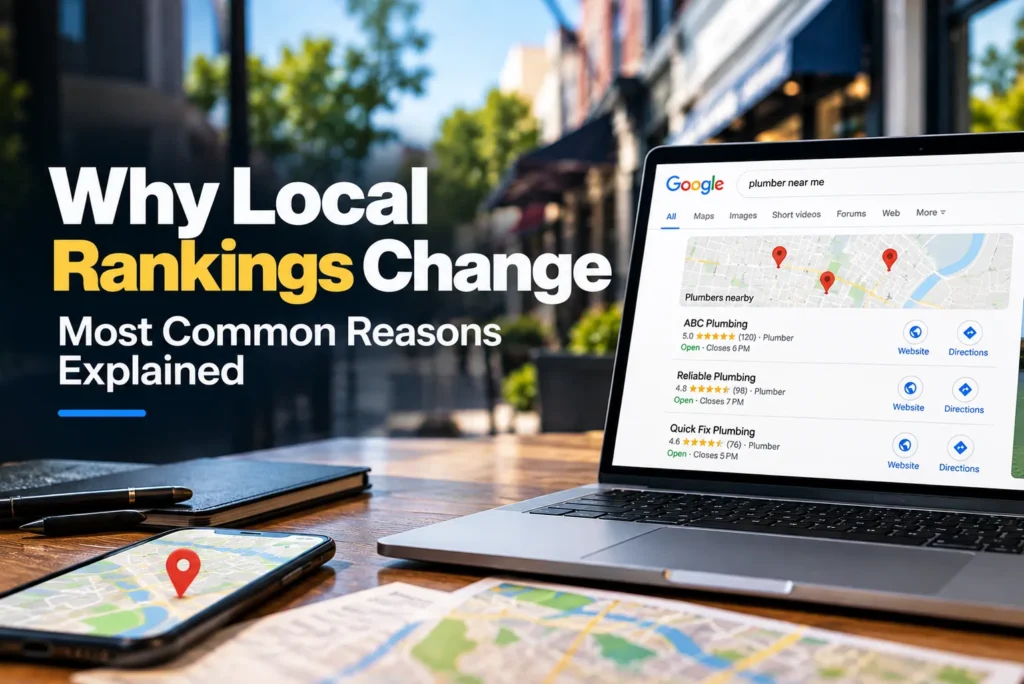
Last Tuesday, your business showed up at #2 in the Map Pack for your main keyword. This morning it sits at #6. Nobody touched the profile, the website hasn’t changed, and no bad reviews came in. So what happened?
This is one of the most common questions local business owners and marketers ask, and the short answer is that local rankings are never fixed. They move every day, sometimes by a spot or two, sometimes by more. Most of that movement is normal and says nothing about the health of your business.
Some drops, though, do point to a real issue. The hard part is telling the two apart. In this article, we’ll walk through the most common reasons local positions move, how to separate a routine fluctuation from a problem worth fixing, and a practical process for finding the cause in your own case.
How Local Rankings Work (And Why They’re So Volatile)
Before looking at specific causes, it helps to understand what you’re actually tracking. Local search isn’t one ranking. It’s a set of results shaped by the searcher, the location, and the listings nearby, all of which change constantly.
Local Pack vs. Local Organic Results
When someone searches for a local service, Google usually shows two kinds of results. The first is the Map Pack (also called the Local Pack), the block of Google Business Profile listings shown next to a map. The second is the standard list of organic results below it, made up of websites.
Different systems rank these two sections. The Map Pack leans heavily on your Google Business Profile, reviews, and proximity. Organic results lean more on your website’s content, links, and technical health. That’s why your position can drop in one and stay the same in the other. If your Map Pack spot fell but your website still ranks #3 organically, you’re looking at a profile or proximity issue, not a website problem.
The Three Core Ranking Factors: Relevance, Distance, Prominence
Google has said for years that local results are based on three main factors:
- Relevance: how well your listing matches what the person searched for. Your categories, services, business description, and website content all feed into this.
- Distance: how far your business is from the searcher, or from the location named in the search.
- Prominence: how well known and trusted your business is. Reviews, ratings, links, citations, and general presence across the web all count here.
A change in any one of these shifts your position. Change a category and relevance moves. Search from a different street and distance moves. A competitor collects 40 new reviews and your relative prominence moves, even though nothing about your own business changed.
Why Local Results Fluctuate More Than Traditional SEO
Local rankings tend to be far more jumpy than national organic rankings, for three main reasons.
First, local results depend on where the searcher is standing. A national blog post ranks roughly the same for someone in Chicago and someone in Phoenix. A local plumber’s listing can look completely different to two people five blocks apart.
Second, many businesses compete in a small area. When there are only three spots in the Map Pack and 25 similar businesses nearby, the gap between #3 and #6 can be tiny. A handful of reviews or one small profile change can be enough to swap places.
Third, business listings change all the time. Owners edit their profiles, customers leave reviews, new businesses open, and old ones close. Every one of those updates can nudge the order of results.
Is It Normal for Local Rankings to Change?
Yes. Small daily or weekly movement is expected, and most businesses see it whether they’re doing anything or not.
It helps to separate three different things:
- A fluctuation is short-lived movement, usually one to three positions, that settles back within days.
- A drop is a clearer fall that holds for a week or more but may still recover.
- A lasting loss is a drop that stays in place for weeks, often across many keywords or across a wide part of your service area.
As a rough guide, moving between positions 1 and 4 from day to day is normal for most businesses in competitive categories. Falling out of the top three for a single keyword for a day or two usually isn’t worth worrying about.
A change deserves attention when it’s large (for example, from the top three to outside the top ten), when it affects several keywords at once, when it covers a wide area on a geo-grid rather than one point, or when it lines up with a drop in calls, direction requests, or website visits. Rankings are a signal. Leads are what actually matter.
Reason 1: Google Algorithm Updates
Google changes its ranking systems thousands of times a year. Most changes are too small to notice, but some reshuffle local results in a big way.
Core Updates and Their Local Impact
Core updates are broad changes to how Google evaluates content and sites. They’re aimed mostly at organic search, but they often spill into local results too. A core update can change how Google judges your website, which affects both your organic rankings and, indirectly, your Map Pack position, since your website is part of how Google measures relevance and prominence. Core updates usually roll out over a couple of weeks, so rankings can bounce around for the whole period before they settle.
Local-Specific Updates
Some updates target local search directly. The best-known recent example is the “Vicinity” update from late 2021, a name given by the local SEO community after Google confirmed a local search update. It gave proximity much more weight. Businesses that had ranked across a whole city, often helped by keywords in their business names, suddenly ranked well only near their actual address. At the same time, many businesses farther from the city center gained ground.
The lesson from Vicinity is that Google can change the balance between relevance, distance, and prominence at any time. When it does, rankings can move sharply for reasons that have nothing to do with your own work.
Spam and Review Updates
Google also runs updates aimed at spam and at review quality. These can remove fake reviews in bulk, filter out spam listings, or reduce the value of manipulative tactics. If a competitor was relying on fake reviews or a keyword-stuffed name, a spam update can push them down and lift you. If your own profile had questionable reviews, you might see your review count drop and your ranking fall with it.
Unconfirmed Updates and Ongoing Tweaks
Many changes are never announced. Google adjusts its systems all the time, and the local SEO community often only notices after tracking tools show a wave of movement. These unconfirmed updates can be just as disruptive as the named ones, which is why a sudden shift with no obvious cause is often down to Google rather than anything you did.
How to Tell if an Update Caused Your Change
Start with timing. If your ranking moved on the same day as a confirmed or widely reported update, that’s a strong clue. Google posts confirmed updates on its Search Status Dashboard, and SEO news sites and local SEO communities report on unconfirmed ones quickly.
Next, check volatility trackers. Several rank-tracking tools publish daily volatility scores for organic and local results. A spike on the day your position changed points to a broad update rather than a problem specific to you.
Finally, look at your competitors. If most of the businesses in your area moved on the same day, an update is the likely cause. If you’re the only one who moved, look closer at your own profile, website, and reviews.
Reason 2: The Searcher’s Location and Proximity
Distance is one of the strongest local ranking factors, and it’s the one people most often forget when they check their own rankings.
Why Rankings Differ Street by Street
Google ranks local results based on where the searcher is. That means your position isn’t one number. You might be #1 for someone two blocks away, #4 for someone across town, and not in the Map Pack at all for someone on the far side of the city.
When a client says “we dropped,” it’s worth asking where they searched from. Someone checking from home one day and from the office the next can see very different results without any real change.
“Near Me” vs. City-Modified Searches
The wording of the location in a search changes how Google applies distance. A search like “plumber near me” leans heavily on the searcher’s actual location. Google looks for plumbers close to the device.
A search like “plumber Dallas” works differently. Google looks at businesses relevant to Dallas as a whole, and the searcher’s exact spot matters less. A plumber based in the center of Dallas may do well for “plumber Dallas” but poorly for “plumber near me” when the searcher is in a suburb. A plumber in that suburb may see the opposite.
Mobile GPS vs. Desktop IP Location
Phones usually report a precise location through GPS. Desktop computers often rely on IP addresses, which can be off by several miles or point to an internet provider rather than the actual user. That’s one reason a desktop check and a mobile check can show completely different Map Packs, even from the same room.
Your Business’s Distance From the Search Centroid
When someone searches for a service in a named city or area, Google uses a center point for that place, often called the centroid. Businesses closer to that center point tend to have an advantage for city-modified searches.
If your business sits on the edge of a city, you may struggle for “[service] + [city]” searches even with a strong profile. And if Google adjusts how it defines or weighs the centroid, your ranking for those searches can move while nothing about your business has changed.
Reason 3: Changes to Your Google Business Profile
Your Google Business Profile (GBP) is the foundation of your Map Pack ranking. Changes to it, whether you made them or not, are one of the most common causes of sudden movement.
Editing Your Business Name, Categories, or Address
The name, categories, and address are core fields, and Google pays close attention when they change.
The primary category is one of the most powerful relevance signals on your profile. Switching it, even to something that seems close, is among the edits most likely to cause a big shift. Changing from “Family Law Attorney” to “Divorce Lawyer,” for example, can help you for some searches and hurt you for others overnight.
Name changes can also trigger movement, especially if you add or remove keywords. Address changes can shift your ranking because they move the point Google measures distance from. Any of these edits may also send your profile into review, which can cause a temporary dip on its own.
Changes to Hours, Services, Attributes, or Description
Smaller edits usually cause smaller moves, but they aren’t always harmless. Changing your hours can affect how often you appear for searches made when you’re listed as closed. Removing services or rewriting your description can weaken relevance for specific keywords. Attributes such as “wheelchair accessible” or “women-owned” rarely move rankings much on their own, but they can matter when searchers use filters.
Suggested Edits by Google or the Public
Anyone can suggest an edit to a business listing, and Google sometimes applies changes itself based on data it collects from other sources. That means your category, hours, website link, or even your address can change without your input.
This is one of the most overlooked causes of ranking drops. If you notice a fall and you’re sure nobody on your team made changes, log in and check your profile carefully. Google often shows a notice when it applies updates, but it’s easy to miss.
Re-verification, Soft Suspensions and Hard Suspensions
Sometimes Google asks a business to verify again, often after a major edit. While that’s pending, your profile may show limited visibility or not show at all.
Suspensions are more serious. A soft suspension means you’ve lost control of the listing, or it’s been flagged, but it may still appear in some form. A hard suspension removes the listing from Maps and search entirely, and in many cases removes its reviews as well. Both usually come from a guideline issue, such as a keyword-stuffed name, a virtual office address, or a service-area business showing its address when it shouldn’t. If your listing vanished, check your GBP dashboard for a notice first.
Moving Your Business or Changing Service Areas
Moving to a new address resets where your proximity advantage sits. You’ll usually gain rankings near the new location and lose them near the old one, and it can take some time for everything to settle.
For service-area businesses, editing the list of service areas doesn’t usually expand where you rank as much as people expect. Proximity to your verified address still carries a lot of weight. But large changes to service areas can still cause some movement while Google processes them.
Reason 4: Competitor Activity
Rankings are relative. You can do nothing wrong and still fall because someone else got stronger, or rise because someone else disappeared.
New Businesses Opening Nearby
A new competitor opening close to you, or close to the searchers you care about, can take one of the few Map Pack spots. Since proximity matters so much, a new business that’s physically closer to a cluster of searchers can outrank you there even with far fewer reviews.
Competitors Improving Their Profiles, Reviews or Websites
Competitors aren’t standing still. A rival that runs a review campaign, fixes its categories, publishes new service pages, or builds local links can gain ground quickly. From your side, it looks like you dropped. In reality, they climbed past you.
Competitors Being Removed or Suspended
Movement works in both directions. If a competitor’s listing gets suspended, merged as a duplicate, or closed, every business below it moves up. A sudden gain for no clear reason often results from a competitor disappearing, and that gain can reverse if they get reinstated.
Spam Listings Entering or Leaving the Map Pack
Spam is a real problem in local search, especially in industries like locksmiths, garage door repair, towing, and legal services. Common tactics include fake listings at addresses where no business exists and business names stuffed with keywords, such as “Best Cheap Plumber Dallas 24/7” instead of the actual registered name.
These listings can push real businesses down for weeks or months. When Google cleans them up, or when someone reports them successfully, legitimate businesses often jump back up. That churn is a common source of movement you can’t control, except by reporting the spam you find.
Reason 5: Review Changes
Reviews feed directly into prominence, and they change more often than almost any other part of your profile.
Review Count and Velocity
The total number of reviews matters, but so does velocity, meaning how quickly new reviews arrive. A business that gets eight reviews a month looks more active and relevant than one that got 200 reviews three years ago and nothing since. If a competitor’s velocity picks up while yours slows, you may slip even though your total is still higher.
Review Recency
A long stretch without new reviews can hurt. Searchers notice when the latest review is from last year, and Google appears to weigh fresh activity too. Businesses that go quiet for months often see a gradual slide rather than a sudden drop, which makes it harder to connect cause and effect.
Star Rating Changes
A drop in your average rating can affect both ranking and clicks. A fall from 4.8 to 4.3 might not move you much on its own, but it can push you out of results when searchers use a “top rated” filter, and it lowers the chance people choose you, which feeds back into engagement signals.
Reviews Removed by Google’s Filters
Google filters reviews it considers suspicious, and it sometimes removes large batches at once. Reviews posted from the same device or network, reviews left in quick bursts, or reviews from accounts with little history are common targets. Legitimate reviews get caught too. If your review count dropped suddenly, a filter sweep is a likely explanation, and your ranking may dip along with it.
Keywords in Review Content
When customers mention specific services or locations in their reviews, such as “they fixed our water heater in Plano the same day,” it can support your relevance for those terms. Google also highlights review snippets that match the search. You can’t script what customers write, and you shouldn’t try, but asking them to mention what you did for them tends to produce more useful, detailed reviews naturally.
Owner Responses
Replying to reviews shows that the business is active and cares about its customers. The direct ranking effect is probably small, but responses help conversion, and consistent engagement is part of a healthy profile. A business that stops responding altogether won’t usually drop because of that alone, but it’s rarely a good sign.
Reason 6: Website and On-Page Changes
Your website supports both your organic rankings and your Map Pack position. Changes to it can move either one.
Website Redesigns and Migrations
Redesigns are one of the most common causes of ranking drops that owners don’t expect. A new design often comes with new URLs, rewritten content, missing redirects, or removed pages. If the old pages that ranked well are gone and nothing points to their replacements, both organic and local rankings can fall within days.
Changes to Location or Service Pages
Location and service pages carry a lot of your local relevance. If content was removed, several pages were consolidated into one, or title tags were rewritten without the city or service name, you may lose rankings for the searches those pages used to support. This happens often when a new copywriter “cleans up” a site without considering what each page was ranking for.
Technical Issues
Technical problems can quietly erode rankings. Common ones include:
- Crawl or indexing problems, such as pages accidentally set to noindex or blocked in robots.txt
- Site downtime, especially if it lasts more than a few hours
- Slow page speed, particularly on mobile
- Broken mobile pages, layout issues, or pop-ups that block content
Google Search Console is the first place to check for most of these.
A Changed Website URL on Your GBP
The website link on your GBP is a key connection between your profile and your site. If the link changes to a different page, a broken URL, or the wrong domain (sometimes through a suggested edit), Google may lose some of the signals it was drawing from your site. Many businesses link to their homepage, while multi-location businesses usually link each profile to its own location page. Switching between the two can cause movement.
Losing Organic Authority for Local Keywords
There’s a strong link between organic rankings for local keywords and Map Pack rankings. If your site slips organically for “[service] + [city],” your Map Pack position for that term often follows. That can happen because of content changes, lost links, or simply because competitors published better pages.
Reason 7: Citations, NAP Consistency and Duplicate Listings
Citations are mentions of your business name, address, and phone number (NAP) on other websites, such as directories, review platforms, and industry sites. They help Google confirm that your business is real and where it’s located.
Inconsistent Name, Address, or Phone Number Across Directories
When your details differ from one site to another, such as an old phone number on one directory, a former address on another, or a different name format elsewhere, Google has less confidence in your information. Citations aren’t as powerful as they once were, but serious inconsistencies, especially after a move or rebrand, can still hold rankings back.
Duplicate Google Business Profiles
Duplicate profiles for the same business are a bigger problem. They split ranking signals, such as reviews and engagement, between two listings, so neither performs as well as a single strong one would. In other cases, Google filters one of them out, and it isn’t always the one you want. Duplicates often appear after a move, a rebrand, a change of ownership, or when someone creates a listing without checking whether one already exists.
Data Aggregator Changes Spreading Incorrect Information
Data aggregators supply business information to many directories, apps, and navigation systems. If an aggregator has an old or wrong record for your business, that error can spread to dozens of sites. Google may also pick up the wrong data and suggest edits to your profile based on it. An old address resurfacing months after a move is a classic sign.
Reason 8: Backlink Gains and Losses
Links pointing to your website are part of how Google judges prominence. Changes in your link profile, or your competitors’, can show up in both organic and local rankings.
Losing Local or Authoritative Links
Links disappear more often than people realize. A local news site redesigns and drops old articles, a sponsor page for a youth sports team gets taken down, or a partner business removes its links page. If those were some of your stronger or more locally relevant links, the loss can weaken your position, usually gradually rather than overnight.
Competitors Gaining Stronger Local Links
A competitor who lands a feature in the local paper, sponsors a community event, or joins the chamber of commerce may pick up links that lift their prominence. You won’t see this in your own data, which is why a slow, steady slide sometimes has no visible cause on your side.
Toxic or Spammy Link Patterns
Large numbers of low-quality links, such as paid links from unrelated sites, link networks, or spammy directories, can hurt more than they help. Google mostly ignores links it sees as manipulative, so the usual effect is that those links stop counting rather than a penalty. But if weak links propped up your rankings and Google stops counting them, the drop can still be noticeable.
Reason 9: Google’s Local Filters
Sometimes a business doesn’t rank poorly. It’s being filtered. Google hides some listings to avoid showing near-identical results side by side.
The Proximity or Address Filter
When two or more businesses in the same category share an address or a building, Google often shows only one of them for a given search and filters the rest. This is common in medical buildings, office parks, shared legal offices, and co-working spaces. Two dentists in the same building may take turns appearing, depending on which one Google considers more relevant for that search. This filter became much more noticeable after the “Possum” update in 2016.
The Duplicate Content and Affiliation Filter
Google may also filter listings it sees as closely related. Examples include a practitioner listing and a practice listing with the same phone number and website, multiple listings for one business under different names, or several businesses owned by the same person in the same category nearby. Google tends to show the strongest of the group and hide the rest.
Why a Filtered Listing Seems to “Disappear”
A filtered listing isn’t suspended. It still exists, and it usually still shows when you search the business name directly. It just won’t appear for certain category searches while a related listing is shown instead. That’s why an owner might say “we disappeared from Maps” even though searching the brand name still brings up the profile.
A quick test is to zoom far into the map around your location or search from a spot very close to your address. If your listing appears there but not in the wider results, a filter is likely at work.
Reason 10: Changes in the Search Results Layout
Not every loss of visibility is a loss of ranking. Sometimes you’re in the same position, but the page around you changed.
Map Pack Size and Format Changes
Google tests different Map Pack formats regularly. It may show three listings, two listings, or a different layout with larger images or extra details. On mobile, the pack may appear lower on the page or in a different style. If the pack shrinks from three to two spots, the business in third place effectively vanishes from that view without any change in ranking.
Local Service Ads, Paid Map Ads and Sponsored Pins
Paid placements can appear above or inside the Map Pack. Local Services Ads show at the top for many service categories, and paid listings can sit at the top of the Map Pack or appear as highlighted pins on the map. When more ads appear, organic listings get pushed down the page, which can cut clicks even if your organic position is unchanged.
AI Overviews and New SERP Features Pushing Results Down
The search engine results page (SERP) keeps adding new features, such as AI Overviews, “people also ask” boxes, image packs, and “things to know” sections. Each one takes up space. For some local queries, especially informational ones, AI-generated summaries now appear above the Map Pack. Your listing may still be #1 in the pack, but it sits much lower on the screen and gets fewer clicks.
Filters Like “Open Now” and “Top Rated”
Searchers on Google Maps and in local results can apply filters, such as “Open now,” “Top rated” or specific price levels. Google also applies some of these automatically based on the query and the time of day. A business that’s closed, has fewer than a certain number of reviews, or has a lower rating can drop out of filtered results completely, while still ranking well in the unfiltered view.
Reason 11: Personalization and Search Context
Two people can type the same words and see different results, even while standing next to each other.
Search History and Past Interactions
Google takes past behavior into account. If you’ve clicked on a business before, called it from search, or visited its website, it may show up higher for you. This is one reason owners often see their own business ranking better than it does for everyone else. They search for it constantly.
Time of Day and Business Hours
Timing matters more than most people think. Businesses that are currently closed may rank lower, especially for searches where the person clearly needs help now. A restaurant that closes at 9 p.m. may rank well at 7 p.m. and drop sharply at 10 p.m. If you check your rankings late at night, you may be seeing a version of the results that doesn’t reflect business hours.
Device and Signed-In Status
Results can differ between mobile and desktop, between the Google app and a browser, and between signed-in and signed-out users. Signed-in users get more personalized results. Mobile users get more location-precise results. None of this means one view is “right.” They’re just different views of the same system.
How the Wording of a Query Changes Results
Small wording changes can bring up different businesses. A search for “dentist” and a search for “emergency dentist” may show different Map Packs, because Google reads the second as more urgent and looks for businesses that match that need, including ones that are open now or list emergency services. The same goes for “lawyer” vs. “car accident lawyer” or “HVAC” vs. “AC repair.” If you only track one version of a keyword, you might miss that you’re gaining on one and losing on another.
Reason 12: User Behavior and Engagement Signals
How people interact with your listing likely plays some part in how Google views your prominence. Google hasn’t spelled out exactly how these signals are used, but many local SEO practitioners see a connection.
Clicks, Calls, Direction Requests, and Website Visits From Your Profile
When people find your profile and act on it, by calling, asking for directions, or visiting your website, it suggests your listing satisfies searchers. You can see these numbers in your GBP performance reports. A sustained fall in these actions may be a symptom of a ranking drop, but it can also be one of the things that contributes to one.
Photo Views, Posts and Q&A Activity
Active profiles tend to attract more engagement. Adding fresh photos, publishing posts, and answering common questions give people more reasons to interact with your listing. These activities are unlikely to cause big ranking jumps on their own, but a profile that looks abandoned tends to get less attention from both searchers and Google.
How Engagement Trends Can Shift Prominence
Engagement usually works over time rather than overnight. A business that consistently earns more clicks and calls than others in the pack may slowly climb, while one that people keep skipping may slowly slip. Your photos, rating, and business name all influence whether people choose you, so small improvements in those areas can gradually affect your ranking.
Reason 13: Seasonality and Changes in Demand
Some ranking changes follow the calendar more than any algorithm.
Seasonal Search Trends Changing Who Competes
Demand for many services changes by season. HVAC companies see spikes in summer and winter, landscapers are busiest in spring, and tax preparers peak early in the year. When demand rises, more businesses compete harder, launch ads, and push for reviews. Some seasonal businesses also change their hours or services, which can affect who shows up. The result is more movement during busy periods and different competitors in the pack at different times of year.
Local Events and Temporary Business Closures
Local events, such as festivals, sports tournaments, or conventions, can change what people search for and where they search from. Temporary closures matter too. If you mark your business as temporarily closed, it will usually drop sharply or disappear from most results until you reopen. The same thing happening to a competitor can give you a temporary boost.
Reason 14: Tracking and Measurement Inconsistencies
Sometimes rankings didn’t really change. Only the measurement did.
Why Different Rank Trackers Show Different Positions
Rank trackers check results from specific locations, devices, and settings, and they don’t all use the same methods. One tool might check from the center of your city, another from your business address, and another by zip code. They may also check at different times of day. It’s normal for two tools to report different positions for the same keyword on the same day.
Single-Point Tracking vs. Geo-Grid Tracking
Single-point tracking checks your ranking from one location. That’s useful for trends but gives a narrow picture. Geo-grid tracking checks your ranking from many points across an area, laid out in a grid, and shows how your visibility changes from one neighborhood to the next.
With single-point tracking, a slight shift in how Google handles that one location can look like a big drop. A geo-grid shows whether you actually lost ground across your market or just around one point. For local businesses, geo-grid tracking is the most reliable way to judge real movement.
Manual Checks and Why They Mislead
Searching your own keywords on your phone is the least reliable way to check rankings. Personalization and your search location change what you see. Your search history can make your business look stronger, and your location may be nowhere near where your customers search from. Manual checks are fine for a quick look, but they shouldn’t drive decisions.
Google Data Center Variations
Google serves results from many data centers, and they don’t always update at the same moment. During updates in particular, two searches minutes apart can hit different data centers and show slightly different results. This can create short-term noise that looks like movement but disappears within a day or two.
How to Diagnose Why Your Local Ranking Changed
When you see a drop, resist the urge to start changing things right away. Work through these steps in order. Each one rules out a cause before you move to the next.
- Confirm the drop is real. Check more than one source. Compare your rank tracker with a geo-grid scan and with your GBP performance data. If the drop shows up in one tool at one point but not across the grid, and calls and direction requests are steady, it’s probably noise.
- Check the timing against known algorithm updates. Note the exact date the change started. Compare it with confirmed updates, volatility trackers, and reports from the local SEO community. Check whether competitors moved on the same day.
- Review your GBP edit history and any suspension notices. Look at every field on your profile. Has the category, name, address, website link, or hours changed? Are there Google-applied updates waiting for review? Is there a verification request or suspension notice in your dashboard?
- Audit recent changes to your website. Ask your team or developer what changed in the last few weeks. Check for removed pages, rewritten titles, missing redirects, noindex tags, and downtime. Look at Google Search Console for indexing issues and traffic drops on key pages.
- Look at what competitors have changed. Look at the businesses that now rank above you. Are any of them new? Did one gain a lot of reviews, change categories, or rename itself? Did a spam listing appear? Did a competitor that used to rank disappear?
- Check reviews and citations. Compare your current review count with last month’s. Look for a sudden drop that points to a filter sweep, a gap in new reviews, or a fall in your rating. Check your main directories for wrong addresses or phone numbers.
- Look for filtering or duplicate listings. Search your business name and your main category from very close to your address. Look for duplicate profiles, including old ones from previous addresses. Check whether you share a building with a competitor in the same category.
- Separate lost rankings from lost visibility caused by changes in the SERP layout. Look at the actual results page. Has the Map Pack shrunk? Are there more ads above it? Has an AI Overview or another feature appeared? If your position is the same but clicks fell, the page changed around you, not your ranking.
In many cases, you’ll find more than one contributing factor. That’s normal. Focus first on anything you can fix directly, such as a wrong category, a broken website link, or a duplicate listing.
Temporary Fluctuations vs. Lasting Ranking Drops
Once you have an idea of the cause, the next question is whether to act or wait.
Signs a Change Will Recover on Its Own
- The movement is small, usually one to three positions.
- It affects one or two keywords, not your whole list.
- It shows up at one tracking point but not across a geo-grid.
- Competitors moved at the same time, which points to an update.
- Calls, direction requests, and website visits haven’t changed much.
- It lines up with an update that’s still rolling out.
Signs of a Deeper Problem That Needs Action
- The drop is large, for example, from the top three to off the first page of the Map Pack.
- It covers many keywords and a wide area on your geo-grid.
- Leads and profile actions fell at the same time.
- Your listing doesn’t show at all for category searches, or only shows for your brand name.
- There’s a suspension notice, a verification request, or an unexpected change on your profile.
- The drop lined up with a website redesign, migration, or major content change.
How Long to Wait Before Reacting
For small fluctuations, give it one to two weeks before concluding. For drops during a confirmed update, wait until the rollout has finished and results have had a week or so to settle. Reacting mid-update often means chasing noise.
The exception is anything clearly broken. A suspension, a wrong category applied by a suggested edit, a broken website link, or a site that’s been set to noindex should be fixed right away. Waiting only makes those problems worse.
How to Reduce Ranking Volatility Over Time
You can’t stop local rankings from moving, but you can make your position more stable and less sensitive to small changes.
Keep your GBP stable and accurate. Avoid frequent edits to your name, primary category, and address. When you need to make changes, make them deliberately, one at a time, and note the date so you can link any movement back to the edit. Keep your hours, holiday hours, and services up to date so Google has no reason to question your information.
Keep reviews coming in consistently. A steady flow of reviews is better than occasional bursts. Build asking for reviews into your normal process, such as after a job is done or a visit ends, so reviews arrive every week or month instead of all at once. Steady velocity also looks more natural and is less likely to trigger filters.
Monitor for suggested edits and spam. Log in to your profile regularly, at least every week or two, and check for Google-applied updates. Review your categories, website link, and address each time. Keep an eye on the Map Pack for new spam listings and report them through the proper channels.
Keep your citations clean. Make sure your name, address, and phone number match on the major directories and data aggregators. After a move, rebrand, or phone number change, update your citations promptly and search for old listings that need to be fixed or merged. Clean data leaves less room for Google to get confused.
Conclusion
Local rankings move for many reasons. Algorithm updates, the searcher’s location, changes to your own profile, competitor activity, reviews, Google’s filters, and changes to the search results layout can all shift your position, often without you doing anything at all.
Most of that movement is normal. What matters is telling a routine fluctuation from a real problem. Track your rankings accurately, ideally with a geo-grid rather than manual checks. Find the cause before you react, so you don’t undo something that was working. And put your energy into the factors you can control: an accurate and stable profile, a steady flow of reviews, a healthy website, and clean citations. Those are what keep your position strong when everything around it is moving.
FAQs
The most common causes of an overnight drop are an algorithm update, a change to your Google Business Profile (including suggested edits you didn’t make), a competitor gaining ground, or a new listing entering the Map Pack. It may also be a tracking difference rather than a real drop. Check the date against known updates, review your profile for changes,s and confirm the drop with a geo-grid before acting.
Your phone usually uses precise GPS location, while your computer often relies on IP address, which can be miles off. Mobile and desktop results can also be personalized differently. Since local results depend heavily on where the searcher is, a small difference in detected location can change the whole Map Pack.
Yes. Your primary category is one of the strongest relevance signals on your profile. Changing it can improve rankings for some searches and hurt them for others, often within days. Choose the category that best describes your main service, and avoid changing it without a clear reason.
“Near me” searches rely mostly on the searcher’s location, so you’ll do well for people close to your business. City-modified searches rely more on the city’s center point and on overall relevance and prominence across that city. If your business is far from the city center, or if competitors have stronger profiles and websites for that city, you may rank well nearby but struggle for the city search.
The most likely causes are a suspension, a pending re-verification, a filter, or a duplicate listing taking your place. Check your GBP dashboard for notices first. Then search your exact business name. If the profile appears for your name but not for category searches, it’s probably being filtered rather than removed.
Constantly. Local results can change day to day, and even within the same day, as reviews come in, profiles are edited, businesses open and close, and Google tests new layouts. That’s why trends over weeks are far more useful than any single day’s position.
Indirectly, yes. They can outrank you by improving their own profiles, reviews, and websites. Some also use spam tactics, such as fake listings or keyword-stuffed names, that push legitimate businesses down. A few may even submit suggested edits to your profile or leave fake negative reviews. Regularly check your profile and report spam and policy-violating reviews as your best defense.