
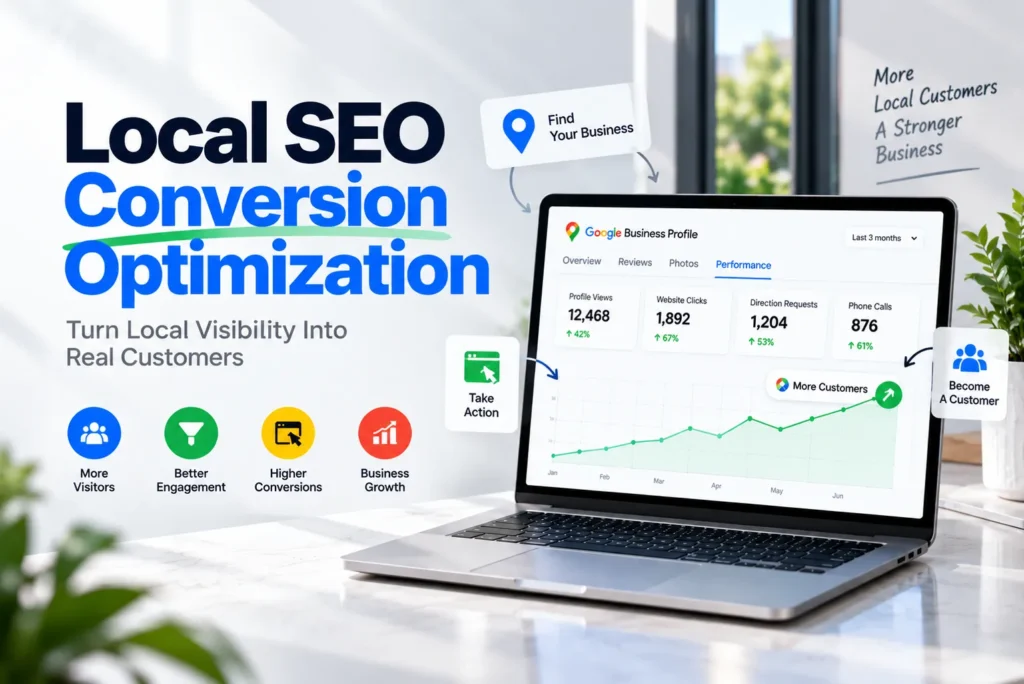
Local SEO conversion optimization turns local search visibility into real customer actions. Those actions include calls, bookings, quote requests, direction requests, store visits, and purchases.
Plenty of local businesses already show up in Google Search and Google Maps. Rankings look fine, and profile views keep climbing. Still, the phone doesn’t ring as often as it should.
In most cases, the gap sits after discovery. People find the business, look it over, and then pick a competitor or give up. This guide covers every step between that first glimpse in search and a paying customer. You’ll see where local search conversions happen, why they break, how to measure them, and what to fix first.
What Is Local SEO Conversion Optimization?
Local SEO conversion optimization improves the path from being found in local search to taking a measurable action. Traditional local SEO asks, “How do we show up?” Conversion optimization asks, “Why would someone choose us, and how easy is it to act?”
Visibility, Leads, and Customers Are Different Stages
It helps to separate the stages clearly:
- Visibility: Your business appears in local results.
- Traffic: People click to your website or open your profile.
- Engagement: They read reviews, view photos, or browse your pages.
- Leads: They call, fill out a form, book, or send a message.
- Conversions: Any tracked action you value, including leads and direction requests.
- Customers: A lead pays for your product or service.
- Revenue: The money those customers bring in.
A business can do well at the first stage and poorly at the rest. For example, a dentist may rank in the map pack for “dentist near me” and still lose patients. The profile might not list treatments. The phone number could be hard to find on mobile. Or the booking form might ask for insurance details before anyone can pick a time.
So rankings are an input. Customers and revenue are the outcome.
Why Local Visibility Doesn’t Always Produce Customers
When visibility is strong, but leads are weak, the cause usually falls into one of four groups: relevance, trust, friction, or follow-up.
Relevance Problems
- The page doesn’t match the search. Someone searches “emergency plumber” and lands on a bathroom remodeling page.
- The offer is unclear. Visitors can’t tell what you do, where you work, or why they should pick you.
- Location pages swap in a city name and add nothing new.
Trust Problems
- Reviews are few, old, or have no replies.
- Photos are stock images instead of real ones.
- Your name, address, phone, or hours differ across Google, your website, and directories.
- The profile promises one thing, but the website says another.
Friction Problems
- There’s no clear call to action, or the phone number sits in the footer.
- Pages load slowly, and buttons are hard to tap on mobile.
- Forms are long, and booking tools make people create an account.
Follow-Up Problems
- Calls go to voicemail during business hours.
- Form leads wait a day or more for a reply.
- Staff can’t answer basic questions about price or availability.
Notice that almost none of these are ranking problems. Instead, they are customer experience problems that happen inside local search. That’s exactly what local SEO conversion optimization sets out to fix.
The Local Search Customer Journey
Most local conversions follow the same basic path. Each stage is a chance to win the next step or lose the person.
- Search. Someone types or speaks a query like “AC repair near me” or “dentist open Saturday.”
- Discovery. They see your business in the map pack, Google Maps, organic results, or a directory.
- First impression. In a few seconds, they scan your name, rating, review count, photos, category, hours, and distance.
- Trust check. They read reviews, look at photos, and compare you with two or three competitors.
- Interaction. They open your website or dig further into your profile.
- Action. They call, book, request a quote, send a message, or ask for directions.
- Follow-up. Your team answers the phone, replies to the form, or confirms the booking.
- Customer. The job gets done, the visit happens, or the sale closes.
Two things are easy to miss here. First, many conversions never touch your website. A diner can find a restaurant, check the photos, and tap for directions without leaving Google Maps. Second, the journey doesn’t end at the lead. A fast, helpful reply often decides who gets the job.
Google Business Profile as a Conversion Asset
Your Google Business Profile is often the first and last thing a local searcher sees. So treat it like a storefront, not only a ranking tool. Its job is to answer four questions fast. Do they offer what I need? Are they any good? Are they open? How do I reach them?
Categories, Services, and Products
First, pick a primary category that matches your core business. Add secondary categories only for real services you want customers for. Then fill in the services section with specific jobs, like “water heater installation” instead of just “plumbing.” Retail stores and some service businesses can also add products.
Business Description
Write it for a person comparing you with two competitors. Start with what you do and who you serve. Then give a real reason to choose you, such as same-day service, a specialty, a warranty, or years in the area. Skip the keyword lists.
Photos
Real photos build more trust than stock images, because they show people what to expect. Show your team, vehicles, storefront, finished work, and interior. Add new photos regularly so the profile looks active.
Reviews and Replies
Reviews are the most-read part of most profiles. So reply to them, including the negative ones. A calm, specific reply often reassures new customers more than one more five-star rating.
Contact Options
- Phone number: Make sure it rings where someone answers. Using call tracking? Keep your main number as the primary one. Then add the tracking number as an additional number.
- Website link: Point it to the most useful page. For multi-location brands, link each profile to its own location page.
- Booking link: Add one if your category supports it so that people can book straight from the profile.
- Messaging: Google retired its built-in Business Profile chat in July 2024. Eligible profiles can now let customers reach them by text message or WhatsApp. Only turn this on if someone will reply quickly.
Attributes and Posts
Attributes answer practical questions, such as wheelchair access or online appointments, before anyone has to ask. Posts work well for seasonal services, offers, and events, especially when they link to a matching page.
AI Answers Now Shape First Impressions
Google has removed the old Q&A section from Business Profiles. In its place, a Gemini-powered feature called Ask Maps answers questions about places. It draws on profile details, reviews, and website content. Availability varies by country and device.
This changes the conversion job. You can no longer post your own answers in a Q&A tab. Instead, the AI builds answers from what it can find. If your hours, services, pricing guidance, or service area are missing, a customer may get a vague or wrong answer. So keep every profile field complete, and state key facts clearly on your website.
For a full setup walkthrough, see our [Google Business Profile optimization guide].
Match Your Message to Local Search Intent
Local search intent tells you what a searcher needs before they act. So the same business should present itself differently depending on the query.
| Intent type | Example search | What the searcher needs | What to emphasize |
| Near me | “dentist near me” | Distance, open hours, rating | Directions, call button, hours |
| Best | “best auto repair in Tampa” | Proof of quality | Reviews, credentials, differentiators |
| Service + location | “roof repair Plano” | Confirmation you do this job there | Specific service page, quote button |
| Emergency | “24-hour locksmith” | Speed and availability | Tap-to-call at the top |
| Price | “how much is AC repair” | Cost clarity | Price ranges, free estimate offer |
| Comparison | “Invisalign vs braces cost” | Guidance | Helpful content, consultation booking |
| Appointment | “book haircut today” | Open time slots | Online booking |
| Availability | “hardware store open now” | Hours and stock | Accurate hours, directions |
| Branded | “Smith Law Group Denver” | Quick confirmation | Phone, address, easy navigation |
An emergency searcher won’t read three paragraphs of company history. They want a phone button. A “best” searcher, on the other hand, usually reads reviews first. When your message doesn’t match the intent, you get the click but lose the customer.
Turn Local Landing Pages Into Conversion Assets
A local landing page should do two jobs. It should satisfy the search, and it should help the visitor act. A page built only to rank has the city name in the title and some keyword copy. A page built to convert answers the visitor’s questions in the order they have them.
An effective local landing page usually includes:
- A clear headline with the service and area, such as “Emergency Water Heater Repair in Arlington, VA.”
- Specific service details: what’s included, common problems you fix, and how the process works.
- Real local relevance, like neighborhoods served, local projects, or local conditions such as older homes or hard water.
- Trust signals near the top: rating, review count, license, and years in business.
- Reviews that mention the service or the area.
- Calls to action near the top, in the middle, and at the end.
- Phone, form, and booking options that match how your customers like to reach you.
- Price ranges or pricing factors where your industry allows it.
- Real photos of your work, team, or location.
- FAQs that handle real objections, such as “Do you charge for estimates?” or “How soon can you come?”
- Service area details, so people outside your area don’t waste your time.
- Links to related services and your contact page.
Here’s a simple test. Remove the city name from the page. Does it still offer anything useful? If not, it probably won’t convert well, and it may struggle to rank too.
Keep the Message Consistent
The page should match what your profile and search listing promised. If your profile says “same-day service,” the landing page should say it near the top too. Mixed messages make people hesitate. For more detail, see our guide to [creating location pages that rank and convert].
Reduce Friction in Calls, Forms, and Bookings
Every extra step between intent and action loses some people, even motivated ones. That’s why removing friction is often the fastest way to lift your local search conversion rate.
Click-to-Call
On mobile, the phone number should be a tappable link that appears without scrolling. For emergency and home service businesses, calls are often the main conversion.
Short Forms
Ask only for what you need to reply. A cleaning company can start with name, phone, zip code, and service type. It can collect square footage and preferences later, on the follow-up call.
Appointment Booking
Dentists, salons, clinics, and auto shops often benefit from real-time booking. Show what the person is booking, how long it takes, and what happens next. If live booking isn’t possible, a request form with preferred times is a good middle ground.
Quote Requests
For contractors, a “Get a Free Quote” button usually works better than a generic “Contact Us” page. Letting people upload a photo of the problem can also speed up the quote.
Directions and Store Visits
For storefronts, show the full address and embed a map. Mention parking, and link straight to directions.
Specific Calls to Action
“Book Your Cleaning” or “Call for Same-Day Repair” tells people exactly what happens next. “Submit” and “Learn More” don’t.
More Than One Path
Some people call. Others fill out forms or book at midnight. Two or three clear options will capture more of them. But don’t add every button you can think of. Match the options to your business and your customers.
Speed Up Lead Response and Follow-Up
Many local SEO campaigns stop tracking at the lead. Yet this is often where the most customers slip away. A lead is only an opportunity. If nobody picks up, the caller simply tries the next business on the map.
Practical fixes:
- Answer calls live during business hours, or use an answering service.
- Send an automatic text reply for missed calls, where allowed, so callers know you’ll call back.
- Send an instant confirmation after a form submission, with a clear reply time.
- Reply to form leads within minutes when you can, not the next day.
- Give front desk staff simple answers on price ranges, availability, and service area.
- Review call recordings every month to spot lost bookings.
Use Reviews as Conversion Signals
Reviews affect visibility and conversion in different ways. Google says review count and rating are part of how it judges prominence in local results. However, nobody outside Google knows exactly how much weight they carry.
The conversion effect, however, is easier to see. People read reviews to decide whether to contact you at all.
Here’s what customers look at:
- Quantity: More reviews suggest an established business.
- Rating: The average matters. But a perfect score from five reviews can look less believable than a slightly lower score from hundreds.
- Recency: Recent reviews show the experience still holds.
- Relevance: “Fixed our furnace on a Sunday” persuades a furnace searcher far more than “great service.”
- Local details: Mentions of nearby neighborhoods make you feel local.
- Owner replies: Thoughtful replies show someone is paying attention.
To get more useful reviews, ask soon after the job. You can invite customers to mention the service they received. Don’t script reviews or offer rewards for them, because that breaks Google’s policies. Then show a few strong reviews on your landing pages, right next to your calls to action. That’s where people hesitate most. Our article on [building a review generation system] covers the process step by step.
Build Trust Before You Ask for the Conversion
Local purchases often carry real risk. People let you into their homes, hand over their cars, or trust you with their health. So they want proof before they reach out.
Each trust element answers a specific doubt:
- Reviews and testimonials: “Have others had a good experience?”
- Licenses, insurance, and certifications: “Are they qualified?”
- Case studies and before-and-after photos: “Have they solved a problem like mine?”
- Legitimate guarantees: “What if something goes wrong?”
- Team photos and bios: “Who will actually show up?”
- Clear pricing and policies: “Will there be surprises?”
- A real address and local mentions: “Are they really nearby?”
- Visible contact details: “Can I reach them later?”
Place these signals close to the action. A license number in the footer does less than “Licensed and insured, serving Fairfax County for 15 years” right beside the quote button.
Optimize the Mobile Local Experience
A large share of local searches happen on phones. People are often out, in a hurry, or dealing with a problem. As a result, mobile experience shapes both Maps and website conversions.
Focus on these basics:
- Speed: Compress images and cut heavy scripts. Test pages with PageSpeed Insights.
- Readability: Use comfortable font sizes and short paragraphs.
- Tap targets: Make buttons large, with space between them.
- Fast actions: Put tap-to-call and directions on the first screen.
- Simple menus: Services and contact should be one or two taps away.
- Smart forms: Open the right keyboard, such as a number pad for phone fields.
- Sticky buttons: Add a fixed call or booking bar when fast contact is the goal.
- No blocking popups: Don’t cover content when the page loads.
Try this quick test. Open your site on your phone and pretend you have a burst pipe. Then count the seconds until you can call. That one exercise often reveals the biggest problem.
Match Conversion Goals to Your Business Type
The right conversion depends on how your customers buy. Here are common examples:
| Business | Likely main conversion | What to optimize |
| Plumber | Phone call | Tap-to-call, emergency hours, service area, answered calls |
| Dentist | Appointment booking | Online booking, insurance info, new-patient page |
| Restaurant | Directions, reservations, menu views | Current menu, hours, food photos, reservation link |
| HVAC company | Call or service request | Seasonal service pages, financing info, response times |
| Law firm | Consultation request | Practice area pages, attorney bios, short intake form |
| Auto repair shop | Call or appointment | Services list, warranty details, drop-off process |
| Cleaning company | Quote request | Quick quote form, service checklists, staff screening info |
| Local retail store | Store visit, directions | Accurate hours, product availability, parking details |
| Medical clinic | Booking or call | Services, accepted insurance, same-day availability |
| Home service business | Estimate request | Before-and-after photos, service area, financing |
Service-area businesses that hide their address need a slightly different focus. Direction requests don’t apply, so calls, quote forms, and clear service area pages carry more weight.
How to Measure Local SEO Conversions
Local SEO conversion optimization only works if you measure it. So to judge local SEO ROI, track actions and outcomes, not just rankings and traffic. Rankings show that people can find you. They don’t show that people choose you.
Google Business Profile
The performance report shows interactions such as calls, direction requests, website clicks, and bookings where available. Watch the trend month to month instead of reacting to single numbers.
Google Analytics 4
Track phone clicks, form submissions, quote requests, and completed bookings as events. Then mark the important ones as key events. GA4 also offers recommended lead events, such as generate_lead, qualify_lead, and close_convert_lead. These help you follow a lead from first contact to a closed sale.
Add UTM tags to the website link on your profile. Without them, profile visits often blend in with regular organic traffic.
Google Search Console
Search Console shows queries, impressions, clicks, and click-through rate for each page. Use it to find pages that appear often but rarely get clicked.
Call Tracking and Your CRM
Call tracking shows which pages and sources drive calls. A CRM, or even a simple spreadsheet, shows which leads became customers and what they spent.
The Metrics That Matter Most
- Calls, form submissions, bookings, and quote requests
- Direction requests
- Conversion rate by landing page and by traffic source
- Qualified leads, not just total leads
- Customer acquisition cost
- Revenue from local search, where you can measure it
Accept Attribution Limits
Attribution will never be perfect. A customer might find you on Maps and return two days later from a bookmark. Then they call a number they wrote down. Offline visits are also hard to tie to a single search. So aim for clear trends rather than perfect numbers. And simply asking “How did you hear about us?” still fills real gaps.
Diagnose the Visibility-to-Conversion Gap
When results fall short, find the stage where people drop off. Each pattern points to a different fix.
High Visibility, Low Clicks
People see you but don’t click. Compare your rating, review count, and main photo with nearby competitors. Check your categories, hours, and business name. In Search Console, look for queries with high impressions and a low click-through rate. Those often signal a mismatch between the search and your title or description.
High Clicks, Low Engagement
People arrive and leave quickly. Test mobile page speed first. Then check whether the headline confirms they’re in the right place. Also look for pop-ups or layout issues that block the content.
High Traffic, Low Leads
Visitors browse but don’t act. Review CTA placement, form length, phone visibility, and trust signals near your buttons. Heatmaps and session recordings can show exactly where people stall.
High Leads, Low Qualified Leads
You get inquiries, just not the right ones. This is often a targeting issue rather than a conversion issue. Make your service area, excluded services, and price ranges clear on the page. Also check which searches bring in that traffic.
High Calls, Low Booked Appointments
The marketing works, but the handoff doesn’t. Listen to call recordings. Look for missed calls, long holds, slow callbacks, or staff who can’t answer common questions. SEO can’t fix this, but better call handling can.
What to Optimize First
If you’re new to local SEO conversion optimization, start with the fixes closest to revenue. With limited time or budget, work in this order:
- Make leads measurable. Set up call and form tracking first, or you won’t know what worked.
- Fix broken contact paths. Wrong phone numbers, broken forms, and unanswered calls waste leads you already earned.
- Clean up your Google Business Profile. Accurate hours, services, photos, and the right website link help every other step.
- Improve your busiest service or location page. One strong page with existing traffic usually beats five new thin pages.
- Remove mobile friction. Add a visible tap-to-call button and shorten your forms.
- Build reviews and trust signals. This takes longer, so start a steady review request habit early.
A Step-by-Step Local SEO Conversion Optimization Process
Once the basics are in place, use this repeatable cycle:
- Audit the full journey. Search your main keywords on a phone and view your profile as a customer would. Then click through to each landing page and note every point of confusion.
- Record a baseline. You need before-and-after numbers to judge any change.
- Define valuable actions. List every action a customer can take. Then decide which ones actually bring revenue.
- Map search intent to pages. Group key searches by intent and confirm each one lands on a page that fits.
- Update your profile. Refresh services, photos, description, hours, attributes, and the website link.
- Rebuild weak pages. Add service details, local proof, reviews, FAQs, and clear calls to action.
- Remove friction. Shorten forms, add tap-to-call, and add booking where it fits.
- Tighten lead handling. Improve call answering and response times.
- Test one change at a time. Try a new headline, CTA wording, or form length, then compare results.
- Review monthly and repeat. Look at leads, qualified leads, and revenue, not only traffic.
Common Local SEO Conversion Optimization Mistakes
- Treating rankings as the goal. A ranking is a chance at a customer, not the customer itself.
- Sending all local traffic to the homepage. Someone searching for a specific service needs that service page.
- Using vague CTAs. “Learn More” rarely beats “Book an Appointment.”
- Hiding the phone number. If you rely on calls, make calling effortless on mobile.
- Asking for too much in forms. Collect only what you need to start the conversation.
- Ignoring mobile users. Friction on a phone hits people right when they’re ready to act.
- Keeping reviews off your website. Show them where people make decisions.
- Publishing thin location pages. A new city name doesn’t make a page useful.
- Skipping call and form tracking. Without data, you’re guessing.
- Letting leads go cold. Slow replies waste the visibility you worked hard to earn.
- Leaving profile fields blank. AI answers in Maps can only use the information they find.
Local SEO Conversion Optimization Checklist
Use this checklist to audit your current setup.
Google Business Profile
- Primary and secondary categories match the services you want customers for
- Services and products are listed specifically
- Description explains what you do and why people should choose you
- Recent, real photos of your team, work, and location
- Hours, phone, and address match your website and directories
- Website link points to the most relevant page, with UTM tags
- Booking link added where supported
- Every review gets a reply
Search Intent and Landing Pages
- Key searches are grouped by intent and mapped to the right pages
- Headlines confirm the service and location
- Pages include service details, FAQs, and local proof
- Location pages offer real value beyond a city name
- Page messages match what the profile promises
Reviews and Trust
- A steady, policy-compliant review request process is in place
- Strong reviews appear near calls to action
- Licenses, guarantees, team details, and policies are easy to find
Mobile, Calls, Forms, and Bookings
- Pages load quickly on mobile
- A tappable phone number shows on the first screen
- Forms ask only for necessary details
- CTAs are specific and repeated at logical points
- Calls get answered, and missed calls get a quick follow-up
- Form leads receive a fast reply
Tracking, Analytics, and Testing
- GA4 key events are set up for calls, forms, and bookings
- Call tracking works without creating inconsistent business details
- Profile performance is reviewed monthly
- Conversion rate is tracked by page and source
- Qualified leads and revenue are recorded where possible
- Each test is documented with before-and-after results
Conclusion
Local SEO success doesn’t stop at being found. Visibility gives you the chance, but what happens next decides whether you win the customer.
The right searcher needs to see that you’re relevant, feel that you’re trustworthy, and find it easy to act. That takes a complete profile, pages that match the search, and reviews that reassure. It also takes contact options that work on a phone and a team that responds fast.
That’s the core of local SEO conversion optimization. Fix those points and measure what turns into real business. As a result, the visibility you already have will start bringing in more customers.
Frequently Asked Questions
There’s no single benchmark worth trusting. Rates vary widely by industry, search intent, and how you define a conversion. An emergency locksmith and a family law firm will never look alike. Your own numbers are the best benchmark, so track them by page and source and work to improve them.
Link to the page that best serves the person who clicks. For a single-location business, a strong homepage or booking page often works well. For multi-location businesses, link each profile to its matching location page. Either way, add UTM tags so you can track the visits.
Yes. If you already get impressions and clicks, the traffic is there. Better pages, clearer CTAs, stronger reviews, and faster follow-up can then produce more leads from the same visitors.
Friction fixes, like tap-to-call or a shorter form, can show changes within a few weeks once enough visitors come through. Reviews and trust take longer to build. Businesses with low traffic also need more time to judge a test fairly.